













公式サプライヤー
公式および認定ディストリビューターとして200社以上の開発元から正規ライセンスを直接ご提供いたします。
当社のすべてのブランドをご覧ください。
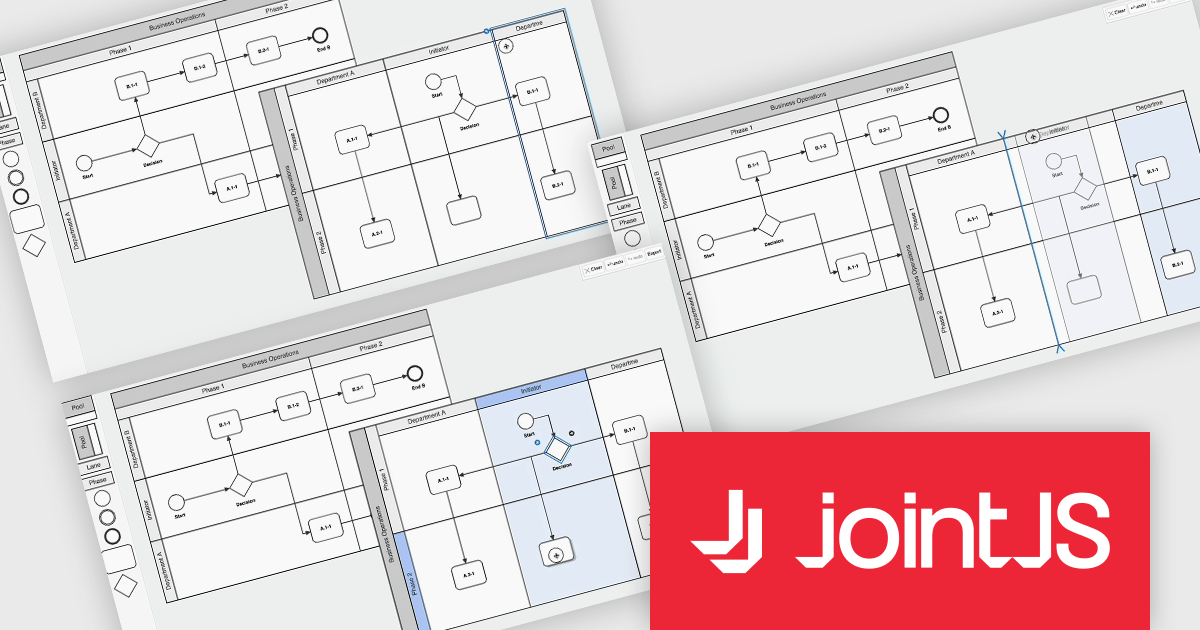
JointJS+ is a diagramming library that offers advanced features like custom shapes, data binding, and advanced layout algorithms, enabling you to create complex, interactive, and visually appealing diagrams. It includes a ready-to-use demo application that showcases its functionality and serves as a starting point for your own diagramming projects.
The JointJS+ v4.1 update introduces significant improvements to Business Process Model and Notation (BPMN) modeling, enabling developers to work more efficiently with enhanced pools, swimlanes, and milestones. These enhancements streamline the process of inserting, resizing, and reordering elements while maintaining content alignment and preventing out-of-bound resizing. The addition of vertical pools and milestones with drag-and-drop functionality further expands modeling capabilities, offering greater flexibility to meet diverse design requirements. Features like content awareness, automatic adjustments, and real-time previews ensure accuracy and ease of use, empowering developers to create precise and dynamic process diagrams with minimal effort.
To see a full list of what's new in v4.1, see our release notes.
JointJS+ is licensed per developer and is available as a Perpetual license with 1 year support and maintenance. See our JointJS+ licensing page for full details.
Learn more on our JointJS+ product page.

ComponentSource and Dynamsoft have enjoyed a successful 20-year partnership focused on delivering document capture and barcode reading tools to the global developer community. This long-standing cooperation demonstrates a shared commitment to providing developers with tools that enable precise data extraction, optimize workflow automation, and enhance the accuracy and efficiency of application processes.
Dynamsoft is a leading provider of software development kits (SDKs), specializing in barcode scanning, document capture, and TWAIN scanning solutions. Its core competencies lie in delivering high-performance, scalable solutions to enterprise-level financial, logistics, retail, and healthcare companies. Dynamsoft offers tools that enable seamless integration of computer vision functionalities into web, desktop, and mobile applications, empowering developers to build high-performance, scalable solutions tailored to diverse enterprise needs. Choosing Dynamsoft products enables businesses to drive digital transformation, improve operational efficiency, and achieve significant cost savings.
ComponentSource, a leading distributor of software components and development tools, has played a crucial role in expanding the reach of the Dynamsoft range. Through this partnership, ComponentSource has helped make products such as Dynamic Web TWAIN and Dynamsoft Barcode Reader accessible to a broader audience of developers.
The enduring collaboration between ComponentSource and Dynamsoft has had a significant, positive impact on the developer community by making advanced imaging and barcode scanning tools more accessible. As we celebrate this two decade partnership, we look forward to strengthening our relationship and continuing to provide developers worldwide with innovative, reliable solutions to meet their evolving technology needs.
Learn more about Dynamsoft.
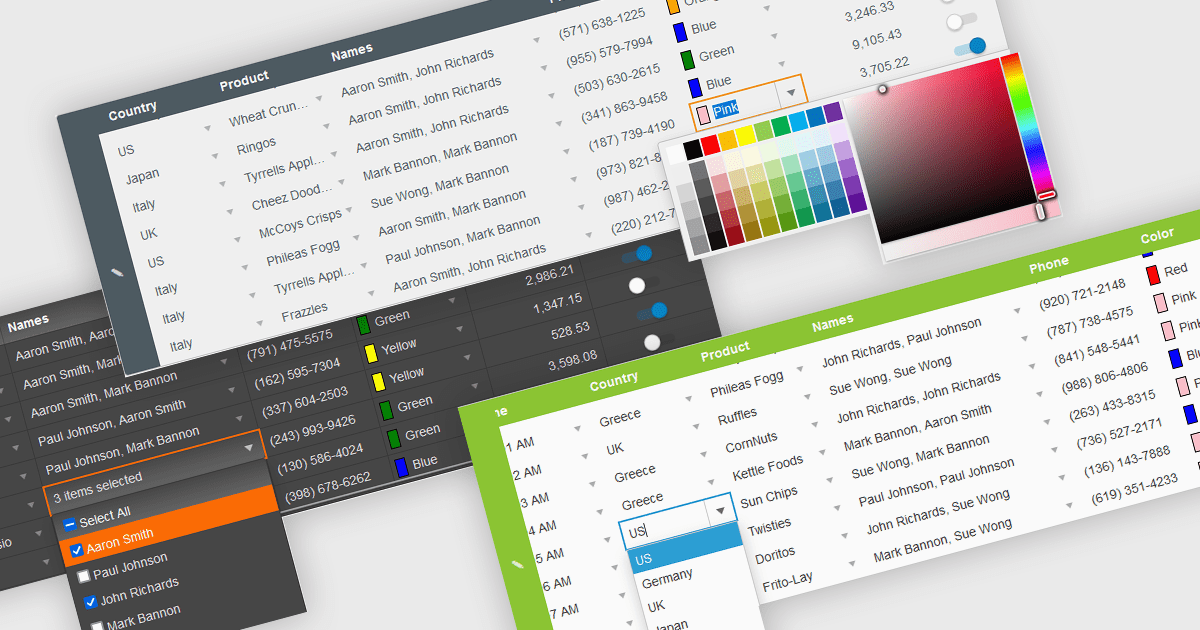
In the field of data editors, themes are style configurations that define the visual appearance and behavior of the interface. They provide developers with a consistent design framework, ensuring alignment with brand guidelines while enhancing usability and accessibility. By supporting features like dark and light modes, responsive design, and unified styling across components, themes enable developers to create a visually cohesive and user-friendly experience. They streamline maintenance, improve scalability, and reduce development overhead by offering a centralized system for managing design updates and ensuring consistency throughout the application.
Several React data editor collections offer support for themes including:
For an in-depth analysis of features and price, visit our React data editor controls comparison.
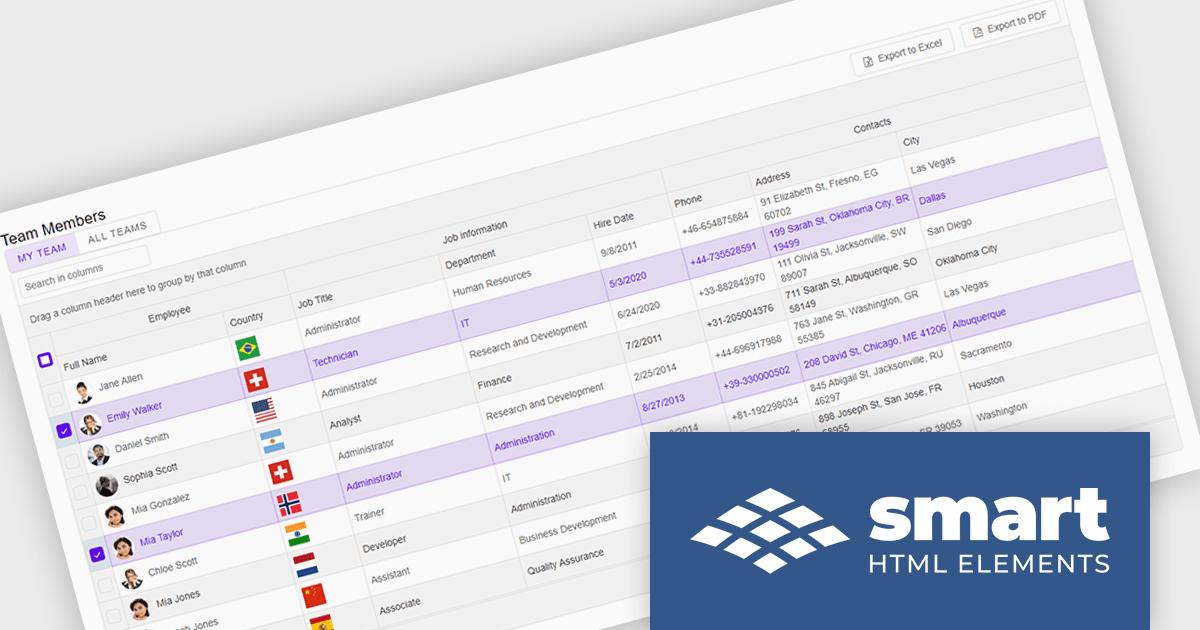
Smart UI by Smart HTML Elements is an enterprise-grade UI library offering pre-built web components for developers in Angular, React, Vue, Blazor, and JavaScript. It boasts over 60 ready-to-use components like grids, charts, schedulers, and editors, all featuring two-way data binding, responsiveness, accessibility, and theming capabilities. This library helps developers rapidly build dynamic and modern web applications with consistent look-and-feel and rich functionalities, accelerating development time and ensuring professional quality.
The Smart UI v21.0.0 release introduces significant enhancements to grid Excel export functionality. Users can now export one or more images from grids or components directly into Excel files and limit exports to selected rows or cells. These features provide greater flexibility, enabling users to include precisely the data they need while adding visual context to enhance understanding. The ability to tailor exports in this way ensures clearer communication of the underlying meaning and significance of the data.
To see a full list of what's new in v21.0.0, see our release notes.
Smart UI (Smart HTML Elements) is licensed per developer and is available as a perpetual license with 1 year support and maintenance. It includes distribution to unlimited Web applications, SaaS projects, Intranets and Websites. Team, OEM and Enterprise licensing options are also available. See our Smart UI licensing page for full details.
Learn more on our Smart UI product page.
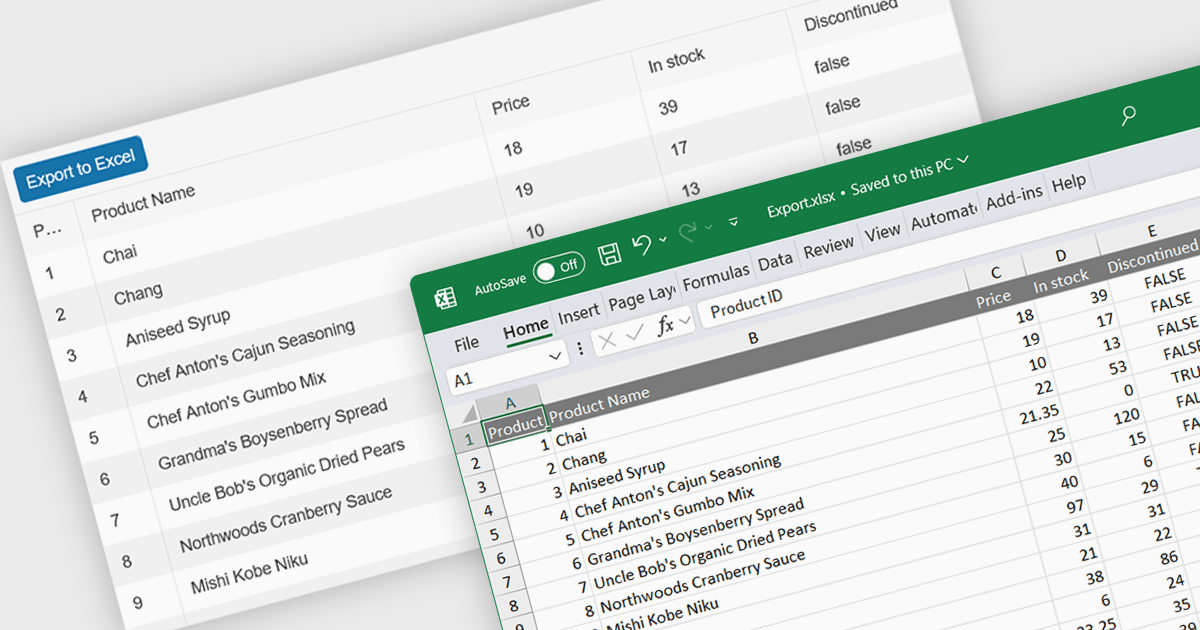
Spreadsheet component with XLSX export functionality allow users to output spreadsheet data into the industry standard Excel-compatible format. This feature is especially useful for applications where data needs to be analyzed, shared, or integrated into external workflows. By enabling XLSX export, users can download structured data directly from the web application in a format widely supported across platforms and software. The benefits of this functionality include maintaining data accuracy, preserving formatting, and supporting large datasets with advanced features like formulas, filters, and charts. Use cases for XLSX export range from financial dashboards and inventory management systems to data analytics platforms and collaborative tools, offering users the flexibility to work offline or share data in a familiar format.
Several React spreadsheet components offer XLSX export, including:
For an in-depth analysis of features and price, visit our React spreadsheet controls comparison.
電話: (888) 850 9911
Fax: +1 770 250 6199


