
GitKraken V9.7.0

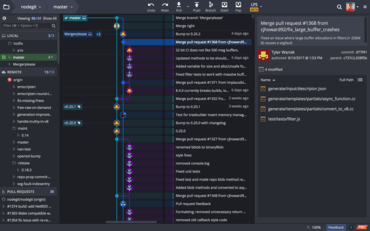
作業ディレクトリを任意のコミットまたはブランチと比較可能
8月 14, 2023
新バージョン

機能

  • Your working directory can now be compared against any commit or branch. This can be accomplished in two ways:
    • Right-click a commit or branch, and choose Compare commit against working directory.
    • Use Ctrl click (or Cmd click on Apple macOS) to select your Work-in-Progress ("WIP") node, along with the commit of your choice.
  • GitKraken Client will now attempt to pull Date/Time settings from OS preferences, along with an override in Preferences > UI Customization.
    • Microsoft Windows: Region & Short date format preferences.
    • macOS: Region & Date format preferences.
    • All: LC_ALL & LC_TIME environment variables.
  • Experimental Feature - Git Executable:
    • Added tag support.
    • Added GPG Preferences setting for SSH commit signing.
  • Added an indicator for repositories in the Workspace REPOSITORIES list when multiple paths are detected. Clicking this will allow the user to specify which repository to use.
GitKraken

GitKraken

開発者、チーム、チームリーダー向けのGitツールとサービスの統合プラットフォーム

ご質問がありますか?

今すぐ GitKraken ライセンススペシャリストとライブ チャット