AlterNET Studio v9.0
Released: Jun 1, 2023
v9.0 での更新項目
機能
- Code Editor
- A Microsoft Visual Studio theme has been added to the editor.
- Now includes a magnifier area making it easier navigate a document's content.
- Images with alpha channels are now used in code completion, line styles and bookmark indicators.
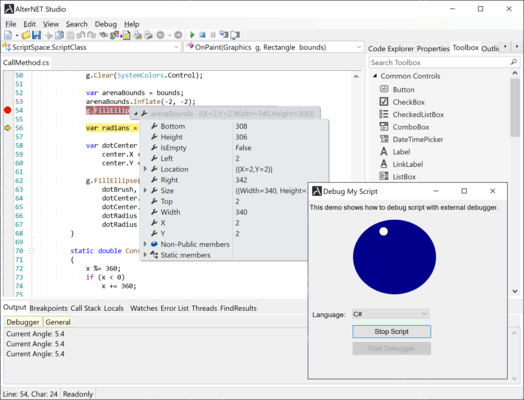
- DataTips shown during expression evaluation now follow the visual theme.
- Standalone Search/Replace dialog forms now follow the visual theme.
- TextEditor now uses a default border style similar to RichEdit control.
- Custom Border style has been added to SyntaxEdit, allowing you to specify different border colors and widths.
- Image lists used in code completion are now cached for better performance.
- Incremental search is now implemented via a popup search panel.
- Now supports emoji characters.
- Parsers
- TextMate-based generic parser has been added, supporting all language themes from Visual Studio code.
- Python LSP parser has been updated to include embedded packages for three different Python language servers, including Pyright, which drives the Visual Studio Code Pylance extension.
- Roslyn parsers have been updated to the latest version of Microsoft Code Analysis API.
- Improved performance of LSP-based parsers.
- Scripter
- Scripter now supports compiling, executing and debugging non-file system-based Python/IronPython and TypeScript code.
- StepOut command has been added to Debug toolbar and menu.
- Form Designer
- Can now serialize forms into Python code and run them using Python.NET scripting engine.
- Toolbox now supports in-place editing for categories.
- Property Grid now includes a component list that shows all controls on the form.
- Installation
- All core libraries and NuGet packages have been updated to support Microsoft .NET Framework 4.6.2, .NET 6 and .NET 7.
- A SyntaxBuilder tool, used to create generic parser schemes, has been added to the program installation.
- Installation now offers to run the Demo Explorer at the end of the installation process.
- All assemblies and demo projects are now signed with an Alternet Software certificate.
- Licensing model
- License checking is now not performed in case .licx files are not included in the application.
- Demo Projects
- Demo projects have been updated to target .NET 4.6.2, .NET 6 and .NET 7 Frameworks.
- Debugger UI thread example project has been added to demonstrate how Python and TypeScript script debuggers can be used to debug scripts that are run within the context of a separate form.
- Python Threading demo has been added to show how several separate scripts can be executed simultaneously.
- Python DAP demo project has been added to demonstrate debugging of multiple threads.
- AlterNET Studio demo now includes a bookmark management toolbar and saving/loading bookmarks between application sessions.
- PackageReference demo has been added to show how Scripter and Code Editor can reference NuGet packages.
不具合の修正
- Code Editor
- Code completion drawing was optimized to remove flickering.
- Code Editor handles shortcuts like Ctrl + K Ctrl+ N correctly, even if they’re present in the main menu items.
- Parsers
- The issue with code completion for generic classes has been resolved for advanced C#/Visual Basic and TypeScript parsers under .NET 6/7.
- The issue with showing descriptions for the code completion members has been fixed for C#/Visual Basic and TypeScript parsers.
- The issue of an un-indenting current statement when typing { in the editor when connected to the C# parser has been fixed.
- The issue with formatting code containing read-only lines has been fixed.
- Several issues with Schema-based code completion for XML have been fixed.
- Scripter
- The Issue with code completion not being displayed in the evaluation dialog has been fixed.
- Now, it’s possible to specify implicit using both for .cs and .csx scripts.
- The Issue with TypeScript scripts located on the drive other than C:\ has been resolved.
- Form Designer
- Exception when adding a column in DataGridView designer has been addressed.