このページは既にアーカイブ化され、その後の更新はありません。
この製品の販売は終了しました。
AppCode 2017.2
Released: Jul 26, 2017
2017.2 での更新項目
機能
- Swift
- Extract method - Easily extract methods and functions from your Swift code just by pressing ⌥⌘M, and have the signature suggested automatically together with parameter names.
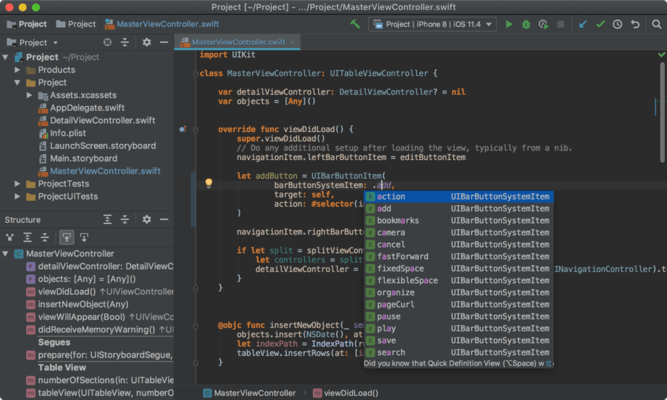
- Override/Implement completion - Type the entity name you need to override or implement, select it in the completion list, and have the corresponding stub automatically generated by AppCode.
- Code style - Benefit from new formatting options for Swift, including:
- Separate Blank Lines sections for protocol properties and methods.
- Spaces within code braces for single-line closures.
- Ability to keep simple methods and functions in one line.
- Inline type hints - Turn on Show Swift type hints in Preferences | Editor | General | Appearance and have type hints displayed for variables without an explicit type annotation.
- Objective-C
- __auto_type support - AppCode is now able to parse __auto_type expressions in Objective-C/C/C++ and shows the __auto_type keyword in the completion list.
- C++
- Code analysis correctness - Focusing on correctness, AppCode 2017.2 improves its C++ code analysis across the board. For example:
- Fixes for incorrect code analysis in cases when std::enable_if is used.
- Fixes for the issues with resolving STL containers with nested template type.
- Proper support for va_* macros was added.
- Correct handling of functions that take parameter pack arguments and non-template arguments.
- Intentions and quick-fixes - Even when variable is unused, constructor might still have some side effects. A new quick-fix was added to preserve non-trivial constructor call on unused variable. Intentions and quick-fixes in C++ code suggest C++ type casts (static_cast, dynamic_cast, reinterpret_cast, const_cast) instead of C-style casts.
- Documentation
- AppCode 2017.2 brings support for the Xcode 8.x-9.x documentation format for Objective-C/C/C++ and Swift. Press F1 and have the documentation displayed for a symbol under the caret.
- Build messages
- Benefit from improved build messages displaying compiler note messages as a subnode of the corresponding warning or error.
- Version control
- Reword - If you committed your changes but not pushed yet and would like to change the commit message, you can do this with the new Reword action.
- Revert - The Git Revert action is now available right from the Log view. Select any number of commits and call Revert from the context menu.
- Commit messages - It is important to keep commit messages easy-to-read and expressive, and formatting is quite important here. Configure commit messages inspections in Preferences | Version Control | Commit Dialog, and select whether you want to have a blank line between subject and body, set the maximum text length, or check the spelling in the comments.