このページは既にアーカイブ化され、その後の更新はありません。
この製品の販売は終了しました。
AppCode 2018.2
Released: Aug 13, 2018
2018.2 での更新項目
機能
- Swift
- Extract Closure - With AppCode 2018.2, extracting a closure is as simple as pressing ⌃T and selecting Closure.
- Inline Rename - Rename Swift symbols in your code faster with no dialogs displayed. The Rename refactoring works correctly for Objective-C block arguments, class names exported to Objective-C from Swift using the @objc attribute, Swift enum cases in Objective-C, and lots of Objective-C declarations that are translated to Swift using special heuristics.
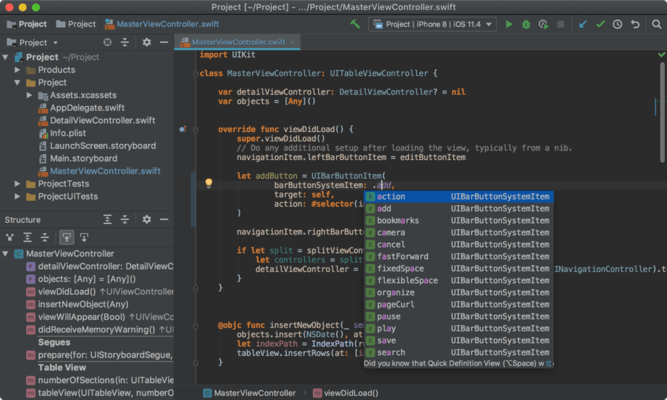
- Attribute Completion - Complete Swift attributes instantly just by typing @.
- Completion for optionals - Have ? inserted automatically for optionals.
- Breadcrumbs - Use breadcrumbs to quickly jump to a specific place in code.
- Comments preview for extensions - Having trouble distinguishing one Swift extension from another? AppCode is here to help, showing you documentation comments preview in the Structure view and Class/Symbol navigation popups.
- Override / Implement - Have method stubs correctly generated for members with the same name from superclasses and protocols, mutable properties, and optional protocol members not implemented in the superclass.
- Intentions - Add or remove explicit types in Swift iterations with the explicit types family of intentions.
- Debugger
- Custom LLDB scripts - AppCode now correctly handles the output of custom LLDB scripts (such as Chisel).
- Breakpoint intentions - Easily manage breakpoints in your code using new intentions available via ⌥⏎
- Build messages
- Target names are correctly displayed as Information nodes.
- The script output for any Run Script phase is now hidden under the collapsible node and does not clutter the build output anymore.
- Database support
- AppCode 2018.2 bundles the first-class SQL and database management functionality from JetBrains DataGrip.
- Explore the content of a database, read and modify data, execute queries, and do other cool things with databases.
- Touch Bar support
- Run and debug your application, have all context actions displayed, and manage the default touch bar controls for AppCode in Preferences, Appearance & Behavior, Menus and Toolbars, Touch Bar.
- User interface
- Flat icons - Reworked the interface icons to give you a flatter, cleaner, more modern UI.
- Dark window headers - How about making the Darcula theme even darker? Go to Preferences | Appearance & Behavior | Appearance and enable the Use dark window headers option.
- Version control
- Use the new Browse Repository at Revision action to open the required repository state in the Project view.
- Open as many VCS Log tabs as you need.
- Delete a Git tag from a commit from the context menu of the Log tab.