Axosoft 17.1.0
Released: Apr 28, 2017
17.1.0 での更新項目
機能
- When creating new items, you'll now see existing similar or duplicate items populate in a fuzzy-finder-style action, just in case you or someone else has done this before.
- You can now rename your email accounts. This makes identifying accounts much easier.
- You can now see the size of your attachments thanks to a new Attachment Size column in the Attachments detail tab.
- Get rid of auto-reply emails with the new "Auto Reply" column in the emails tab.
- Exporting items now give the option to include an item's Parent Item.
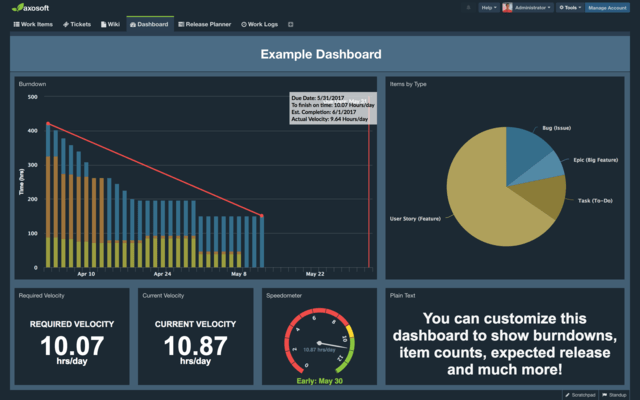
- To improve burndown and velocity calculations, Axosoft now uses changes in work remaining instead of strictly using work logs.
- In a major improvement, the current user is now always at the top of the Assigned To field dropdown.
- Updating attachments, comments, or emails will now update the item’s Last Modified date.
- In some parts of the UI, custom tooltips have been implemented for consistency between browsers, instead of using the browser defaults.
- Detail panes can now be reordered. Go to the right panel and select whether to move a panel up or down from the ellipsis drop-down menu. Or, drag and drop tabs if in the bottom panel.
- Expand/collapse this/all groups have been added as right-click options to group headers, for speedier selection
- Portal users can now sort by rank.
- In date picker, you can now select days that are beyond the currently-viewed month.
- Inactive users in user fields are now labeled as inactive.
- Estimate info in cards is now shown as work done/total work.
- Users can specify the time unit of their capacity settings in User Options
- The name of the selected tab now magically makes its way to your browser title bar as a reference and for a feeling of all-round completeness.
不具合の修正
- Ranking items is now much faster than before.
- Axosoft would duplicate workflow groupings when grouping by workflow. This is now fixed.
- You can no longer add a relation between the same two items multiple times.
- When an item is moved from one item type to another, the Changed By and Created By fields now update to the user who moved that item.
- Workflows being used by a project can no longer be deactivated.
- Projects can no longer be set to use an inactive workflow.
- If an item's project didn't have a default template set, things would get screwy with the notification preview and email content. This is now fixed.
- Selecting a whole bunch of items no longer pushes the save button in the Add Related Items popup offscreen.
- The Wiki Page History detail pane is now consistent whether it’s on the right panel or bottom panel.
- Changing an item’s Project will no longer cause the Project value to change a second time (because the new workflow step was telling it to).
- Comment textareas' content would turn into raw html if the item’s Workstep step was changed before the comment was submitted.
- Sometimes, after editing a subitem, the item grid was not refreshing.
- Manage Workflows and Manage Field Templates pages in macOS Safari were rendering in avant garde mode. This has been fixed to a more mainstream, consistent layout.
- On occasion, when lots of tabs were open, the left/right arrows would disappear.
- You can now edit an active Release of an item even if one of its ancestors is inactive.
- Deleting a contact tied to a workflow step notification was rendering that workflow step uneditable. Workflow steps can now be edited as usual.
- If an item is moved to the completed step, then moved into another step prior to the completion step, the Completion Date is cleared out.
- Fields in the Email Accounts default values section are now listed alphabetically.
- Fixed an issue where you couldn't save the redirect setting in Portal Settings Embedded Portal
- The Category list dropdown wasn't showing any options in Portal, and this has been fixed.
- Notification conditions for checkbox fields now display True/False instead of NONE
- (Installed): Searching the projects panel doesn’t get stuck “searching…” anymore.