Released: Mar 15, 2018
17.2.7 での更新項目
機能
CodeRush for Roslyn
- Feature Advisor - This release introduces Feature Advisor, which introduces CodeRush features likely to improve your coding efficiency based on the ways you create and modify code in the editor. When CodeRush notices code created or modified in ways which CodeRush features can do faster, it adds an entry to the feature advisor and increments the red and white counter in the bottom right of Visual Studio.
- Code Formatting - New options to Format statements and blocks after...
Released: Feb 15, 2018
17.2.6 での更新項目
機能
CodeRush for Roslyn
- Smart Duplicate Selection - This feature makes creating structurally-similar code significantly easier and orders of magnitude faster. Select the code you want to duplicate and instead of copying anything to the clipboard, just press Shift + Enter to duplicate the selection. SDS duplicates the selection, placing text fields around the code - parts likely to change in the duplication.
- Code Formatting - The new Simple Wrap option allows you to wrap only those line parts that...
Released: Jan 24, 2018
17.2.5 での更新項目
不具合の修正
CodeRush for Roslyn
- Navigation - Tab to Next Reference should work for C# local functions
- Refactorings - The "Rename Namespace to Match Folder Structure" refactoring produces an incorrect namespace name
- Static Code Analysis
- CRR0026 shouldn't be shown for event handler parameters
- The "Possible System.NullReferenceException" diagnostic does not take array-assignment into account
- The "Possible System.NullReferenceException" diagnostic does not take into account Me-assignment
- The "Possible...
Released: Dec 13, 2017
17.2.4 での更新項目
機能
- XML Support - The following features support XML markup language now:
- Structural Highlighting
- Selection Expand/Reduce and Include Previous/Next Element
- Paste Replace Word
- Visualization Tools - The Right Margin Line can help you keep code lines from getting too long or exceeding style guidelines.
- Code Analysis - Code Metrics can now establish a Threshold value that determines when the metric appears and when/if the metric contributes to code analysis. This allows code analysis to report type...
Released: Nov 16, 2017
17.2.3 での更新項目
機能
- Unit Test Runner
- JavaScript Test Runner - You can now run and debug tests for client-side JavaScript code using the powerful CodeRush Test Runner.
- Exclude from Coverage - You can now exclude specific projects from Code Coverage analysis using the *.runsettings file. For more details refer to Microsoft's article, Customizing Code Coverage Analysis.
- Code Coverage Filtering - You can now create and apply Filters to the Code Coverage report.
- .NET Core 2.0 Support - You can now use the CodeRush...
Released: Oct 17, 2017
17.1.9 での更新項目
機能
- Code Formatting - Code Formatting has been extended with new abilities to configure Line Breaks (Beta). Two new options pages were added:
- Blank Lines - enables you to configure the number of blank lines around and within the following code elements: Namespaces, Types, Methods, Properties and Fields.
- Braces - enables you to configure the line breaks around and within the following code blocks: Namespaces, Types, Methods, Properties, Accessors, Lambda Expressions and Anonymous Methods and...
Released: Sep 19, 2017
17.1.8 での更新項目
機能
- .NET Core 2.0 Support
- You can now use the CodeRush for Roslyn Unit Test Runner to run .NET Core 2.0 tests and calculate Code Coverage in Portable PDB debug-symbols-format projects.
- Unit Test Runner is now even faster when running .NET Core test cases.
- Code Formatting
- Added a new code formatting feature that enables you to specify spacing options in your code.
- CodeRush for Roslyn Spacing options allow you to add or omit spaces around virtually every part of code. It is more flexible than the...
Released: Aug 21, 2017
17.1.7 での更新項目
機能
CodeRush for Roslyn
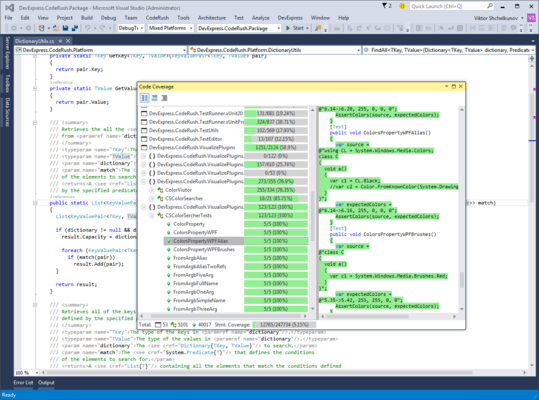
Code Coverage
- You can now exclude specific projects from Code Coverage analysis using the *.runsettings file. For details refer to Microsoft's article, Customizing Code Coverage Analysis.
- You can now create and apply Filters to the Code Coverage report. For example, you can create a filter that only shows members with less than 70% coverage.
Code Analysis - Unused Members
- Added a new analyzer that detects unused members.
- You can also configure the highlighting of such...
Released: Jun 27, 2017
17.1.5 での更新項目
機能
CodeRush for Roslyn
- Refactorings and Code Providers - Added new XPO Fields feature based on the XPO EasyFields community plugin for CodeRush Classic. It is helpful for those who work with eXpress Persistent Objects as it enables you to automatically generate and update the XPO FieldsClass based on the existing class members.
- Code Generation - The Declare Menu is now accessible from Visual Studio's Light Bulb action menu. New configuration options for members generated by the following...
Released: May 25, 2017
17.1.4 での更新項目
機能
CodeRush for Roslyn
Navigation
- Drop Marker is enhanced, gaining the ability to mark and restore selections (in addition to caret positions). Useful when you have the selection you want but then realize you need to do something else first before you modify/cut/copy/delete the selection. Just drop a marker, move the caret to wherever you want to be, and when you’re ready press Escape to restore the selection. Also useful for presenters who want to need do quickly highlight code.
- Jump to File...