Dr.Explain(英語版) のリリース
Released: May 12, 2022
v6.4.x での更新項目
v6.4.1241
Updated May 12, 2022
Features
- Added support for Local Collaboration Servers which are server applications for organizing multi-user project work.
- Improved speed of network operations when in Collaboration mode.
- Improved responsiveness of online help.
- Updated jQuery version in online help.
- A dozen of performance improvements and fixes have been made.
Released: Nov 5, 2021
v6.3.x での更新項目
v6.3.1221
Updated Nov 5, 2021
Features
- Added a collection of user manual templates that help you get started quickly.
- Redesigned the toolbar in the content editor which simplifies and speeds up access to the most commonly used operations.
- Added background color support for highlighting important content.
- Added "Paste as plain text" with the Ctrl+Shift+V hotkey to quickly grab content from external sources.
- Added semantic tags in HTML documents which improves your online manual's SEO and content...
Released: Jul 5, 2021
v6.2.x での更新項目
v6.2.1207
Updated Jul 5, 2021
Features
- Brazilian Portuguese user interface localization has been added.
- Added Lightbox effect for images in online manuals and CHM files.
- Added new clean and light user interface.
- Added new modern style to default project which makes your content look more attractive and easier to read.
- Optimized text editor to improve content editing.
- The HTML preview component now supports all modern web standards and features.
- The PDF preview no longer requires Adobe Acrobat...
Released: Oct 20, 2020
v6.1.x での更新項目
v6.1.1195
Updated Oct 20, 2020
Features
- Added new algorithms for automatically annotating web pages with better recognition of significant controls and the ability to filter out most secondary elements.
- Added the ability to automatically annotate web pages captured from Firefox, Microsoft Internet Explorer and Google Chrome browsers.
- Improved Window capturing process.
- Added new way to create context sensitive help for web pages and web applications.
- Added the ability to set Alt attributes for...
Released: Feb 19, 2020
v6.0.x での更新項目
v6.0.1184
Updated Apr 17, 2020
Features
- Added the ability to insert several annotated screenshots in a single topic.
- Added the ability to capture screen regions.
- New simplified screenshot capturing tool.
- Magnifier in the screenshot capturing tool.
- New material design templates for online help.
- More effective content editor.
- Revamped Hi-DPI user interface with scalable vector graphics.
v6.0.1175
Updated Feb 19, 2020
Features
- Ability to insert several annotated screenshots in a single topic...
Released: Jan 25, 2019
5.7 での更新項目
機能
- Quickly switch between Web and Print mode.
- Revamped dialogs in the text editor and project settings.
- Faster synchronization process in Collaboration mode.
- Faster page load of produced CHM files.
- Validation of anchor relations.
- Better export of lists in RTF.
- More accurate import of MS Word files.
- More efficient validation tool.
Released: May 8, 2018
5.6 での更新項目
機能
- Project autosaving - Your work won't be lost even in case of the system failure.
- Better anchors support - Insert HTML anchor tags easily.
- New revamped dialogs in the text editor - New clear and attractive user interface for text editor operations.
不具合の修正
- Performance improvements and fixes.
Released: Sep 14, 2017
5.5 での更新項目
機能
- 64 Bit architecture - Dr.Explain now runs on 64 bit Windows OS exclusively so as to support bigger projects as well as to be more performant.
- Now supports high resolution (Hi-DPI) screens, such as 4K monitors, taking full advantage of fine pixeling for the clearest user interface and better user experience.
- New revamped user interface will help you to work more efficiently and with greater comfort.
- The Import function got more flexible and robust.
- The Export functions were optimized.
- Many...
Released: Nov 29, 2016
5.4 での更新項目
機能
- Simpler page design and layout customization.
- Screenshot capture and analyzing tool was improved.
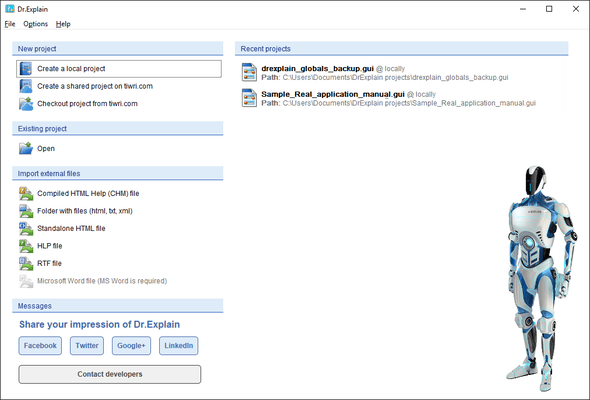
- New startup screen.
- New single-document interface (SDI) model.
- Improved import functions.
- Improved content editor.
- Many components of Dr.Explain application were improved, such as PDF and HTML export, text editor, import algorithms and more.
Released: Feb 24, 2016
Updates in this release
Updates in 5.3
- New Startup screen.
- New single-document interface (SDI) model
- Improved import functions.
- Many minor issues were fixed and numerous improvements were made.