Released: Feb 8, 2021
4.1.0 での更新項目
機能
- Updated Code certificate: The code signing certificate used for the Premium Pack installer and Toolbox utility has been updated.
- Remote and multiple domains in embedded and field-level help and WordPress: It is now possible to use embedded and field-level help from multiple WebHelp documentation systems on the same web page. In addition, you can also embed WebHelp hosted on other web servers, different to the server hosting the HTML pages on which you are embedding and displaying the help.
- WebHelp (V3 and V4 Skins):
- Print Topic functionality: Improved topic printing in local no web server mode, both with the hamburger menu function and directly via the browser’s own print function.
- Print breadcrumbs: Added the option to include the breadcrumb trail above the topic title when the user prints topics.
- Inline toggle icons: Inline text toggles with icons are now supported in these skins.
- TOC autohide in mobile mode: When the TOC is folded over the topic content on mobile devices it now automatically slides out of view when a topic is selected. This new option is configurable.
- Buttons as popup links: These are now supported.
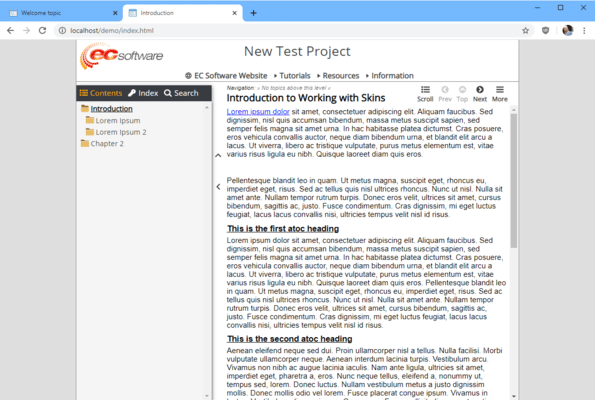
- Modern Standard skins: These skins have been generally overhauled and tidied up for better appearance and easier editing.
- Maximum width setting: These skins now also have a HELP_MAXWIDTH setting for limiting the width of the help window in large browser windows.
- eWriter (V3 Skins):
- Title bar display in eViewer: You can now configure the title bar display in eViewer in the same way as in WebHelp.
- Options: Current topic title, current project name, current project name and current topic title.
- Print breadcrumbs: Added the option to include the breadcrumb trail above the topic title when the user prints topics.
- Inline toggle icons: Inline text toggles with icons are now supported in this skin.
- Buttons as popup links: These are now supported.
- Toolbox Utility:
- Variables without names and unregistered Baggage files: Toolbox now checks for the existence of variables without names and unregistered files in the Baggage section and can correct this.
- RTF build option removed: This option is no longer relevant in Help+Manual 7 and 8, which now generate Microsoft Word DOCX by default.
- Baggage file handling: General handling of Baggage files has been improved, including better distinction of the differences between the processing of Baggage files in projects and skins when writing back to the project.
- Help update:
- The Premium Pack help has been updated and extended with more detailed information.
不具合の修正
WebHelp (V3 and V4 Skins):
- Printing only first page: In some browsers only the first page of multi-page topics would be printed.
- Magazine skins:
- Calling context IDs via the URL didn’t work in the magazine skins because of a small internal error.
- TOC width was sometimes too narrow when opening/closing.
- Flexible skins: The icon for page header open/close in the divider between the TOC and topic panes was hidden on the first load when the help was embedded.
- Modern Standard skins: These skins have been generally overhauled and tidied up for better appearance and easier editing.
- iPad and iPhone behavior: The TOC pane could be narrower than the tabs above it on first access on some iPhone and iPad devices.
- Swipe to change TOC pane width: Did not work on older iPad Mini devices.
- General layout: A large number of minor tweaks and improvements to the layout in these skins.
- Toolbox Utility:
- Baggage files incorrectly shown as edited: Sometimes baggage file listings would be highlighted red as edited when this was not the case.
- Context and Edit menu updating: Sometimes the right-click context menu and Edit menu for Baggage files would not update correctly after adding a Baggage file to the current skin or project.