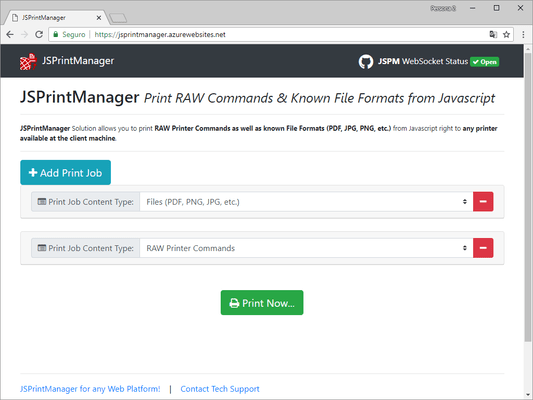
Neodynamic JSPrintManager 3.x

Released: Jun 30, 2020

3.x での更新項目

3.0.21.601

Updated Jun 1, 2021

Fixes

Client App (Windows Only)

  • Fixed issue where getPrintersInfo did not work if a printer name was specified.

3.0.21.425

Updated Apr 27, 2021

Fixes

Client App

  • Fixed issue with BIDI Serial Communication.

3.0.8

Updated Mar 27, 2021

Features

  • Added support for DSR, CTS, RTS and DTR for serial communication.

3.0.21.326

Updated Mar 27, 2021

Features

Client App

  • Added support for DSR, CTS, RTS and DTR for serial communication.
  • Improved the ability to open a WebSocket connection.

3.0.7

Updated Feb 19, 2021

Features

  • Added support for zip.js v2.

3.0.21.219

Updated Feb 19, 2021

Fixes

Client App (Mac Only)

  • Fixed ClientPrintJob status events.

3.0.21.205

Updated Feb 5, 2021

Fixes

Client App (Windows Only)

  • Fixed issue with System error, (OS Code 1905): The specified printer has been deleted.

3.0.21.127

Updated Jan 27, 2021

Fixes

Client App

  • Fixed issue with error: `Invalid CRC checksum while unzipping`.

3.0.20.1219

Updated Dec 19, 2020

Fixes

Client App

  • Fixed issue with error: `Job Cancelled: No printers found.`.

3.0.20.1215

Updated Dec 16, 2020

Fixes

Client App (Mac Only)

  • Fixed issue with Websocket connection closing just after starting it.

3.0.6

Updated Dec 11, 2020

Fixes

  • Removed JSPM.Serial.StopBits.None which is not a valid value.

3.0.20.1112

Updated Nov 16, 2020

Features

Client App

  • Improved custom paper format support for PDF, images, and text.

Fixes

Client App

  • Fixed certificate generation to be in compliance with the latest industry specs.

3.0.5

Updated Aug 20, 2020

Fixes

  • 'JSPM not defined' when importing JSPM module.

3.0.4

Updated Aug 12, 2020

Fixes

  • Malformed message - Invalid License.

3.0.20.729

Updated Jul 31, 2020

Fixes

  • Certificate configuration.
  • License validation when using license_url option.
  • Installer script for Linux Debian-based systems.

3.0.3

Updated Jul 28, 2020

Fixes

  • license_url setting throws "Uncaught TypeError: Cannot read property 'status' of undefined.".

3.0.2

Updated Jul 22, 2020

Fixes

  • Fixed license_url setting throws an error if websocket was not open.

3.0.1

Updated Jul 13, 2020

Fixes

  • Fixed support for Microsoft Internet Explorer 11.

3.0

Updated Jun 30, 2020

Features

  • All advanced PDF printing (Print as Grayscale, Print Annotations, Rotation, Page Range) in v2.0 that was available for Windows, is now  available for macOS and Linux.
  • Added more PDF printing settings like Sizing (None & Fit), Auto Center, and Auto Rotate to PrintFilePDF class.
  • Printing Password-protected PDF files through PrintFilePDF class.
  • Added manual Duplex printing support for PDF files through PrintFilePDF class.
  • Added new PrintFileDOC class supporting *.docx, *.docm, *.dotx, *.dotm, *.doc, *.dot, *.rtf, and *.odt file formats. Note: for Microsoft Windows clients only. Requires Microsoft Word 97+.
  • Support for printing Password-protected DOC files, and options like manual Duplex, Pages Range through the brand new PrintFileDOC class. Note: for Microsoft Windows clients only. Requires Microsoft Word 97+.
  • Added new PrintFileXLS class supporting *.xl, *.xlsx, *.xlsm, *.xlsb, *.xlam, *.xltx, *.xltm, *.xls, *.xla, *.xlt, *.xlm, *.xlw and *.ods file formats. Note: for Microsoft Windows clients only. Requires Microsoft Excel 97+!
  • New! Support for printing Password-protected XLS files, and Pages Range setting through the brand new PrintFileXLS class. NOTE: For Windows clients only. Requires Microsoft Excel 97+.
  • Added Duplex printing options (Default, Simplex, Vertical, Horizontal) to InstalledPrinter based on the built-in duplex support of the target printer.
  • Added option to TextAlignment enum for printing txt files as is i.e. without any alignment.
  • Get list of Fonts available in the client system.
  • Get list of Serial/COM ports available in the client system.
  • Scan documents and images from TWAIN/WIA/SANE-compatible scanner devices specifying DPI/resolution, Pixel Mode (Grayscale, Color) and the desired output image format (JPEG/JPG, PNG).
  • Get list of scanner devices available in the client system.
  • Bidirectional (BIDI) Serial Port (RS-232, COM & TTY) Communication support.
  • PrintFileTXT now supports sources from files, URL, BLOB, and Base64.