Released: Jul 11, 2019
2019 (17.1.2) での更新項目
Updates in 2019 (17.1.2)
- Fixed issue with Liquid XML Objects reading non-utf-8 encoded XML Schema.
- Fixed issues in Data Mapper writer components when combinations of Default Filename, connected Filename and Output Params are set.
- General Fixes.
Released: Jul 3, 2019
2019 (17.1.1) での更新項目
Updates in 2019 (17.1.1)
- New JSON Schema Draft 7 support.
- Added XML Data Binder global function PreserveCharacterRefCR.
- Fixed issue with XML Data Binder C++ 14.2.
- Fixed issues in JSON Schema Draft 6 support.
- Fixed Escaping characters when calling Web Services.
- Fixed Data Mapper If component.
- Fixed Data Mapper WADL support.
- Fixed Liquid XML Object XSD 1.1 validation.
- Fixed High DPI issues.
- General Fixes.
Released: May 21, 2019
2019 - Update 1 (17.1.0) での更新項目
機能
- Liquid Studio 2019 - Update 1.
- Improved Microsoft Visual Studio 2019 integration.
不具合の修正
- Includes many fixes and improvements.
- Includes rollup of all previous fixes.
Released: Apr 15, 2019
2019 (17.0.6) での更新項目
Updates in 2019 (17.0.6)
- Allow escaped strings to be entered into constant values in Data Mapper.
- Added missing Examples type to json intellisense and improved autocomplete.
- Changed Flat File Columns Editor to allow column Width up to Int32.Max.
- Improved Clipboard performance for big data.
- Fixed Exclude file issue in Project Control.
- Fixed XML intellisense to show enum values.
- Fixed naming and namespace issues in Liquid XML Objects.
- Fixed issue with spelling correction menu not displaying...
Released: Mar 27, 2019
2019 (17.0.5) での更新項目
Updates in 2019 (17.0.5)
- New Features:
- Added Custom Headers option to Web Services in Data Mapper.
- Added new Encode and Decode Data Mapper components.
- Added Liquid XML Objects C# sample project.
- Fixes:
- Important fix for XML Data Binding Wizard from crash reports.
- Fixed issue with Large File Editor colors in Dark Theme.
- Fixed issue with TLS 1.2 in Data Mapper generated code.
- Stability fixes from user feedback and crash reports.
- Fixed issue with adding Excel component to Data Mapper.
- Moved...
Released: Mar 3, 2019
2019 での更新項目
機能
-
New Microsoft Visual Studio 2019 Extension Support
- Liquid Studio 2019 includes updated Microsoft Visual Studio Extension.
-
New Dark Theme
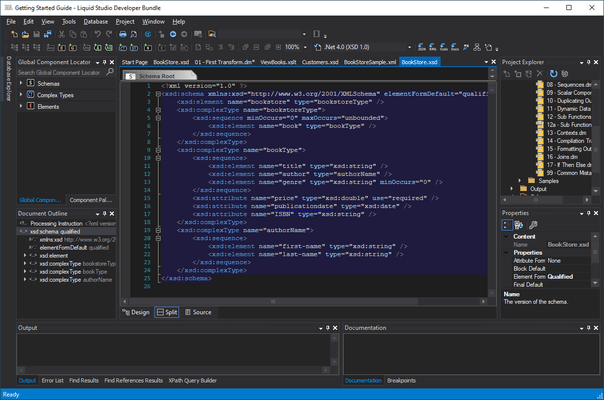
- Liquid Studio 2019 includes a new Dark Theme when running on Windows 10. The Dark Theme is also applied when running Microsoft Visual Studio Extensions.
-
New JSON Graphical Grid Editor
- JSON data can now be viewed and edited in the graphical Grid Editor view.
-
New XML Schema Set Editor and Validator
- A new editor has been included to provide functionality to...
Released: Feb 15, 2017
2018 での更新項目
機能
- New JSON Schema Draft 6 support - Along with JSON Schema Draft 4, the graphical JSON Schema editor now supports JSON Schema Draft 6 and the JSON editor now provides validation for both JSON Schema specifications.
- New JSON Schema Library - Automatically associates JSON documents with common standard schemas based on the JSON filename, enabling validation and intellisense for the standard JSON file types. Also allows the creation of new instances of standard JSON documents from the New File...
Released: Feb 6, 2017
2017 での更新項目
機能
- New 64 bit Support - Now runs natively under 64 bit processor environments providing improved performance and memory management.
- New RESTful Web Service Testing - Liquid Studio Web Service Test Client now supports calling RESTful Web Services using WADL or User Defined Web Service calls, along with the existing WSDL/SOAP based functionality. REST (Representational state transfer) Web Services are popular for building lightweight Web Services usually based on simple HTTP GET and POST protocols...
Released: Mar 18, 2016
Updates in this release
Updates in 2016
Graphical JSON Schema Editor
-
The new JSON Schema editor abstracts much of the complexity of the Json schema standard, presenting structure of the schema without showing the unnecessary complexity. This provides a view that makes it simple to understand and edit the your schema. Access to the full range of related facets is available via the properties window and the JSON Source can be edited directly within the Source View. Features include:
- Graphical and Source Split screen view...