LogViewPlus 3.1.22
Released: May 2, 2025
3.1.22 での更新項目
機能
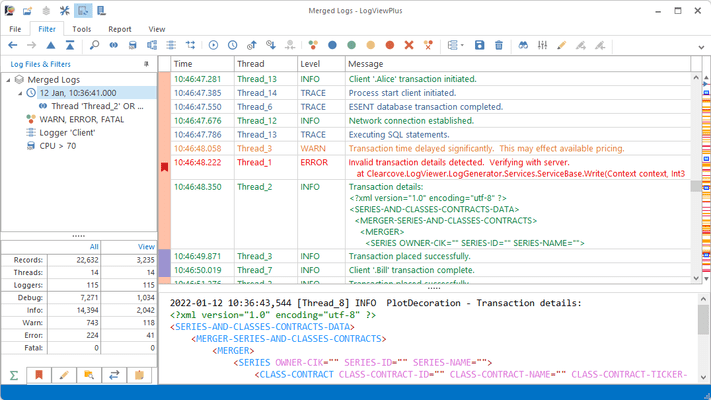
- Grid column changes in merged log files and message parsers can now be saved.
- Added grid column customization form for easier column management.
- Added check to verify available memory before attempting to open a log file.
- Added logarithmic scale to reporting chart options.
- Elapsed data column can now be used in SQL queries.
- Improved reliability of file size reads on network shares.
- Added SQL engine support for the TIME data type.
- SQL CONVERT function now supports date time format strings via style parameter.
- Changed the default log reader encoding from the Windows default to UTF-8.
- Executing a compare against two log entries will now use pretty-print settings.
- Parse Message command now works as an edit operation if a parse message filter is selected.
- Parse Message command is now disabled if the view is already using a parse message schema.
- Pretty printing can now optionally process escape characters in XML and JSON strings.
- LogViewPlus will now persist navigation visibility and message size settings.
- Added support for paths with literal URI escape characters.
- Shortcuts can now be disabled individually.
不具合の修正
- Fixed issue with merged files referencing a column value incorrectly.
- Fixed issue with parsing message information across multiple lines.
- Fixed issue with saving time zone settings.
- Fixed issue with grouping by the Date column.
- Fixed issue with SQL GetFileExtension method and invalid data.
- Fixed issue which could occur when using an invalid node name.
- Fixed issue with Open Action commands when an invalid template is used.
- Fixed issue with exporting the Elapsed column value.
- Fixed issue with exporting log entries as HTML.
- Added fix for race condition which could happen when working with merge files.
- Minor technical changes and bug fixes.


 (3)
(3)