Released: Jan 6, 2022
Mockplus Cloud での更新項目
機能
Adobe XD plugin
- Added support for notifying your team members when you've uploaded or updated designs.
- Improved the interaction recognition of your Adobe XD files.
- Improved the reminder to guide users when their team has reached the max project limit.
Photoshop plugin
- Added support for notifying your team members when you've uploaded or updated designs.
- Improved the reminder to guide users when their team has reached the max project limit.
Figma plugin
- Added support for notifying your team members when you've uploaded or updated designs.
- Improved the asset uploading strategy, effectively reducing the asset thumbnail generation issues.
- When a component is set as exportable in Figma, the plugin now auto generates assets for all its instances.
Storyboard
- Improved the loading speed of your design pages. It takes less time to upload design images.
- Improved the Project Tree. You can now nest the child pages again.
Design & Interaction
- Added support for creating an RP project in landscape orientation.
- Added more animation effects for the Overlay action.
- Added support for a new guide to help users zoom or move the canvas with shortcuts in the single page view.
- Improved page loading speed in single page view.
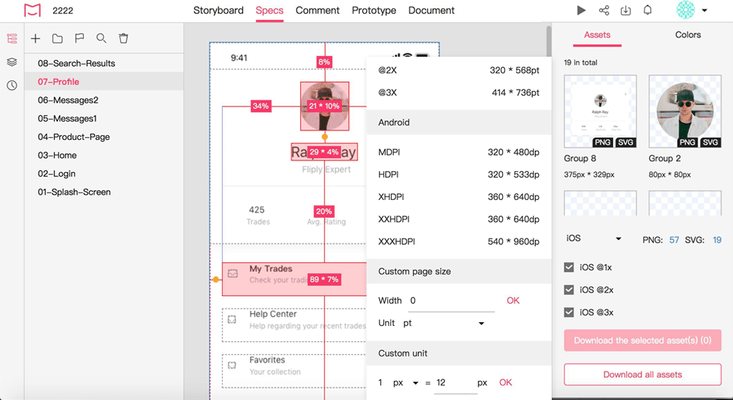
- Changed the default decimal places of design specs to two.
- Improved asset display. Your assets now load much faster.
- Improved the feature of finding the same color on the current page in the single page view.
- Improved color matching of number labels when choosing the Number pin style.
- Improved shortcuts for showing percentage specs. "Alt + Tab" shortcuts no longer affect percentage specs.
Activities and notifications
- Added support for showing the activities of design system projects.
Document
- Improved the comment panel. When clicking a comment with a long message, Mockplus now auto shows the entire message for you.
- Improved PRD switching. Mockplus now remembers the scroll bar position when you switch between different RPDs.
Preview
- Added support for hiding the floating toolbar when sharing a project through the preview link.
Task management
- Improved task sorting. Your tasks are now sorted based on the order of your preset task status.
Resource
- Added support for uploading multiple Zip packages at once with drag-and-drop.
Project management
- Added a new project category to filter and manage all projects created by you.
- Improved project folder deletion. You can now delete an empty project folder nested with other ones.
Team management
- Added support for adding a reason when the Admin has rejected a request to join a team.
- Improved team and project access permission requests.
不具合の修正
Photoshop plugin
- Fixed: Your image may be shrunk after uploading.
Storyboard
- Fixed: You may fail to upload a certain type of SVG images.
- Fixed: Your hidden RP pages are still visible to non-project members when being shared.
Design & Interaction
- Fixed: The dash lines are not correctly displayed after being imported into Mockplus.
- Fixed: Mockplus may not remember the position of the scrolling bar when switching between the Prototype and Presentation modes.
- Fixed: The percentage specs are not shown when you first select a layer with the shortcut "Alt".
- Fixed: The redlines are not completely shown when viewing percentage specs.
- Fixed: Pin comments are covered by the left Project Tree panel when trying to locate the pin comments through the right-hand comment panel.
- Fixed: The tooltip of the layer with a long name is not shown.
Prototype
- Fixed: The shortcuts to zoom in or out may not work in the single page view.
- Fixed: The selected prototype may flicker when trying to re-sort it up and download with drag-and-drop.
Activities and notifications
- Fixed: When someone replies to your comment and also @mention you in that comment, you now get notified once only.
Document
- Fixed: The popup window doesn't auto fit to the screen when trying to insert a design page.
- Fixed: The restored document may not be taken back to its original position on the Document Tree.
- Fixed: The Back button of your browser may not respond when you back to the Document mode from other modes.
- Fixed: When trying to export or print your doc, the inserted RP design page may not be shown completely.
Task management
- Fixed: When you cancel a search only because no matching results are found, your task page may change to the empty status and then show all your existing tasks.
Resource
- Fixed: The uploading reminder appears when trying to rename a resource and unconsciously dragging the mouse.
Project management
- Fixed: The top toolbar may not auto fit to the screen when you zoom in or out of the design page.