ONLYOFFICE Docs Enterprise Edition with Liferay Connector v7.1.x
Released: May 12, 2022
v7.1.x での更新項目
v7.1.1
Updated Jun 7, 2022
Fixes
- Fixes in all editors
- Fixed rendering of the fonts list.
- Fixed rendering of some Chinese fonts.
- Updated help entries.
- Document editor
- Fixed lost text box in the Header.
- Fixed incorrect table width for a DOC file.
- Fixed conversion of some DOCX files.
- Fixed color of SmartArt figures for DOCX -> ODT conversion.
- Fixed page count in the specific DOC file.
- Fixed insertion of a page with merged cells and drag'n'drop.
- Fixed zoom while touch-pad scrolling.
- Hidden ‘Create new’ option for offline PDF/DJVU/XPS files.
- Spreadsheet editor
- Fixed display of all sheets while saving as PDF.
- Fixed zoom change with touch-pad on Apple macOS.
- Presentation editor
- Fixed re-saving of some PPTX files.
- Fixed text alignment for some ODP files.
- Fixed saving SmartArt in groups.
- Fixed crash on drawing animation labels by shape track.
- PDF viewer
- Fixed lost text in PDF -> ODT conversion.
- Fixed lost text in PDF -> image conversion.
- Fixed calling for the Translate plugin.
- Mobile web editors
- Fixed merged button on tablets.
- Fixed interface move after closing Find & Replace.
- Fixed tooltip for function description.
- Document Builder
- Fixed broken presentation after using ApiSlide.ApplyTheme.
v7.1.0 (2.2.0)
Updated May 26, 2022
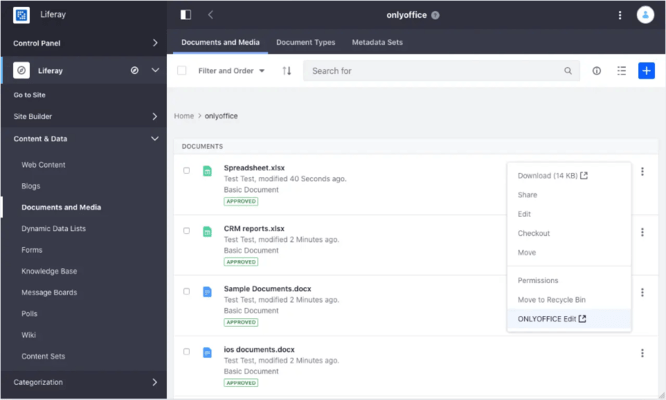
ONLYOFFICE Liferay connector has been updated to version 2.2.0:
Features
- File previews - With this release of the integration app, you can now preview your files without opening ONLYOFFICE Docs.
- Force Save:
- By default, the changes you make in a document in Liferay are saved in the cache of ONLYOFFICE Docs (Document Server). They are sent to the server only after you close the document, and the new version is registered.
- With Force Save enabled, you can save document versions and revisions manually at any moment to add the current version to the history, directly to the server. This will give you more control over history navigation and let you keep accurate versioning manually.
- Force save can also help you keep your content safe when you have an unstable internet connection.
- Other improvements - Other improvements of the Liferay integration app include:
- Support for empty document templates in Galician language.
- File lock scheme revised with Checkin/Checkout actions instead of Lock/Unlock.
Fixes
- Bug fixes and performance improvements.
v7.1.0
Updated May 12, 2022
Features
- All Editors
- Added an ARM version for some systems.
- Added new menu for inserting shapes.
- Added the ability to edit the points of a selected shapes.
- Added the ability to open new diagram types: Pyramid, Bar (Pyramid), vertical and horizontal cylinders, vertical and horizontal cones.
- Added the ability to crop a selected image to a shape.
- Added the ability to sort comments by group.
- Added the ability to see file protection passwords when entering.
- Added support for SmartArt objects without the need to convert to a group of objects.
- Added new interface languages: Galego/Galician and Azerbaijani.
- Notifications will now appear when connection is lost and being restored.
- Gradient fill icon now shows the chosen colors.
- Document Editor
- Added the ability to convert PDF/XPS files into editable files.
- Added a new toolbar tab: View.
- Added the ability to accept/reject changes from the context menu.
- Added the ability to use special symbols when searching within documents.
- Added the ability to add a period with a double-space.
- Added Chinese/Japanese/Italian language to Watermark settings.
- Document Viewer
- Added a new viewer for PDF, XPS, DJVU files with major performance improvements. All operations are performed on the client side.
- Added the ability to use the Page Thumbnails panel and to display the document's contents on the left sidebar in PDF files.
- Added support for external and internal links in PDF opening.
- Added the ability to use Hand/Select tools in PDF viewer.
- The Document Info section of the Data tab now contains information about PDF, XPS, DJVU files.
- Spreadsheet Editor
- Added the ability to use a built-in preview panel before printing out a spreadsheet.
- Added a new View tab with settings like: Combine sheet and status bars, Always show toolbar, Interface theme, Show frozen panes shadow.
- Added new currencies as per ISO 4217 without needing to change the locale.
- Added the ability to use tips when working with formulas for tables.
- Added the ability to set a text qualifier when importing text from TXT/CSV.
- Added support for opening XLSB files.
- Added a new context menu for moving sheets.
- Groups can now be opened and closed in view/comments mode.
- Presentation Editor
- Added new toolbar tabs: Animation and View.
- Animations can now be added to the presentation.
- Added the ability to duplicate slides using the Add slide menu.
- Added the ability to move a slide to beginning/end using a slide context menu.
- Added the ability to insert recently used shapes using a new panel on the Insert tab.
- Added the ability to add a period with double-space.
- Forms
- Added the ability to zoom a form.
- Mobile Editors
- Added dark themes in mobile web editors and viewers.
- Added a new button to show lists in spreadsheet.
- API
- The last callbackUrl is now needed for sending a link to a compiled file if a file was edited by the same user on different tabs.
- Added new Features and Layout sections for Customization. Added the ability to customize interface, toolbar, left, right and bottom sidebar.
- The following parameters have been renamed: leftMenu -> layout.leftMenu, rightMenu -> layout.rightMenu, toolbar -> layout.toolbar, statusBar -> layout.statusBar and spellcheck -> features.spellcheck.
- Added the ability to see the customer_id and the build type on index.html.
- Other changes in API.
- Back end
- Added new X2T_MEMORY_LIMIT environment variable which limits memory for the x2t process.
- [WOPI] Added new headers for putFile request: X-LOOL-WOPI-IsModifiedByUser, X-LOOL-WOPI-IsAutosave and X-LOOL-WOPI-IsExitSave.
- Performance improvements via build components update.
- ttf-mscorefonts-installer is a now mandatory dependency for Linux version, for better compatibility with ooxml files.
Fixes
- All components received countless fixes.