Released: Oct 18, 2024
v8.2.0 (9.5.0) での更新項目
機能
ONLYOFFICE Nextcloud connector has been updated to version 9.5.0:
- Introduced features to collaborate on PDF files using different modes and tools:
- Annotate PDF in Commenting mode:
- By default, a PDF file is opened in Commenting mode.
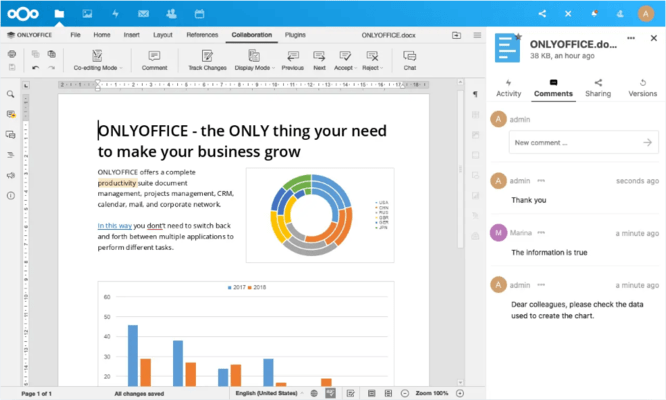
- You can now select specific areas of text and add comments using the Comment button. All the comments in the document can be viewed and managed easily in the left-side panel, providing a convenient way to track ongoing discussions.
- To ensure your feedback reaches the right person, you can use @mentions to tag your co-authors.
- You can also draw annotations directly on the PDF to clarify your points visually.
- Collaborate in Editing mode:
- If you need to make changes directly to the PDF document, you can switch to Editing mode in the upper right corner of the interface.
- There are two collaboration modes available in Editing mode: Fast and Strict. By default, Strict mode is enabled, which means your changes are not visible to others until you click Save. This allows for more control over when your edits are shared.
- You can switch to Fast mode, where changes are visible immediately to all users working on the document.
- Communicate in real time:
- For efficient collaboration, you can now use the built-in chat feature to discuss document updates without leaving the editor.
- Added default empty templates.
- Added Finnish, Hebrew, Norwegian, and Slovenian empty file templates.
- Demo server address has been changed.
- Changed editing PDF by default.