ReSharper Ultimate is no longer available. All current licenses have been automatically transferred to dotUltimate.
ReSharper Ultimate 10 released
Released: Nov 4, 2015
Updates in this release
Updates in 10
ReSharper
ReSharper Build - An out-of-process incremental build tool that can take advantage of multiple processes, visualize project build status and is optimized for large solutions with lots of dependencies.
Usage-aware Go to declaration - ReSharper 10 extends the functionality of the Go to declaration (as well as Ctrl+click) so that you can also use a shortcut to look up usages.
Support for Google Protocol Buffers - Now provides proper IDE support for .proto files. This includes syntax highlighting, code analysis, code completion and navigation for both 2.x and 3.0 versions.
Enhanced JavaScript and TypeScript support - Support for JSX syntax is now available in .js, .jsx and .tsx in order to streamline React development in ASP.NET applications.
Revised Stack Trace Explorer - Now provides links to types, in addition to methods, and parses more types of data, including WinDbg GCRoot dumps and Visual Studio Call Stack tool window contents.
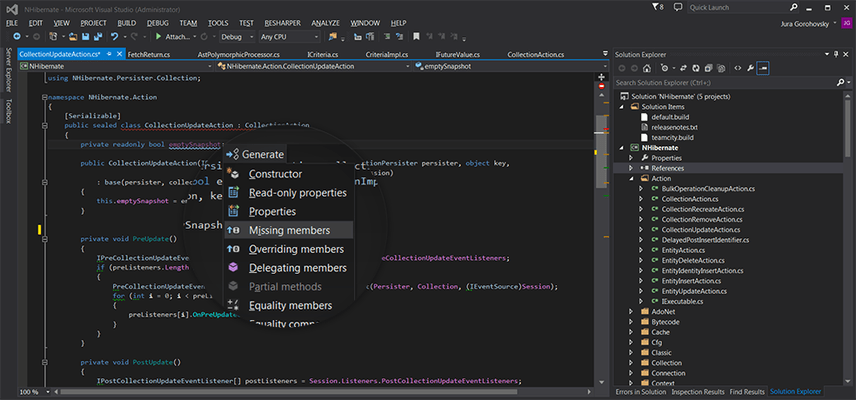
Out-of-the-box postfix templates - Postfix templates allow you to reduce backward caret jumps while typing C# code.
Device family-specific views - Universal Windows Platform enables using device family-specific XAML views to provide different UI for different types of devices. ReSharper 10 learns to handle this technique with dedicated code inspections, quick-fixes and context actions.
Code style settings - Now comes with a set of changes aimed to simplify configuration of and complying with code style settings.
ReSharper C++
Improved C Support - Now includes full support for C99, including designated initializers. It also works with all C11 features that are supported in Visual Studio.
Navigation Improvements - You can now use a single shortcut (or Ctrl+click) to switch from declaration to definition or to look for usages.
Code Generation Improvements - Generate definitions for a function inline by specifying the corresponding option in the Generate dialog.
New Context Actions - New action to create a derived class when positioned on a class declaration.
Visual Studio 2015, C++11 and C++14 - Along with integrating into Visual Studio 2015 ReSharper C++ 10 has learned to understand more C++11 and C++14 language features supported in the latest Microsoft IDE.
dotMemory
New view that helps set up new profiling sessions and provides a summary of recently profiled applications.
dotTrace
Timeline profiling in Visual Studio that enables you to profile, view performance timelines and call stacks, apply filters, view top methods, investigate times by thread and perform many more performance profiling actions without leaving your IDE.
dotCover
Continuous Testing - A modern unit testing workflow where dotCover works out on-the-fly which unit tests are affected by your latest code changes, and as soon as you hit Save, it automatically re-runs the affected tests for you.
dotMemory Unit
Write tests that check your code for all kinds of memory issues.
dotPeek
Understand IL code and show it either as comments in decompiled C# code or in a separate tool window.