Released: Oct 31, 2023
October 2023 での更新項目
機能
Easier-to-use issue board backlog
- You now have two ways to add issues to your board's backlog:
- Manually - Issues appear in the backlog only after they're selected from a list. To add an issue, navigate to your issue board and click Add issues in the Backlog panel. You can also drag and drop issues directly between your board and your backlog.
- Search query - Issues that match predefined search criteria will automatically appear in your backlog. You can customize the search query by adding or modifying issue field values, like tags.
- You can also select multiple issues from the backlog and place them on the board or remove them from it.
Embedded folder description
- Every folder now has a dedicated description field that is always visible and easily editable on the fly.
Granular permissions for folders and documents
- You can now fine-tune access to personal and project folders and documents for anyone in your organization, regardless of their role. You will receive a Spacebox notification containing a quick access link whenever a new entity is shared with you.
Introducing external users in Space: Collaborators and Guests
- Added a new Collaborator role designed for people outside of your organization who actively contribute to your project.
- You can use the Collaborator role to invite:
- Outsourced teams or individuals to integrate their work into your project and track progress.
- Freelance specialists, developers, designers, marketers, technical writers, and others, to collaborate with your development team seamlessly.
- Partners to work together on a joint project.
- This role allows you to:
- Involve Collaborators directly in your pipeline to increase productivity.
- Shorten the feedback cycle and deliver results faster.
- Use fewer collaboration tools, ensuring all project information is in one place.
- Increase the transparency of your development process and ease of collaboration.
- The Collaborator role is highly customizable and can be granted extensive access to Space's features, including the ability to actively contribute to Git repositories, participate in code reviews, and collaborate on issues and documents. However, administrative features are not available for this role.
- The Guest role has also been re-designed for stakeholders and customers who require access to your project and need to communicate with your team, but without actively participating in development.
- Use the Guest role to invite:
- Customers to provide feedback, oversee progress on projects, and communicate with your team.
- Stakeholders to facilitate Scrum and Agile processes.
- This role allows you to:
- Get customers and stakeholders involved in the development process early on and increase team productivity by speeding up the feedback loop.
- Use fewer collaboration tools, negating the need for multiple messengers and emails. You don't have to establish separate collaboration processes. Instead, you can ensure direct and transparent communication with your customers.
- Grant stakeholders and customers direct access to information and resources. This prevents potential bottlenecks by allowing for direct collaboration instead of making external users wait for responses from your team.
- Overall, Guests have fewer permissions than Collaborators. You can grant Guests permissions to do things like view project details, edit documents, create issues, and comment on issues. Guests do not have access to administrative features.
Unified project member view
- In Space, projects are tailored to fit your team's specific needs. With the assistance of a robust permission management system, you can fine-tune predefined and custom roles to achieve your desired level of access for internal and external users.
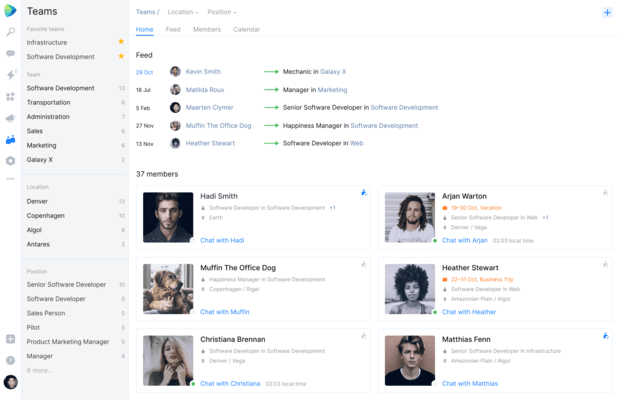
- Now, you can conveniently manage all project members from the <Your project> | People pane. Add or remove users, view, assign, and edit their roles and permissions, and quickly configure project roles - all from a single view.