Stimulsoft Designer のリリース
Released: Sep 11, 2020
2020.4.2 での更新項目
機能
- Added the Trend Line Color property for the chart style.
- Added a new Box and Whisker chart.
- Added Firebase data adapter to connect with Google Firebase service.
- Added Conditions for the Progress dashboard element.
- Added an extended checking of regions in the Regional Map element.
- Added the ability to remove the Recent Data Source tab.
- Improved parsing months which are saved as strings.
- Improved DayOfWeekIndex and DayOfWeekIdent functions.
- Improved the publishing tool for Angular projects...
Released: Aug 7, 2020
2020.4.1 での更新項目
機能
- Added new FromOADate and ToOADate functions.
- Added the ability sort by variation in the Progress and Indicator elements.
- Added new ShowBlanks option to the ComboBoxElement, ListBoxElement, TreeViewElement and TreeViewBoxElement.
- Added Sparkline component.
- Added the ability to sort by Target value in the Gauge element sort menu.
- The View Data button has been added to each element in the dashboard viewer.
- Added properties area for Waterfall series.
- Added the ability to use Icons Sets in charts...
Released: Jun 19, 2020
2020.3.2 での更新項目
機能
- Improved DataColumnCollection and DataParameterCollection editor.
- Improved the application of report styles during undo and redo operations.
- Improvements when opening and closing editors in the designer.
- Enabled the visibility of headers when a Table element has data.
- Improved datetime request from user variable during editing.
不具合の修正
- Incorrect cloning of Gauge element.
- Fixed some issues with drag & drop arguments in the simple Chart editor.
- Fixed some issues with SummaryType in the Table...
Released: Jun 11, 2020
2020.3.1 での更新項目
機能
- Added new properties: Axis.StartFromZero, Axis.ShowEdgeValues and Axis.Range.
- Added ShowNulls and ShowZeros properties to Chart element.
- Added simplified Chart editor.
- Added MinimumColor and MaximumColor properties to Table element.
- Added new system variables: Line, LineABC and LineRoman.
- Added new Constant Lines editor in Chart component.
- Added new Position property to ConstantLine of Chart element.
- Added Histogram chart.
- Added new Labels property editor.
- Improved default size in text...
Released: Apr 28, 2020
2020.2.3 での更新項目
機能
- LineStyle and LineWidth properties added in chart elements.
Released: Mar 16, 2020
2020.2.2 での更新項目
機能
- Added Visible property for YAxis and XAxis in Charts.
- Hyperlinks can now be used in text elements and tooltips.
- Added filter operation type to the Filters window of each element.
- Added Width property for Doughnut series.
- Improved rendering of Indicator and Gauge elements when using large fonts.
- Disabled pages will not be displayed in grey in the designer.
Released: Feb 5, 2020
2020.2.1 での更新項目
機能
- New Waterfall Chart - A waterfall chart is used to display a running total when you add or remove values.
- Overall Results for Stacked Area Charts - This release adds the ability to display the total for each argument in a Dashbaord Stacked Area chart.
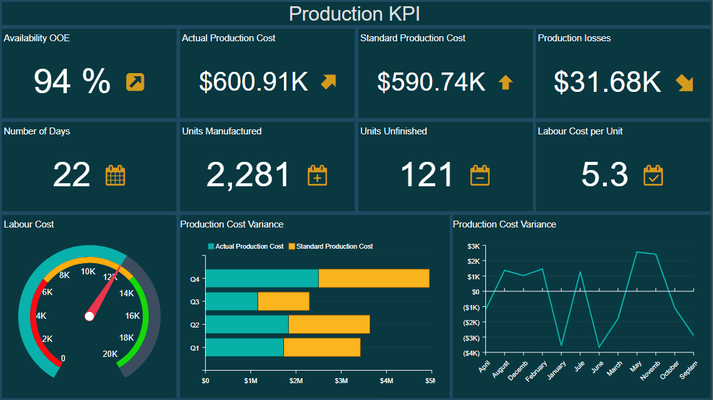
- Dark Green Theme for Dashboards - To apply the new style, select the Dashboard and select the Dark Green theme from the styles menu.