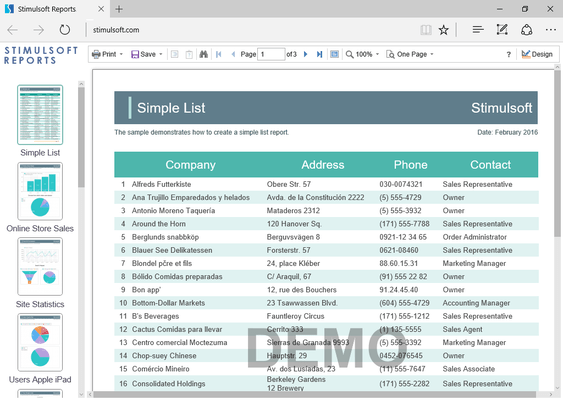
Stimulsoft Reports.PHP のリリース
Released: Jun 11, 2020
2020.3.1 での更新項目
機能
- Added the ability to encryption connection string and SQL query when sending a command to the server.
不具合の修正
- Issue with rendering text in div mode.
- Issues with the text format.
- Bookmarks/Tags on some containers.
- Issues with the excelValue.
- Issues zooming images.
- Issues exporting report to data formats.
- PostgreSQL data adapter column type issue.
Released: Apr 28, 2020
2020.2.3 での更新項目
不具合の修正
- If Culture was set in the report then this culture was not rendered.
- Issue with drill-down.
- Speed improved.
Released: Mar 16, 2020
2020.2.2 での更新項目
不具合の修正
- Incorrect processing of error messages in SQL queries in some cases in PHP 7.4.
Released: Feb 5, 2020
2020.2.1 での更新項目
不具合の修正
- Interactions for stacked bar series.
Released: Dec 19, 2019
2020.1.1 での更新項目
機能
- Added PHPMailer 6 support for PHP 7 and higher.
不具合の修正
- String.isNullOrEmpty error in the designer.
Released: Oct 21, 2019
2019.4.1 での更新項目
機能
- New installer - You can install each Stimulsoft application as a separate distribution.
- Printing reports from a Web browser - Report printing now works correctly in any browser, on any operating system.
- New CosmosDB Data Adapter - You can now retrieve data using the Azure CosmosDB server.
- HiDPI support - The 2019.4 release adds HiDPI support in the standalone report designer.
- The Get Started window - When you run the report designer first time, you will see the Get Started window. From there...
Released: Sep 23, 2019
2019.3.6 での更新項目
不具合の修正
- Print to PDF in Chrome version 77.
Released: Sep 6, 2019
2019.3.5 での更新項目
不具合の修正
- Uploading project libraries to the Publish Wizard, now correctly display percentage.
Released: Dec 18, 2018
2019.1.1 での更新項目
機能
- New functions added - StrToDateTime, StrToNullableDateTime and TryParseDateTime.
Released: Oct 9, 2018
2018.3.1 での更新項目
機能
- New Data Transformation tool - Use the Data Transformation tool to create a virtual data table. You can combine data tables from various sources, group, filter, sort, aggregate the data, change the type, replace values in columns and specify the range of rows in the new table. The converted data table can be used in reports and dashboards.
- Updated New Relation editor - In this new editor, the main and subordinate data sources are selected, as well as the data columns which will be used for...