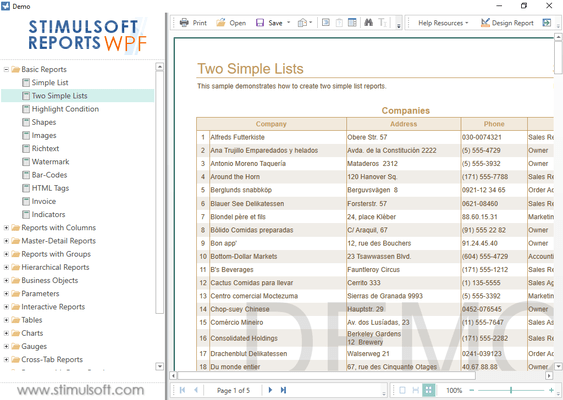
Stimulsoft Reports.Wpf 2011.2 adds new chart types
Released: Sep 29, 2011
Updates in this release
Updates in 2011.2
- Save a Copy - A new option to save a copy of any item in the data dictionary has been added. This feature will significantly speed up the process of creating new elements.
- Filters and Queries - In 2011.2, users choose themselves how to filter - using the report generator or using an SQL query.
- New Import Tool - You can now import from Report Sharp-Shooter format.
- Sorting and Filtration of Business Objects - Sorting and filtration is now possible for business objects.
- Collapsing Hierarchical Reports - Using the collapsing function it is possible to minimize redundant information in reports and, at the same time, provide this information only if needed.
- New Installer - This utility helps you to install or remove Stimulsoft Reports assemblies into the GAC.
- Google Docs and Storing Reports - All Stimulsoft report designers can now keep their reports in the Google Cloud.
- New Function - A new feature has been added to the data dictionary - ToWordsFa. The function converts a number to string in words in Persian.
- Support for Dirhams in ToCurrencyWords - DHS (Dirham) has been added to the list of supported currencies.
- New Chart Types - Bubble, Radar Point, Radar Line, and Radar Area.
- New Assistant - Options Helper - This tool helps you to understand report generator options and creates a list of changed parameters.
- Border.Topmost Property - This feature expands the visual abilities of reports.
- Optimization - Stimulsoft have optimized the report designer for working with very large reports.
- Interacting with Charts - 2011.2 comes with a new chart builder engine. It has been completely redesigned. Now you can interact with elements of diagrams on report pages, as well as with other components.
- New Types of Labels for Charts - The chart has three new types of Labels - in the center of the series, on the left and on the right side of the series.
- Applying Style to Chart - Using this property, you can disable using a style in a particular element and set its own appearance values.
- RefCursor and Oracle ODP Provider - RefCursor as a parameter is now supported in the Oracle ODP Provider.