Stimulsoft Ultimate のリリース

Released: Oct 21, 2019

2019.4.1 での更新項目

機能

  • New installer - You can install each Stimulsoft application as a separate distribution.
  • Printing reports from a Web browser - Report printing now works correctly in any browser, on any operating system.
  • New CosmosDB Data Adapter - You can now retrieve data using the Azure CosmosDB server.
  • HiDPI support - The 2019.4 release adds HiDPI support in the standalone report designer.
  • The Get Started window - When you run the report designer first time, you will see the Get Started window. From there...

Released: Oct 4, 2019

2019.3.7 での更新項目

機能

  • Added sort button to an element's action buttons.
  • Optimized rendering dashboards.
  • Improved table exporting in all image formats.
  • Redesigned style selection menu. Now styles are displayed in several columns for easy viewing.
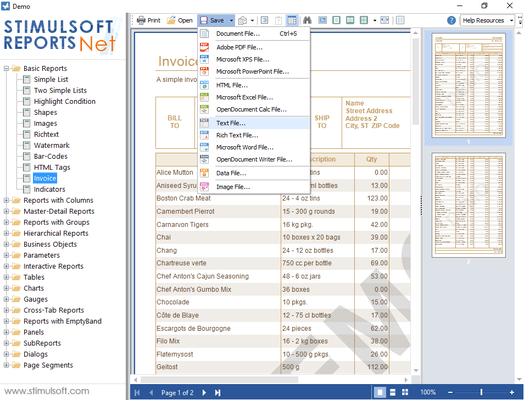
  • Added the ability to export to TXT files.
  • When exporting to Microsoft Excel you can now export page color.

Released: Sep 23, 2019

2019.3.6 での更新項目

機能

  • Added PivotTable conditions.
  • Added "if", "choose" and "switch" functions.
  • Added additional conditions for string types.
  • Full Row Select and Drill-Down Filtered options were added to Table element interaction.
  • Export to PDF - Added support for ZUGFeRD v2.0.
  • Added new property: StiOptions.Export.Html.OpenLinksTarget.
  • Added conditions for Indicator element.
  • Added the ability to use icons in Image element.
  • Added new filter types in Data Transformation for string types: "between", "greater than...

Released: Sep 6, 2019

2019.3.5 での更新項目

機能

  • Added Stimulsoft.Report.Toolbox.StiToolboxSetup class which helps you configure the status of the designer ToolBox from code.
  • Added new maps: Benelux and Scandinavia.
  • Add half cycle marker types to chart series.
  • Added Marker property to Chart elements.
  • Added Icon Alignment property to Indicator elements.
  • Added help links to dashboard element editors.
  • Add totals to table elements.
  • Added custom maps.
  • Added Chart mode in OnlineMaps.
  • Added Scale Mode option to designer.
  • Added a selection of...

Released: Aug 7, 2019

2019.3.4 での更新項目

機能

  • ShowToolbar property of the Designer.
  • SeriesShowBorder property of the Chart Style.
  • StiClone component.
  • CloseDesignerWithoutAsking property to HTML5 designer.
  • Labels property for Chart Element.
  • Support export to JSON data.
  • Icon chooser to OnlineMap.
  • LimitRows property to designer.
  • LimitRows.property for the Data band.
  • Icons for Pictorial Series.
  • CloseDesignerWithoutAsking property to the HTML5 Designer.
  • Data from Other Data Source is supported in Dashboards.
  • Constant Lines for Chart...

Released: Jul 22, 2019

2019.3.3 での更新項目

機能

  • Added the ability to save an image from the image editor.
  • Added Interaction property to Image and Text elements.
  • Added the ability to URL encode a password in the connection string.
  • Added Edit Expression button to all expression fields.
  • Added support for JPEG CMYK color space images.
  • Dashboards WPF - Added the ability to close dashboard preview tabs.
  • Added interaction property for Image and Text elements.
  • Added Labels property to all types of Chart element.
  • Added Sybase ADS data adapter was...

Released: Jun 19, 2019

2019.3.2 での更新項目

機能

  • Expressions are now used in gauge ranges in Gauge element.
  • Improvements to drawing indicators in Table element.
  • Dashboards WPF viewer - cache clearing before loading a new report.
  • Code editor improved for better working with dashboards.
  • Optimized speed when using a large number of Total functions.
  • Added new option: StiOptions.Engine.DisableAntialiasingInPainters.
  • CustomTextFormat now understands "(###)###-####" FormatStrings for string data types.
  • Designer WinForms - Drag and drop of all...

Released: May 20, 2019

2019.3.1 での更新項目

機能

  • Updated viewer - Now you may view reports and dashboards, connect report collections from local and cloud storage, create a list of favorite reports and call the report designer to design or modify reports and dashboards.
  • Variables for dashboards - In the new version you can use variables when filtering data on dashboards. You can use variables with or without user selection or entry of values. Create a variable in the dictionary and add a filter for the dashboard items using this variable...

Released: Mar 23, 2019

2019.2.3 での更新項目

機能

Stimulsoft Dashboards.WEB

  • Added PortNumber property that controls the port in the URL.
  • Added data transformation property to dashboard elements.
  • Added async versions of the Print, Export, Render and Compile methods.

Stimulsoft Dashboards.WIN

  • Added PositiveColor and NegativeColor options to indicator dashboards.
  • Added AlternatingCellForeColor option to pivot table dashboards.
  • Added ForeColor option to gauge dashboards.
  • StiOptions.Viewer.Windows.Exports.Show properties are now available in...

Released: Mar 13, 2019

2019.2.2 での更新項目

機能

Stimulsoft Dashboards.JS

  • Added new Refresh Viewer method.
  • Added support for word wrap in table cells in dashboards.

Stimulsoft Dashboards.WEB

  • Added export settings form for dashboards.
  • Added support for word wrap in table cells in dashboards.

Stimulsoft Dashboards.WIN

  • Variables now are supported.
  • An applied filter is now shown on elements.
  • New tool button added to easily change element type in designer.
  • FilterOn property added to the element filter.

Stimulsoft Reports for Java

  • Added...