このページは既にアーカイブ化され、その後の更新はありません。
この製品の販売は終了しました。
Syncfusion Essential Studio ASP.NET Web Forms 2017 Volume 3
Released: Aug 7, 2017
2017 Volume 3 での更新項目
機能
- Date-range picker
- New control - The date-range picker is a new ASP.NET wrapper component that allows a date range to be picked from a set of predefined or custom date-time ranges in an application.
- Key Features
- An option to select dates from a pop-up window.
- An option to set predefined custom ranges for easier selection.
- Localization support.
- Mobile friendly.
- Chart
- StackingSplineArea and 100% StackingSplineArea series - New series types, stacking spline area and 100 % stacking spline area, have been added to the chart.
- Datalabel Saturation - Support has been added for displaying the data label text according to its background color.
- Multiple Spline Types - The chart control now supports multiple spline types for spline series.
- Data Manager
- Web API batch edit - The data manager supports Web API batch operations. Web API batch editing is a unique feature where requests to add, remove, and change are handled altogether at once rather than as separate requests for each operation.
- Queryable data operations - The data manager allows a query to be executed against a specific data source by using queryable data operations. It can perform IQueryable server-side operations such as filtering, paging, and sorting.
- Diagram
- Ruler support - Ruler support has been added to the diagram control.
- Drag limit option for labels - Support has been added to align labels when dragging them so their relative position is retained after resizing their host objects. An option to restrict dragging labels within a certain limit has also been added.
- Multiple parent layout - Visual representation and performance of layouts with multiple parents have been improved.
- DocIO
- Content Control Support - DocIO now allows creating and modifying content controls in Word documents and provides a way to design documents with the following features:
- Create a form-like user interface.
- Prevent users from editing the contents of a content control.
- Bind content to XML data.
- Word-to-PDF Enhancements
- DocIO now allows converting Word documents to PDF in Azure websites.
- DocIO now allows converting Word documents with rotated images to PDF as they appear in the Word document.
- DocIO now allows converting Word documents with mirror margins to PDF as they appear in the Word document.
- FileExplorer
- Root folder configuration - Support has been added to access the root folder of the application and display alternate text in that root folder.
- Gantt
- Work week - The Gantt control now provides support for changing the work week in a project.
- Validate taskbar editing - It is now possible to validate the editing of taskbars linked with predecessors.
- Resource units - It is now possible to map the resource units at initial load for the resources assigned to a task.
- Grid
- Drop-Down Support for Page Size - Provided support to change grid page size dynamically by using the page-size drop-down in pager.
- Kanban
- Status show/hide option - Feature to show/hide cards based on key value mapping. It can group cards using key values and can toggle the display.
- Mask Edit
- Globalization - The mask edit control now provides support for globalization in all supported cultures.
- Pager
- New control - The pager is a new ASP.NET wrapper component that allows navigation between large amounts of data which is sectioned as pages. Includes an easily customizable UI.
- Key Features
- Option to navigate to required page.
- Option to navigate to previous/next/last/first page.
- Localization support.
- Mobile friendly.
- PDF
- Compress existing PDF document - Reduce the file size of an existing PDF document.
- Tagged PDF - Provide accessibility support by allowing user to create PDF/Universal Accessibility (PDF/UA) or section 508 compliant PDF document.
- PDF Viewer
- Handwritten signature - The PDF Viewer allows you to add your signature to any PDF document and save it as a standard PDF file.
- Pivot Grid
- Load on demand (Relational DB) - Load on demand support allows data to be retrieved only on drill-down operations, improving the performance of the control.
- Paging (Relational DB) - Paging splits large records into separate segments to view data easily. It also improves the performance of the pivot grid.
- Group by date type (Relational DB) - The pivot grid categorizes date-type fields and groups them based on year, quarter, month, and day formats.
- Sort by date type (Relational DB) - The pivot grid supports sorting date-type fields in ascending or descending order.
- Presentation
- Support to insert columns - Presentation now allows inserting columns in tables in PowerPoint presentations.
- PDF and image conversion enhancements - Presentation now allows PowerPoint presentations with rotated and nested group shapes to be precisely converted to PDF or image formats.
- Radial Slider
- Localization support - Radial slider ticks and values can be localized based on selected culture. Enables customizing culture-based values.
- Schedule
- Add/Edit Appointments Inline - The user can now create or edit appointments inline through a single click made either on the scheduler cells or on the existing appointment’s subject text. Pressing the enter key after the new subject text is typed into the inline-created text box will save/update the appointments appropriately.
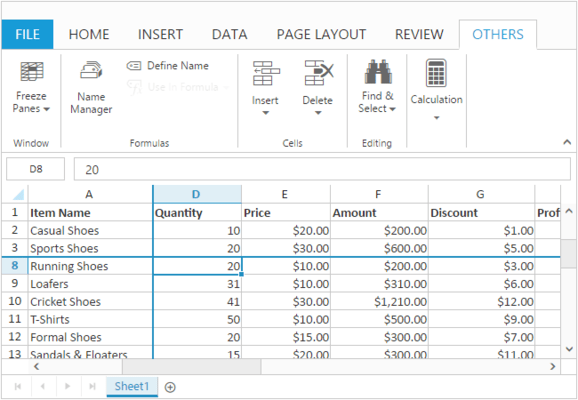
- Spreadsheet
- Support for charts with discontinuous ranges - The spreadsheet control can now import charts with series as discontinuous ranges or as series of points.
- Tree Grid
- Text wrap - The tree grid control now provides support for text wrapping in cells.
- Load On Demand data binding - The tree grid control now provides support for data binding using the “Load on Demand” approach.
- Command columns - It is now possible to perform CRUD actions and custom actions using the command column in tree grid.
- Printing - It is now possible to print tree grid content.
- Edit template - The tree grid control provides support for editing cell values with custom editors using edit template.
- Column priority - The tree grid columns are now made responsive using the column priority.
- Treemap
- Text Overflow - Text overflow support has been provided for labels in the treemap control.
- XlsIO
- Filter Enhancements - XlsIO now allows the user to sort filtered data by text, number, cell color, and font color. It provides the ability to filter data based on custom text filter.