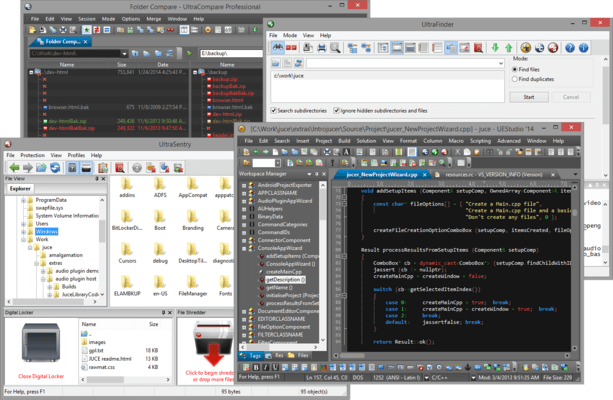
Please Note: UEStudio Suite is replaced by UltraEdit Enterprise (formerly UltraEdit All Access).
The products within the suite are still supported and existing customers can contact us for a quote to renew their maintenance subscription.
UEStudio Suite - includes UEStudio v2024.0
Released: Apr 19, 2024
UEStudio v2024.0 での更新項目
機能
Added support for cloud storage services. Use the UltraEdit dialog as a hub to search all your files from any supported cloud service:
Google Drive.
Microsoft OneDrive.
Amazon S3.
Dropbox.
Access and edit files from all your cloud storage services.
Application scripting additions:
Added new document properties:
dateCreated.
dateModified.
dateAccessed.
fileAttributes.
owner.
syntaxHighlighting.
characters.
lines.
nonEmptyLines.
sLOC.
averageLineLength.
longestLine.
changedLines.
Added new readText/writeText functions.
Added new getEnvironmentVariable function.
Updated SSH/Telnet dockable window:
Updated to the latest encryption standards.
Added support for key agents.
Other notable quality improvements:
You can now allow sorting by clicking on the column headers in the Windows dialog.
Added a "Copy" button to Sum Selection dialog for total value.
Added a link to main downloads page in Support menu.
Added the ability to run Microsoft PowerShell script from context menu in Project or FileView.
Added "New script" as the default PowerShell template.
不具合の修正
Honor Windows setting to hide cursor (mouse pointer) while typing.
Sum selection returns incorrect negative value.
Default language for syntax highlighting is changed if new wordfiles are added.
Second instead of first configuration item selected on using Find in Configuration.
Display issues with Manage Themes dialog on Windows 11 at 175% scaling and UHD resolutions.
Clipped labels in Modify Templates/Modify Groups dialogs at 125% scaling.
File extension based font setting is ignored.
URL selection is incorrect in Markdown file.
Default Template fails to appear, after closing and reopening the file.
Renaming a file is not reflected in file lists.
Creating a new template with the same existing template name.
"New script" default template does not appear for all applicable template groups.
UI elements not clearly visible after resizing Modify Templates dialog.