UltraCompare

ファイルの比較、フォルダーの比較、相違点の統合

UltraEdit 社の製品
2013 年より日本国内にてComponentSourceで販売中。
バージョン: v2024.x 更新日: Feb 10, 2025 レビューの平均スコア: 5.00レビューの平均スコア: 5.00レビューの平均スコア: 5.00レビューの平均スコア: 5.00レビューの平均スコア: 5.00 (2)

i

Please Note: UltraCompare is now available as part of UltraEdit Core or UltraEdit Enterprise (formerly UltraEdit All Access).
UltraCompare for Windows, Mac and Linux are now included in the License price.

UltraCompare v2022.20

Released: May 24, 2022

v2022.20 での更新項目

機能

  • Binary compare improvements:
    • Added Hex offset support:
      • You can set hex offsets per frame to compare or ignore different areas of binary data.
      • You can right-click on any byte to set beginning and ending offsets per-pane.
      • Added new session properties for offsets.
    • Added the ability to configure the number of bytes per line.
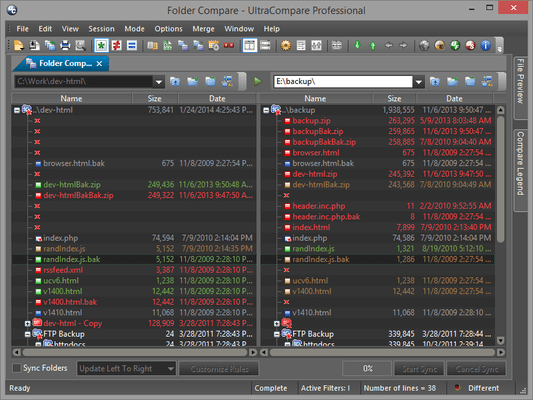
  • Folder compare improvements:
    • Added the ability to sort folder lists by file type/extension.
    • Added the ability to sort indicators for column headings.
  • Text compare improvements:
    • Added new UltraEdit-style Quick Find.
    • Added the ability to ignore spaces and tabs separately.
    • Active line window can now always show paired lines.
  • Table compare improvements:
    • Added a new option to ignore whitespace.
  • Git improvements:
    • Added the ability to optionally show conflicts/modified files at top of branch browser.
    • Added the ability to optionally hide remote branches in branch browser.
    • Improved visual indication of background Git interactions.
    • Improved aesthetics for Git reviews and compares.
  • Command line and output improvements:
    • Added support for multiple ignore option flags for text mode.
    • Added new -ignt switch to "ignore timestamp differences" for folder mode.
    • Added support for -ne, -m, and -a switches for folder mode.
    • Added new switches for setting output format:
      • -ofa will use "All frames" result format.
      • -ofc will use "Difference in context" format.
      • -ofo will use "One frame only" format.
      • -ofs will use "Side by side" format.
      • Note: These switches must be ordered after file/folder paths used for comparison.
    • Added the ability to generate HTML result report from command line (add .html extension to output file).
    • Added difference indicators for folder mode result report:
      • * - File is different between folders.
      • < - File exists in the left pane's folder only.
      • > - File exists in the right pane's folder only.
  • Other improvements:
    • Added the ability to see active/total number of differences in status bar for text, binary, and table modes.
    • Added support for Ctrl + mouse wheel to zoom in/out.
    • Added new print option to set printed font size.