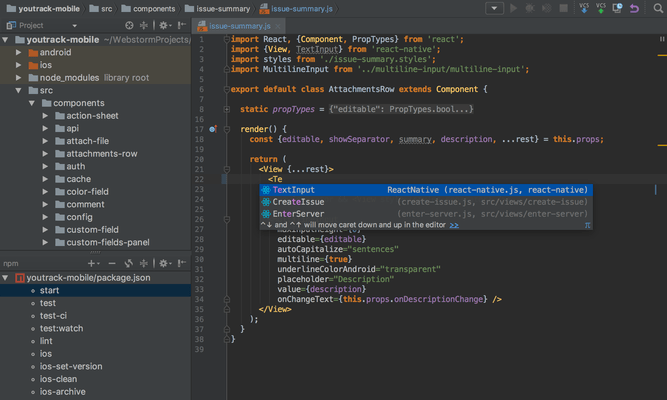
WebStorm のリリース
Released: Apr 11, 2022
2022.1.x での更新項目
2022.1.4
Updated Jul 20, 2022
Fixes
- WebStorm no longer crashes on macOS High Sierra.
- Fixed the Run Git hooks checkbox in the Before Commit section of the Commit tool window.
- Fixed the issue causing the external diff tools for directories to malfunction.
- Fixed the issue causing text flickers in the Commit details pane.
2022.1.3
Updated Jun 23, 2022
Fixes
- Fixed the issue causing a misleading error message when using $var in calc() function in SCSS files.
- Fixed the issue causing an “Unexpected term...
Released: Nov 29, 2021
2021.3.x での更新項目
2021.3.3
Updated Mar 18, 2022
Fixes
- Fixed the issue causing the IDE to freeze and hang when indexing WSL projects.
- Tailwind CSS code completion will now work if your package.json, node-modules, and tailwind.config.js files are located in a subfolder.
- WebStorm will automatically find a Prettier package installed globally using NVM.
- Fixed the behavior on macOS when switching between Big Sur tabs.
- Solved the problem causing the IDE to add unexpected refs / heads prefixes when pushing to Gerrit...
Released: Jul 26, 2021
2021.2.x での更新項目
2021.2.3
Updated Oct 18, 2021
Fixes
- Solved several problems with CSS highlighting and color preview.
- Fixed the issue causing run configurations not to work with npm 7.
- The TypeScript engine should no longer randomly stop working in Vue projects.
2021.2.2
Updated Sep 15, 2021
Features
- Added support for inline SCSS in Angular 12.
- Added support for ESLint 8.0.
- Code completion now works for style sheet properties and values in React Native apps.
Fixes
- Fixed the bug with the Stop button not...
Released: Apr 6, 2021
2021.1.x での更新項目
2021.1.3
Updated Jul 1, 2021
Fixes
- Fixed the issue with the debugger not reconnecting automatically.
- Fixed the regression bug causing the Stretch to Right/Stretch to Left actions not to work as expected.
- Fixed the bug causing the Compare with branch dialog to close unexpectedly.
- Solved the problem with images not being rendered in the Documentation popup.
2021.1.2
Updated June 1, 2021
Features
- Added support for several TypeScript 4.3 features:
- override and the --noImplicitOverride Flag.
- Support...
Released: Nov 30, 2020
2020.3.x での更新項目
2020.3.3
Updated Mar 16, 2021
Features
Trusted projects
- Introduced the concept of trusted projects to mitigate the risks associated with opening projects from unknown sources.
- To warn you about situations where potentially malicious code might be automatically run by the IDE, WebStorm will ask you to confirm whether you trust the source.
- If you store all your trusted work-related projects in a specific location on your machine, you can mark that location as trusted by adding it to Trusted...
Released: Jul 27, 2020
2020.2.x での更新項目
2020.2.4
Updated Nov 26, 2020
Fixes
- Fixed a problem with opening projects in a new window on macOS Big Sur.
- Fixed a number of regression bugs that affected Vue.js users.
2020.2.3
Updated Oct 6, 2020
Fixes
- The Search Everywhere popup no longer opens partially offscreen.
- Angular Schematics are now loaded correctly.
- Fixed the performance issue with optics-ts in TypeScript projects.
2020.2.2
Updated Sep 15, 2020
Features
- Added support for WeakRefs and FinalizationRegistry.
Fixes
Released: Jul 21, 2020
2020.1.4 での更新項目
不具合の修正
- Context menus in the Project view can now be opened if you’re using a language pack.
- Fixed problem causing the IDE to crash.
Released: Jul 8, 2020
2020.1.3 での更新項目
不具合の修正
- Fixed several performance problems.
- Extra # is no longer added when completing #-private fields.
- Fixed bug with Structure view failing to filter attributes and methods for JavaScript files.
Released: Jun 4, 2020
2020.1.2 での更新項目
不具合の修正
- All known Node.js-related problems with WSL were solved.
- The problem with CSS3 grid layout properties being improperly formatted was solved.
- Angular Material events are now properly recognized after running ng build.
- Several performance problems were solved.
- Wrong project names and paths are no longer shown when you open a project using a shell script.
Released: Apr 30, 2020
2020.1.1 での更新項目
機能
- Added new option for running eslint -fix on save.
- Improved Windows Subsystem for Linux (WSL) 2 support - You can now use the TypeScript Language Service, linters, and Prettier in projects located in the WSL file system.
- Added support for ESLint 6.7 Suggestions API.
- Hammer.js events are now recognized in Angular templates.
- Improved performance.
- Dependencies from pnpm workspaces are now properly indexed.