Xceed Extended WPF Toolkit Plus V2.7
Released: Jun 22, 2015
Updates in this release
Updates in V2.7
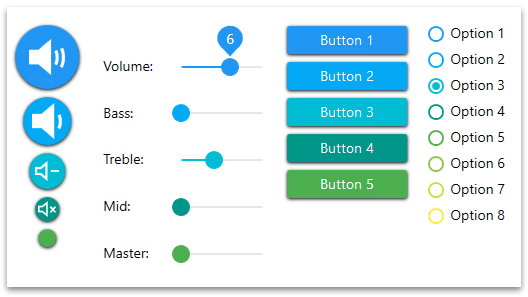
- 15 new controls for building apps with the Material Design look, to give your WPF apps a look and feel that blends in with the latest Web applications.
- Using the PropertyGrid DependsOn attribute on properties will now update the validation on the depending properties.
- The SearchTextBox's Background, BorderThickness and BorderBrush can now be set when styling the ListBox's SearchTextBox.
- The ToggleSwitch can now stretch in all the available space.
- The event ItemSelectionChanged is now fired when TokenizedTextBox.SelectedItems adds or removes items in code-behind.
- In PropertyGrid, EditorNumericUpDownDefinition now supports the property UpdateValueOnEnterKey.
- Using CustomPropertyItems with customEditors will now have the correct DataContext In PropertyGrid.
- Drag and Drop is now be available when using a ListBox inside a WinForm's ElementHost.
- Binding on ListBox.Items.Count now works when ItemsSource is used.
- PropertyGrid categories can now be collapsed/expanded in code-behind with 4 new methods :CollapseAllCategories(), ExpandAllCategories(), CollapseCategory(string) and ExpandCategory(string)
- The ZoomBox will no longer throw an exception at startup when its Content is null.
- New KeepWatermarkOnGotFocus property makes it possible to keep or remove the watermark on GotFocus.
- You can now only display the PropertyGrid, SelectedObject properties, hidding the inherited ones.
- The PropertyGrid RefreshPropertiesAttribute is now supported.
- Removing the PropertyGrid Misc category label is now possible in any language.
- If KeyboardFocusWithin becomes false, the DropDownButton will now close.
- Expandable PropertyItems are now updated when their Sub-PropertyItems are modified.
- Under Windows7, Button's Style will now follow Windows 7 and have their bottom half background painted in gray.
- The ColorCanvas's SpectrumSlider value will no longer be updated while selecting a color in the ShadingColor rectangle.
- When the property DisplayColorAndName is False, the Tooltip displaying the Color name will no longer appear in the ColorPicker popup.
- Calculator buttons content won't be overriden with default values anymore. Also, The new property CalculatorButtonPanelTemplate can now be set to define and position the calculator buttons.
- The AvalonDock, BorderBrush, BorderThickness and Background can now be modified when styling a LayoutAnchorableFloatingWindowControl or LayoutDocumentFloatingWindowControl.
- Properties Array type, with ExpandableObject attribute, are now displayed in a numerical order instead of alphabetical order to have the indexes displayed correctly.
- The LayoutDocument and LayoutAnchorable can now be Enabled/Disabled with the new property LayoutContent.IsEnabled.
- The MessageBox owner is now assigned correctly, whether the MessageBox is created normally or from another thread.
- With a LayoutFloatingWindow active, switching Windows Theme won't cause an invalid Window Handle Exception anymore.
- The LayoutDocuments repositionning in the LayoutDocumentPane (or the LayoutAnchorable repositionning in the LayoutAnchorablePane) can now be blocked with the new property LayoutPositionableGroup.CanRepositionItems.
- CheckComboBox now has the IsEditable property. When True, the TextBox of the CheckComboBox can be edited to specify the SelectedItems.
- When using Windows Classic Theme, the CheckMark will no longer disappear when Checked and MouseOver are true.
- A new property MaxDropDownContent has been created, allowing a maximum height for the popup in the control.
- Using a dark Background Brush for the DockingManager in the System Theme won't hide the icons "DropDownMenu", "Pin" and "Close" anymore.
- Popping the NavigatorWindow in Windows 8 will no longer throw an exception.
- The PrimitiveType Collections will now have their Editor.ItemType set when the collection is inheriting from a List<>.
- When a LayoutDocument is floating from a LayoutDocumentPane, docking it inside the same LayoutDocumentPane will now set its index to its last position saved instead of 0.
- Searching a property will not only be possible with properties "starting" with a set of letters, but also with properties "containing" a set of letters.
- In Wizard, with a binding to ItemsSource, it won't be necessary to set the CurrentPage, it will now be automatically set to the first WizardPage.
- In RichTextBox, the text selected containing more than 1 color won't disappear anymore.
- In MaskedTextBox, the property CharacterCasing is now taken into account when typing letters.
- When using Axis.LabelsType as "Labels", the values won't be sorted anymore; they will be displayed in the order received.