Xceed Extended WPF Toolkit Plus(英語版) のリリース
Released: Feb 4, 2022
V4.3.1 での更新項目
機能
- Added compatibility with the Microsoft .NET 6 framework.
不具合の修正
- AvalonDock
- The AnchorableSources property now works as expected.
- ActiveContent no longer resets to the first LayoutContent when new LayoutContents is added.
- Docking a floating window using the title bar's Dock command now correctly docks the floatingWindow inside the main window.
- Docking a LayoutAnchorable by using the ContextMenu's Dock command now sets the IsFloating property to false and correctly updates the FloatingWindows...
Released: Dec 21, 2021
V4.3 での更新項目
機能
- Adds support for Microsoft Windows 11.
- New LiveExplorer allows you to explore different Toolkit controls.
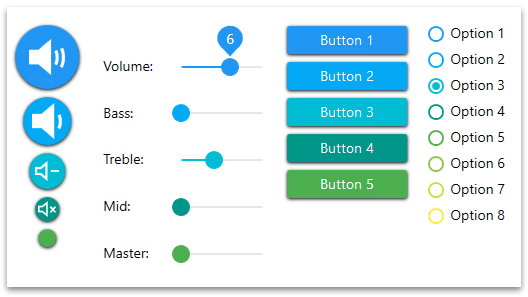
- All controls can now be used under the new MaterialDesign theme.
- AvalonDock
- Improved memory management.
- A custom NavigatorWindow can now be created.
- Using the ReplaceChild method from LayoutDocumentPane or LayoutAnchorablePane now replaces the child without modifying the SelectedContentIndex.
- The pin icon is now collapsed instead of hidden when LayoutDocuments have their CanTogglePin...
Released: Jul 19, 2021
V4.2 での更新項目
機能
- Added support for Microsoft .NET 5.
- AvalonDock:
- The LayoutContent.IsFloating property now raises a PropertyChanged event when a LayoutAnchorable/LayoutDocument starts/ends floating. This allows you to add a binding on the IsFloating property.
- The LayoutItem.CanClose/IsSelected/IsActive/CanTogglePin properties can now be changed dynamically.
- Moving LayoutDocumentTabItems to reorder them no longer creates a floating window as soon as the mouse leaves the LayoutDocumentTabItem's top and bottom...
Released: Jan 25, 2021
V4.1 での更新項目
機能
- AvalonDock:
- Added new CanFloatBehindMainWindow property which can now be used to make floatingWindow float behind the DockingManager; the floatingWindow's focus is now handled through this new property.
- Chart:
- Using DateTime tick labels now always shows the requested number of ticks.
- CheckComboBox and CheckListBox:
- Added new ItemSelectionChanging event to cancel a selection/deselection.
- PropertyGrid:
- Properties of type Collection/Array/Dictionary, which only contains a getter, can now be...
Released: Aug 17, 2020
V4.0.1 での更新項目
機能
- All Controls and samples
- The licensing comments have been updated.
- Now supports the High Contrast mode when loading the application while in High Contrast mode.
- AvalonDock
- A new event "ToggledPin" is now raised when a LayoutContent is pinned/unpinned.
- Pinning an auto-hide LayoutAnchorable now pins it on the appropriate side depending on its position in the children list.
- Creating and dropping a LayoutDocumentFloatingWindow now updates the remaining star sized LayoutElements.
- Resizing a star...
Released: Jan 30, 2020
V4.0 での更新項目
機能
- Added support for .NET Core 3.0 and up.
- AvalonDock
- Auto-hiding a LayoutAnchorable now auto-hides it on the closest side.
- Caching TabItems and changing the selected tabItem no longer raises the Loaded/Unloaded event for the TabItems content items.
- Chinese localization texts have been reviewed to use simplified texts.
- Closing a LayoutAnchorable no longer prevents from showing hidden LayoutAnchorables.
- Deserializing a DockingManager containing floatingWindows now correctly displays the...
Released: Jan 30, 2019
V3.8 での更新項目
機能
- AvalonDock
- Activating LayoutFloatingWindows now uses the client area’s width and height.
- Docking a LayoutAnchorable to top/bottom followed by a docking to right/left no longer allows a resize that will hide the LayoutAnchorable header.
- Docking a LayoutAnchorable with its CanClose property set to false, into a LayoutDocumentPane, no longer displays a close button in the newly created LayoutDocument.
- Expanding auto-hidden LayoutAnchorables now always selects the LayoutAnchorable where the auto...
Released: Jun 18, 2018
V3.7 での更新項目
機能
- Keyboard movements and selections improved for CheckComboBox.
- Selections, incrementations and keyboard movements improved for TimeSpanUpDown.
- Better reloading management for AvalonDock and PropertyGrid.
不具合の修正
- In AvalonDock, deserializing a maximized floating window will now display it on the correct monitor.
- In AvalonDock, dropping a floating LayoutAnchorable will no longer cause an exception when its IsActive property is set before the LayoutAnchorable is added to its parent.
- In AvalonDock...
Released: Jan 15, 2018
V3.6 での更新項目
機能
- Added ExtendedTabControl, which displays TabItems in a single line and offers right/left buttons for scrolling
- Added ComboBox to navigate to a specific TabItem.
不具合の修正
- All controls will now include the Toolkit icon in the Visual Studio Toolbox.
- A new control is now available in the Toolkit: the ExtendedTabControl. It displays TabItems in a single line and offers right/left buttons to scroll and a comboBox to navigate to a specific TabItem.
- In ListBox, removing a ListBoxItem will no longer...
Released: Sep 12, 2017
V3.5 での更新項目
機能
- AvalonDock
- Dropping a LayoutDocument or LayoutAnchorable from a DockingManager to a nested DockingManager will no longer be allowed.
- Changing the theme while a Layout floating window is active will no longer cause a crash.
- Setting a Background on an implicit style for a LayoutAnchorSideControl will now work.
- Side panels will now be extended to the DockingManager’s control limits.
- The Alt key adornments will now work when items are defined in a DataTemplate of a resource dictionary.
- The new...