













公式サプライヤー
公式および認定ディストリビューターとして200社以上の開発元から正規ライセンスを直接ご提供いたします。
当社のすべてのブランドをご覧ください。
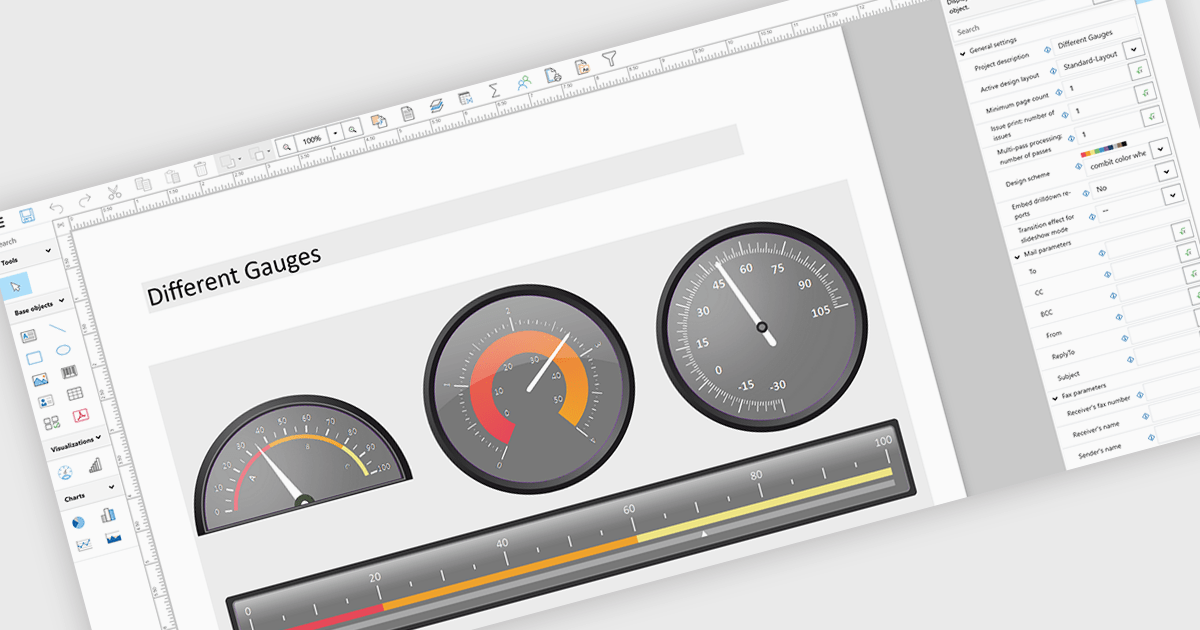
Adding gauges to reports means incorporating visual indicators such as dial or meter style graphics that display key metrics against defined ranges or targets, making performance instantly understandable at a glance. This approach enhances report clarity by transforming complex or dense data into intuitive visuals, helping users quickly assess whether values fall within acceptable, warning, or critical thresholds. As a result, gauges support faster, more informed decision making, improve stakeholder communication, and create more engaging, user friendly reports. Common use cases include tracking sales performance against quotas, monitoring system health or uptime, visualizing budget utilization, and displaying KPI progress in executive dashboards where quick insights are essential.
Several .NET WPF Reporting controls include Gauges including:
For an in-depth analysis of features and price, visit our comparison of .NET WPF Reporting Controls.
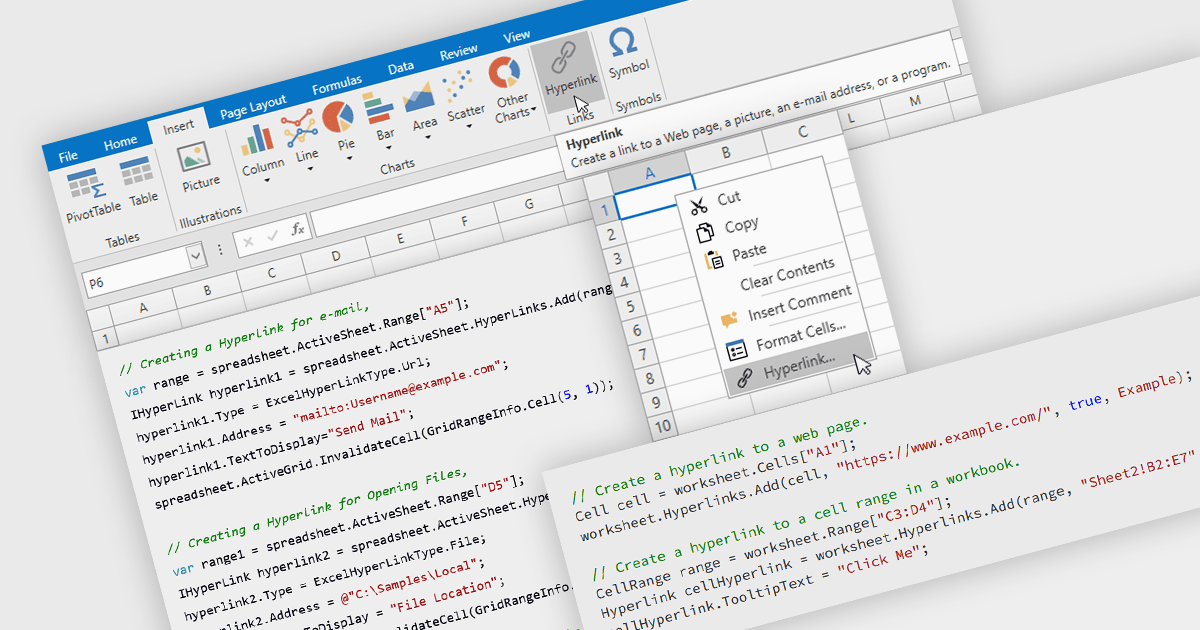
Hyperlink support in a spreadsheet allows a cell to reference an external resource, such as a web page, email address, file, or another location within the workbook. This capability enables users to connect data with relevant context, making it easier to navigate between related information and systems. By embedding links directly into cells, spreadsheets can serve not only as data stores but also as interactive interfaces, improving usability, reducing the need for manual lookup, and supporting more efficient processes across applications and datasets.
Several WPF spreadsheet components allow you to add hyperlinks within cells, including:
For an in-depth analysis of features and price, visit our comparison of WPF spreadsheet components.
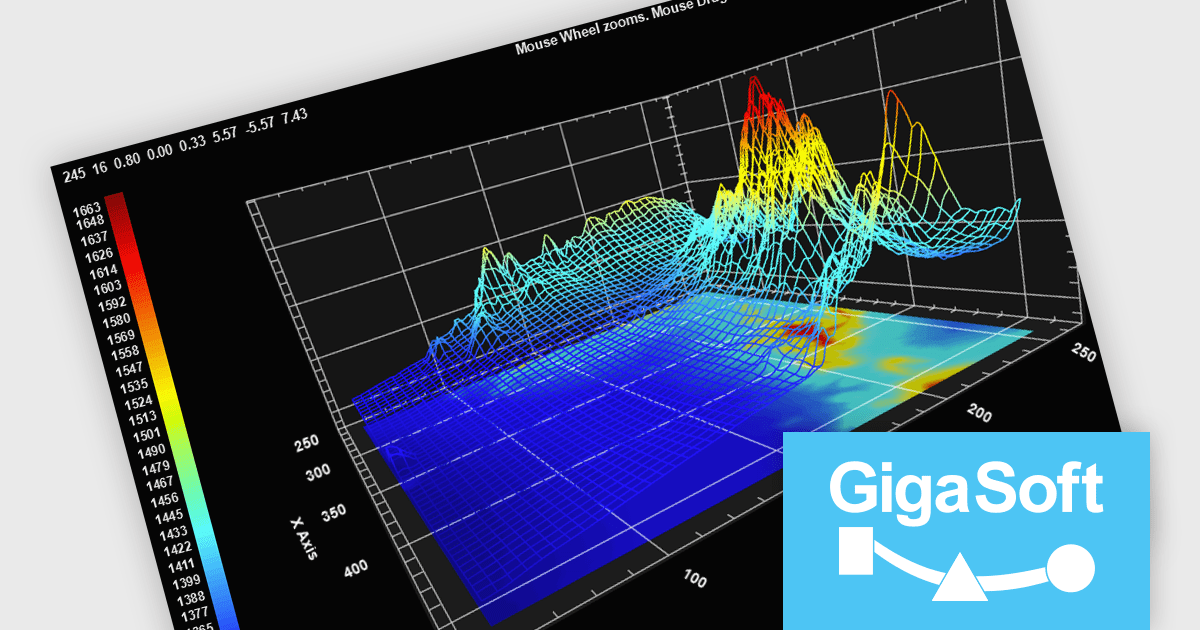
Gigasoft ProEssentials is a robust charting library for Windows development, providing a wide array of 2D and 3D chart types. The product offers a versatile suite of components, such as Graph, Scientific Graph, and 3D Scientific Graph, enabling the creation of sophisticated visualizations. It's extensive support for various platforms and development environments, including WPF, WinForm, and integration with popular IDEs like Visual Studio, enhances flexibility and empowers developers to efficiently visualize data within their applications.
Gigasoft ProEssentials enables developers to work more efficiently with its charting components by giving AI assistants direct, real-time access to validated API data, allowing them to generate accurate chart configurations, suggest correct property usage, and troubleshoot issues based on the actual capabilities of the library. By dynamically querying structured data rather than relying on static documentation, the feature ensures that responses reflect the current state of the API, reducing the likelihood of invalid property paths or unsupported configurations. This leads to more reliable code generation, faster resolution of integration challenges, and greater confidence when implementing or modifying charts within production applications across different environments.
Gigasoft ProEssentials is licensed per developer and is available as a perpetual license with free technical support and maintenance for the life of the version. See our Gigasoft ProEssentials licensing page for full details.
For more information, visit our Gigasoft ProEssentials product page.
Telerik UI for WPF and Telerik UI for WinForms are UI libraries for building Windows desktop applications. Telerik UI for WinForms includes more than 160 controls and a structured architecture with Composite UI Application Block (CAB) support, making it suitable for enterprise and data-heavy internal applications. Telerik UI for WPF is designed specifically for Windows Presentation Foundation (WPF) and provides a wide range of customizable, high-performance controls for complex line-of-business software. Together, the libraries provide ready-made components that help teams build and maintain desktop applications more efficiently.
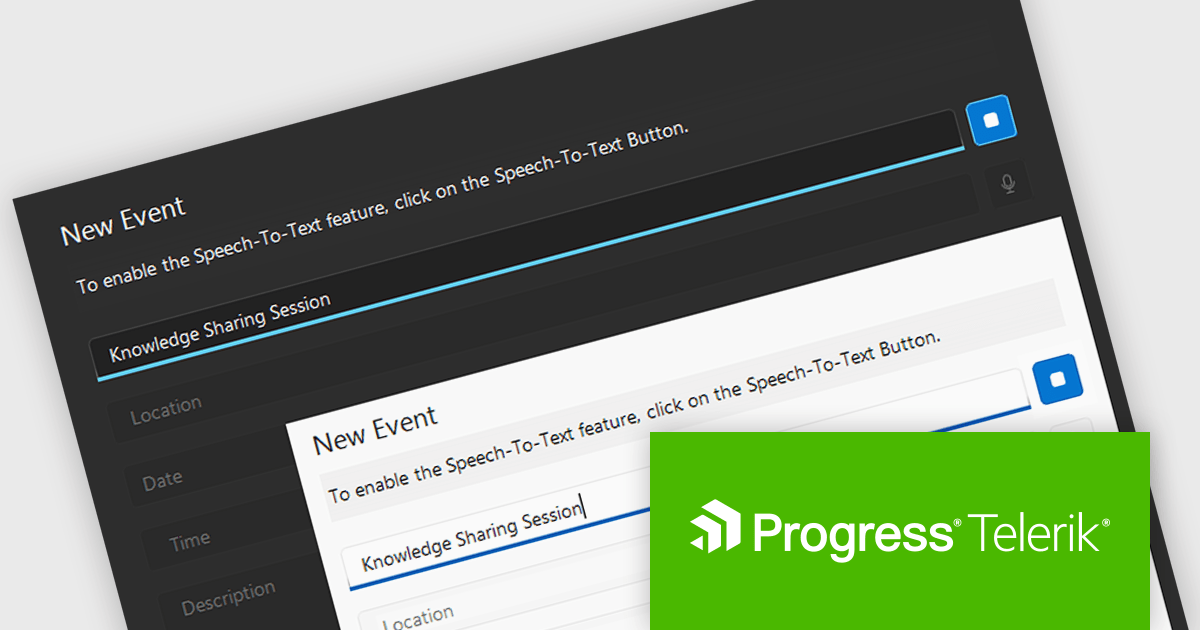
The Telerik 2026 Q1 update for WPF and WinForms introduces a 'Speech to Text' button that enables developers to add voice input with real time transcription directly into their applications. This feature allows users to enter text faster through hands free interaction while providing immediate visual feedback on recognized speech as it is captured. Developers can customize the control’s appearance to match application themes and branding, choose between continuous or single recognition modes depending on the scenario, and integrate custom speech recognition services or libraries, making it easier to implement accessible, flexible, and efficient voice enabled data entry experiences.
To see a full list of what's new for each product in 2026 Q1, see our Telerik UI for WPF and Telerik UI for WinForms release notes.
Both Telerik UI for WPF and Telerik UI for WinForms are licensed per developer and have two licensing models: an annual Subscription License and a Perpetual License. The Subscription license provides access to the latest product updates, technical support, and exclusive benefits for a flat annual fee, and must be renewed to continue using the software. The Perpetual license is a one-time purchase granting access to the current released version and includes a one-year subscription for product updates and technical support. After this initial period, users can choose to renew the subscription element to continue receiving updates and support; otherwise, they may continue using the installed version available during their active subscription term but will forgo future updates and support. See our Telerik UI for WPF licensing page and Telerik UI for WinForms licensing page for full details.
Telerik UI for WPF and Telerik UI for WinForms are available individually or as part of the following products:
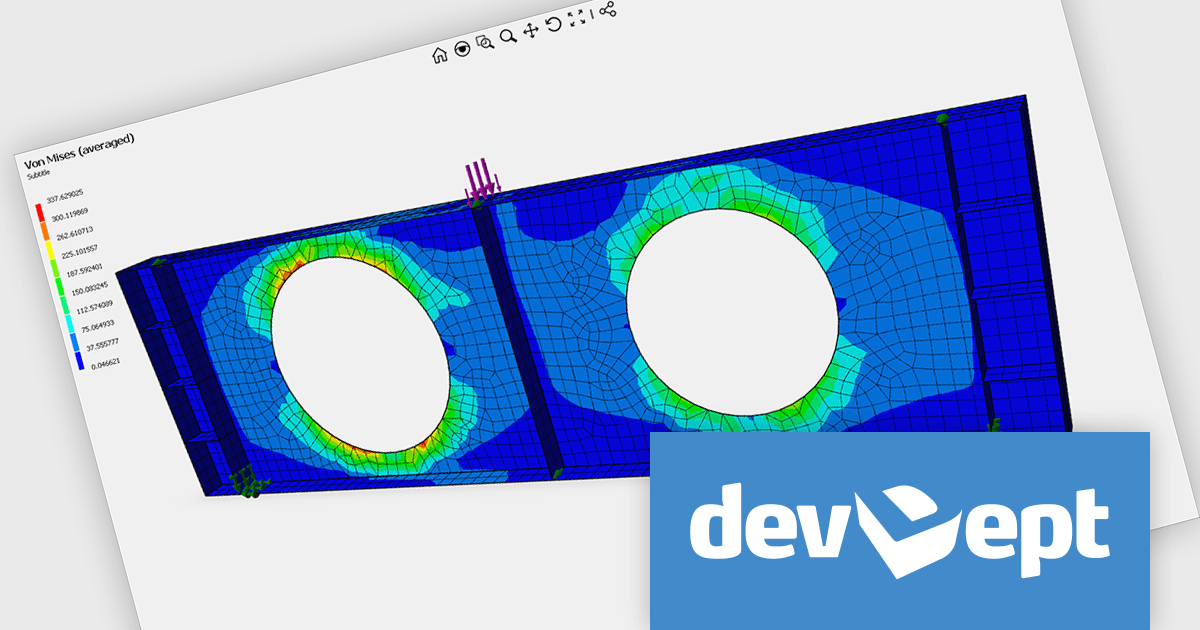
EyeShot by devDept is a comprehensive 3D graphics toolkit designed for .NET developers building engineering and CAD (Computer-Aided Design) applications. It offers a robust set of components for creating, editing, and rendering complex 2D and 3D geometry directly within Windows Forms and WPF environments. With support for advanced modeling features, viewport controls, and industry-standard file formats, EyeShot simplifies the integration of interactive graphics into technical software. It is well-suited for developers working in areas like mechanical design, architecture, and simulation who need high-performance rendering and precise modeling capabilities.
The EyeShot Fem 2026 update introduces support for 3D triangular and quadrangular FEM (Finite Element Method) shell elements, designed for analysing structures where one dimension is significantly smaller than the others. These specialized two-dimensional elements are widely used to simulate thin-to-moderately thick components such as plates, curved shells, and aerospace fuselage sections.
To see a full list of what's new in version 2026, see our release notes.
Eyeshot Fem is licensed per developer and is available as an annual license, with either Lite or Priority support. See our licensing pages for Eyeshot Fem for full details.
For more information, visit our Eyeshot Fem product page.
電話: (888) 850 9911
Fax: +1 770 250 6199


