













公式サプライヤー
公式および認定ディストリビューターとして200社以上の開発元から正規ライセンスを直接ご提供いたします。
当社のすべてのブランドをご覧ください。

LEADTOOLS Document Suite is a comprehensive set of powerful document imaging SDKs designed to facilitate document processing and management tasks within software applications. It offers developers advanced capabilities for tasks such as OCR (Optical Character Recognition), barcode recognition, PDF manipulation, document conversion, annotation, and more. Leveraging this suite, developers can seamlessly integrate sophisticated document functionality into their software solutions, enabling efficient handling of various document formats and improving productivity in document-centric workflows.
The LEADTOOLS Document Suite SDK v23 update ushers in a new era of streamlined document management and enhanced productivity. The integration of the Excel API and Excel Web Editor empowers developers to seamlessly manipulate Microsoft Excel documents directly within their applications, regardless of platform. The Excel API offers programmatic control over Excel files, enabling efficient extraction, modification, and creation, while the Excel Web Editor fosters real-time collaborative editing within web applications. These powerful additions not only streamline document workflows but also equip developers with a comprehensive suite of Excel editing functionalities within the LEADTOOLS Document Suite ecosystem.
To see a full list of what's new in v23, see our release notes.
LEADTOOLS Document Suite SDK is licensed as Development Licenses, for developers to use the SDKs, and Deployment Licenses, for the right to distribute end user solutions. See our LEADTOOLS Document Suite SDK licensing page for full details.
Learn more on our LEADTOOLS Document Suite SDK product page.
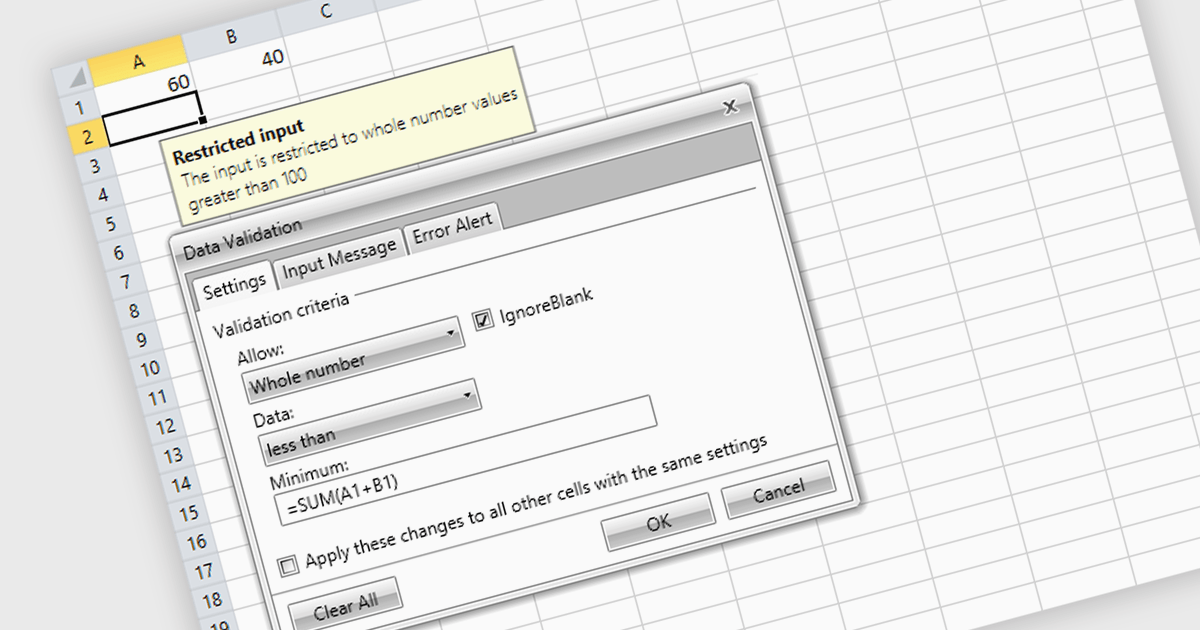
Data validation is a crucial feature for maintaining the integrity of data within a spreadsheet. It restricts the type of data or the values that users can enter into a cell. For example, a cell can be configured to only accept dates or numbers within a certain range. This minimizes input errors and ensures that data adheres to specified parameters, which is particularly important in scenarios where spreadsheets are used for data entry by multiple users or when the data feeds into critical business processes.
Several .NET 8 spreadsheet products offer data validation, including:
For an in-depth analysis of features and price, visit our comparison of .NET 8 spreadsheet controls.
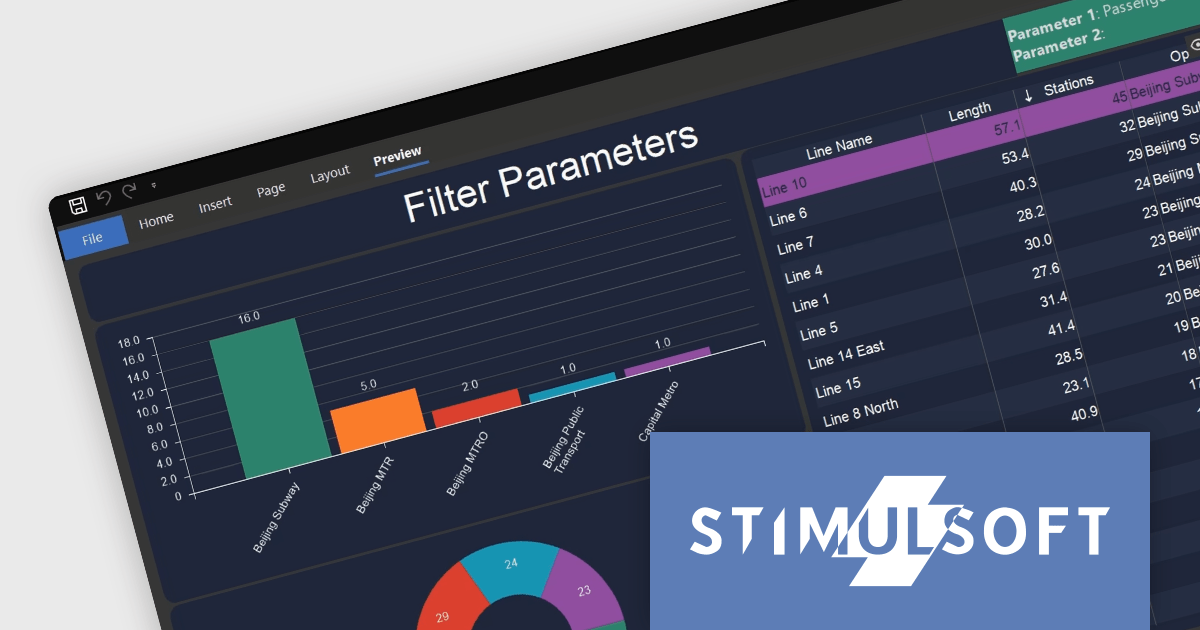
Stimulsoft Dashboards is a versatile suite of tools for crafting interactive data visualizations for web and desktop applications. It empowers developers to embed intuitive dashboards across various platforms, using platform-specific components or a centralized cloud designer. With rich data analysis elements, extensive customization options, and pre-built templates, Stimulsoft Dashboards helps you transform complex data into clear, actionable insights for any audience.
The Stimulsoft Dashboards.WIN 2024.2 release adds new functionality for working with filters in your dashboards. You can now include parameters when applying filters, allowing those parameters to capture the chosen filter values. This means you can access these filter values directly within report variables or other dashboard elements, creating a more dynamic and interconnected user experience.
To see a full list of what's new in version 2024.2, see our release notes.
Stimulsoft Dashboards.WIN is licensed per developer and is available as a Perpetual license with 1 year support and maintenance. See our Stimulsoft Dashboards.WIN licensing page for full details.
Stimulsoft Dashboards.WIN is available to buy in the following products:
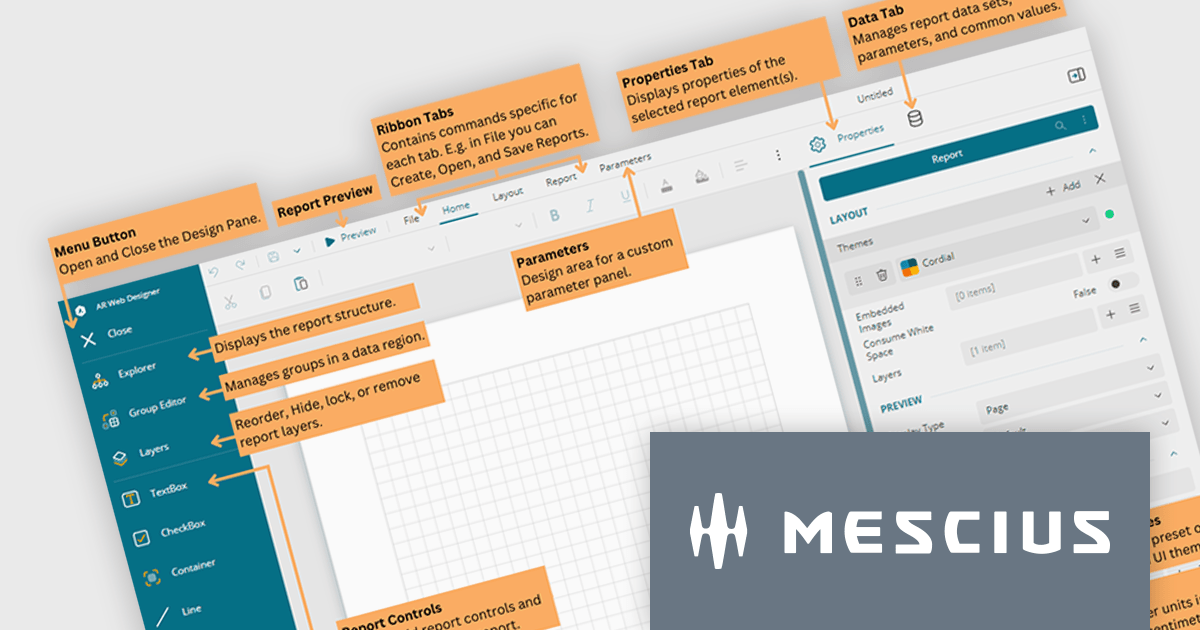
ActiveReports.NET is a .NET reporting tool used by developers to design and integrate reports into their web and desktop applications. It provides a familiar Visual Studio designer for building reports with rich controls like charts and tables. ActiveReports also boasts a flexible API for customization and supports various data sources with export options to common file formats.
In this blog post, MESCIUS Product Marketing Specialist Mason Schaffer dives into the ActiveReports.NET Web Designer. Learn how to equip your web users with the ability to create custom reports on their own, all thanks to a user-friendly drag-and-drop interface. Features include:
Read the complete blog to learn the essentials of the ActiveReports.NET End-User Report Designer and start creating impactful reports more quickly.
ActiveReports.NET is licensed per developer and is available with or without a 12 month support and maintenance subscription. See our ActiveReports.NET licensing page for full details.
For more information, visit our ActiveReports.NET product page.

Stimulsoft Dashboards is a versatile suite of tools for crafting interactive data visualizations for web and desktop applications. It empowers developers to embed intuitive dashboards across various platforms, using the platform-specific components or a centralized cloud designer. With rich data analysis elements, extensive customization options, and pre-built templates, Stimulsoft Dashboards helps you transform complex data into clear, actionable insights for any audience.
The Stimulsoft Dashboards.WEB 2024.2 update adds a new Web Content element which can be used to seamlessly integrate multimedia content using links and embed codes. This allows you to incorporate videos, webpages, and other interactive elements, keeping users engaged and informed.
To see a full list of what's new in version 2024.2, see our release notes.
Stimulsoft Dashboards.WEB is licensed per developer and is available as a Perpetual license with 1 year support and maintenance. See our Stimulsoft Dashboards.WEB licensing page for full details.
Stimulsoft Dashboards.WEB is available to buy in the following products:
電話: (888) 850 9911
Fax: +1 770 250 6199


