













公式サプライヤー
公式および認定ディストリビューターとして200社以上の開発元から正規ライセンスを直接ご提供いたします。
当社のすべてのブランドをご覧ください。
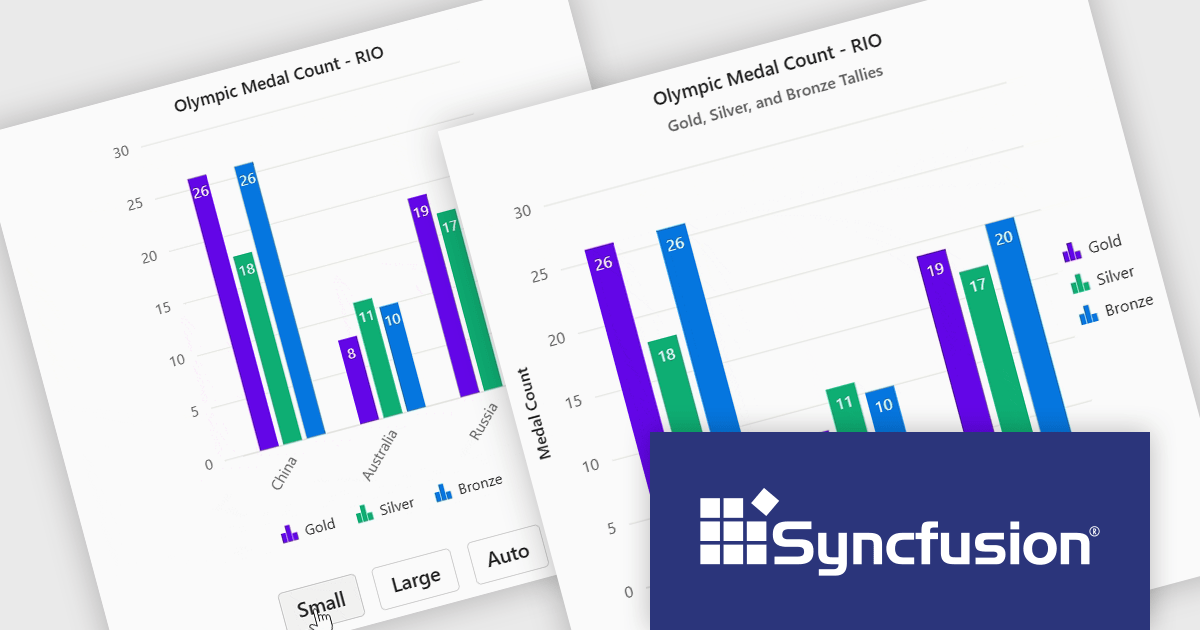
Syncfusion Essential Studio Blazor (available as part of Syncfusion Essential Studio Enterprise) is a comprehensive UI component library designed to accelerate the development of high-performance, modern web applications using the Blazor framework. It boasts over 85+ responsive, lightweight, and modular components spanning various categories such as data visualization, data editing, document processing, and interactive UI elements. This rich repertoire empowers developers to rapidly build user-friendly, feature-rich web interfaces, with seamless integration of both server-side and client-side Blazor applications.
The Syncfusion Essential Studio Blazor 2024 Volume 4 release introduces adaptive layout support for charts, enhancing their responsiveness across various screen sizes. This feature ensures that chart elements, including axis labels, titles, legends, and data labels, dynamically adjust their design and positioning to maintain clarity and readability on different devices. By automatically optimizing the arrangement of these components, the adaptive layout improves user experience, making data visualization more effective and accessible across desktops, tablets, and smartphones.
To see a full list of what's new in 2024 Volume 4, see our release notes.
Syncfusion Essential Studio Blazor is available as part of Syncfusion Essential Studio Enterprise which is licensed per developer starting with a Team License of up to five developers. It is available as a 12 Month Timed Subscription License which includes support and maintenance. See our Syncfusion Essential Studio Enterprise licensing page for full details.
Learn more on our Syncfusion Essential Studio Blazor product page.
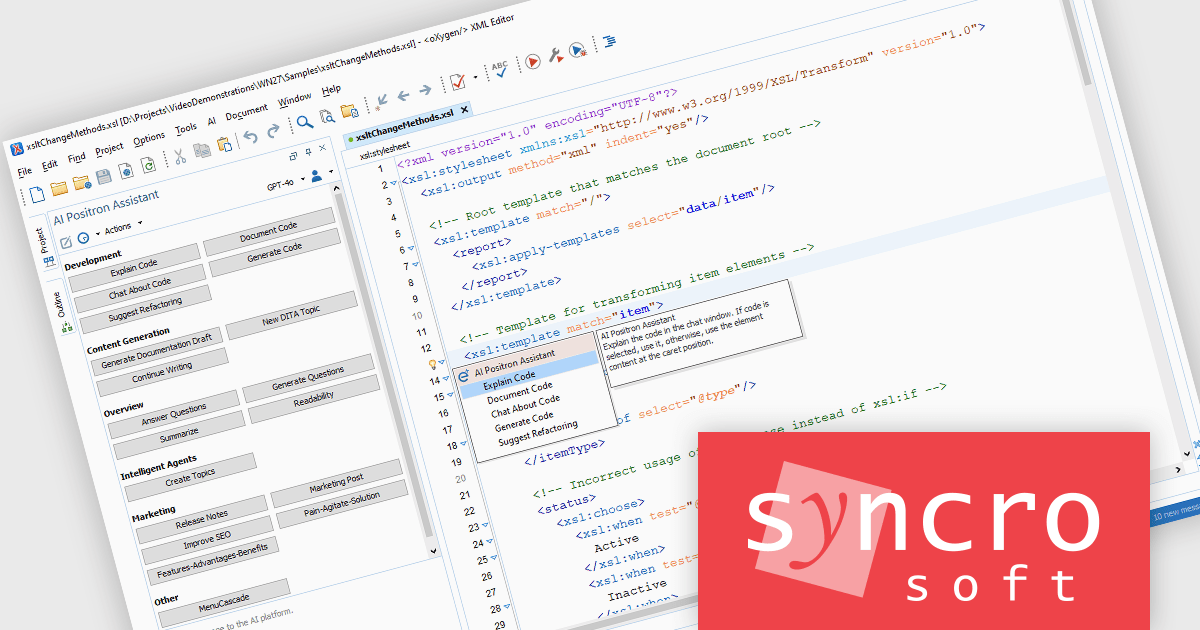
Oxygen XML Developer by Syncro Soft empowers developers to write, validate, and debug XML efficiently. This comprehensive suite goes beyond basic editing, offering intelligent functionalities for XML source code, schema design, and XSLT/XQuery development. Streamline your workflows with real-time validation, content assist, and intuitive XML-specific views. As well as XML, Oxygen XML Developer allows you to manage and edit JSON, YAML, WSDL, and more with dedicated editors, seamless conversions, and a robust toolkit.
The Oxygen XML Developer 27.0 release adds the Explain Code AI action, designed to help developers understand code more efficiently. This feature generates explanations for code at the cursor location, within a selected portion, or throughout the entire document. It supports various document types, including XSLT (Extensible Stylesheet Language Transformations), Schematron, XSD (XML Schema Definition), CSS (Cascading Style Sheets), XQuery, JSON (JavaScript Object Notation), and JSON Schema. By providing immediate code functionality insights, the Explain Code AI action enhances productivity and aids in comprehension.
To see a full list of what's new in 27.0, see our release notes.
Oxygen XML Developer is licensed per Named or Floating user and is available as a Timed or Perpetual License with support and maintenance subscription. See our Oxygen XML Developer licensing page for full details.
Oxygen XML Developer is available in the following editions:
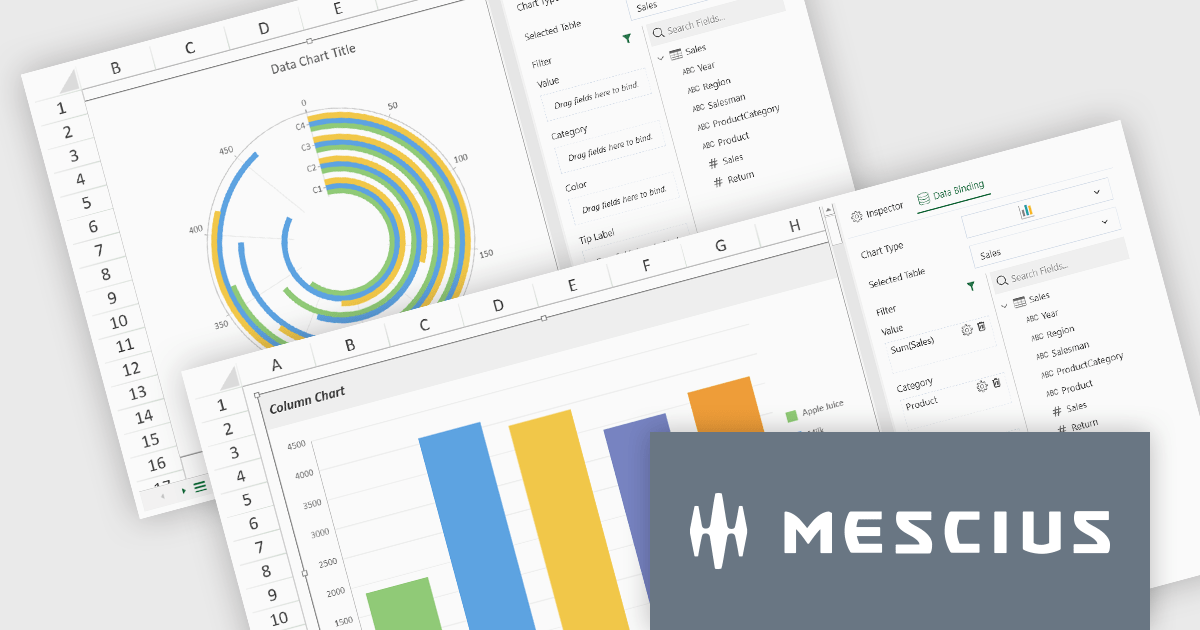
SpreadJS by MESCIUS is a high-performance JavaScript spreadsheet component designed to seamlessly integrate Excel-like functionality into web applications. It empowers developers to deliver robust spreadsheet experiences within their applications, complete with features like data import/export, complex formulas, conditional formatting, and extensive customization options. To extend its capabilities, SpreadJS offers a variety of optional add-ons, such as tools for reporting, charting, and data management. SpreadJS caters to a wide range of use cases, from financial modeling and data analysis to project management and interactive dashboards, ultimately allowing developers to build feature-rich and user-friendly web applications.
SpreadJS v18 introduces the DataCharts Add-On, a powerful new feature that lets you bind charts directly to external data managed by the Data Manager, eliminating the need to embed data within the workbook. This innovation streamlines workflows by reducing redundancy, simplifying updates, and enabling dynamic charting for both standalone spreadsheets and reports. For users of the ReportSheets Add-On, the DataCharts Add-On is seamlessly integrated, enhancing report creation with interactive, data-driven visuals. Developers seeking a flexible solution for external data visualization in other contexts can license the DataCharts Add-On separately, making it ideal for projects that demand adaptable, visually engaging charts.
For more information see our release notes.
SpreadJS is licensed per developer and includes 1 Year Maintenance (major and minor version releases and unlimited support phone calls). SpreadJS requires an Annual or Perpetual Deployment License. The optional Add-ons are available at an additional cost, and require a SpreadJS license. See our SpreadJS licensing page for full details.
For more information, visit our SpreadJS product page.
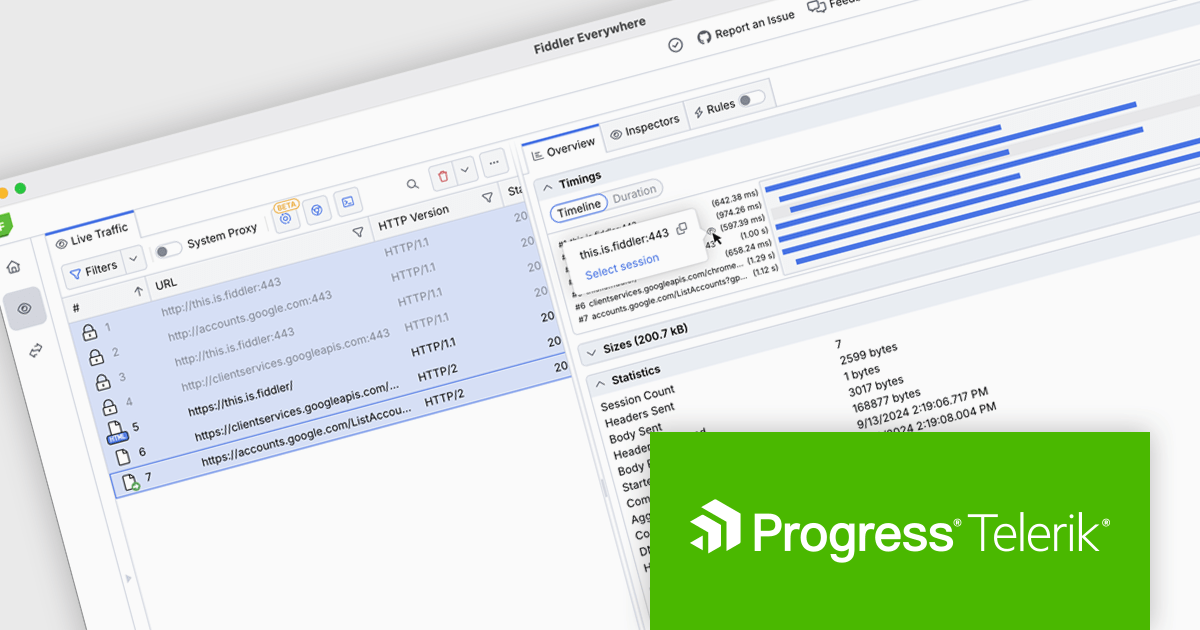
Fiddler Everywhere by Telerik is a cross-platform web debugging proxy designed to help software developers monitor, inspect, and modify HTTP and HTTPS traffic between their applications and the internet. It provides comprehensive tools for troubleshooting network-related issues, analyzing application performance, and testing web applications under different network conditions, streamlining the development and debugging process.
The Fiddler Everywhere v5.21.0 update introduces a redesigned Timings view, enhancing its utility for performance analysis across various protocols. This new feature offers a granular breakdown of the timing phases for individual sessions, including standard protocols like HTTPS and bidirectional protocols such as gRPC. By examining detailed metrics like DNS lookup duration or server response time, users can precisely identify bottlenecks and performance issues. The ability to compare two sessions side by side simplifies the process of isolating discrepancies and understanding differences in performance. These improvements make the tool indispensable for developers and network engineers working to optimize application and network performance across diverse communication protocols.
To see a full list of what's new in v5.21.0, see our release notes.
Fiddler Everywhere is licensed per user and is available as an annual license with a one year support subscription. See our Fiddler Everywhere licensing page for full details.
For more information, see our Fiddler Everywhere product page.

3DBrowser Pro by Mootools Software is a specialized file explorer designed for managing 3D assets with ease and efficiency. Supporting a wide range of popular 3D formats, including FBX, GLTF, SketchUp, and Wavefront, it enables users to organize, view, and convert 3D data seamlessly. With advanced visualization tools and intuitive file management, 3DBrowser Pro simplifies workflows for 3D artists, designers, and developers. Whether browsing large libraries, inspecting models, or optimizing asset organization, the software enhances productivity and ensures a smoother, more efficient 3D project pipeline.
The 3DBrowser Pro v17 update introduces atlas generation and texture simplification, enabling software developers to optimize 3D assets more efficiently. By consolidating multiple textures into a single atlas map, the update reduces the number of materials and minimizes draw calls, significantly improving rendering performance, particularly in real-time engines. This streamlined approach simplifies material management, making it easier to handle complex scenes, while the batch processing capability ensures that large sets of files can be optimized in a single operation. With these enhancements, developers can achieve smoother performance, reduced resource usage, and faster asset preparation for real-time applications and web-based 3D projects.
To see a full list of what's new in 3DBrowser Pro v17, see our release notes.
3DBrowser Pro is licensed per workstation and is available as a perpetual or subscription license. Visit our 3DBrowser Pro Licensing page for full details.
Learn more on our 3DBrowser Pro product page.
電話: (888) 850 9911
Fax: +1 770 250 6199


