













公式サプライヤー
公式および認定ディストリビューターとして200社以上の開発元から正規ライセンスを直接ご提供いたします。
当社のすべてのブランドをご覧ください。
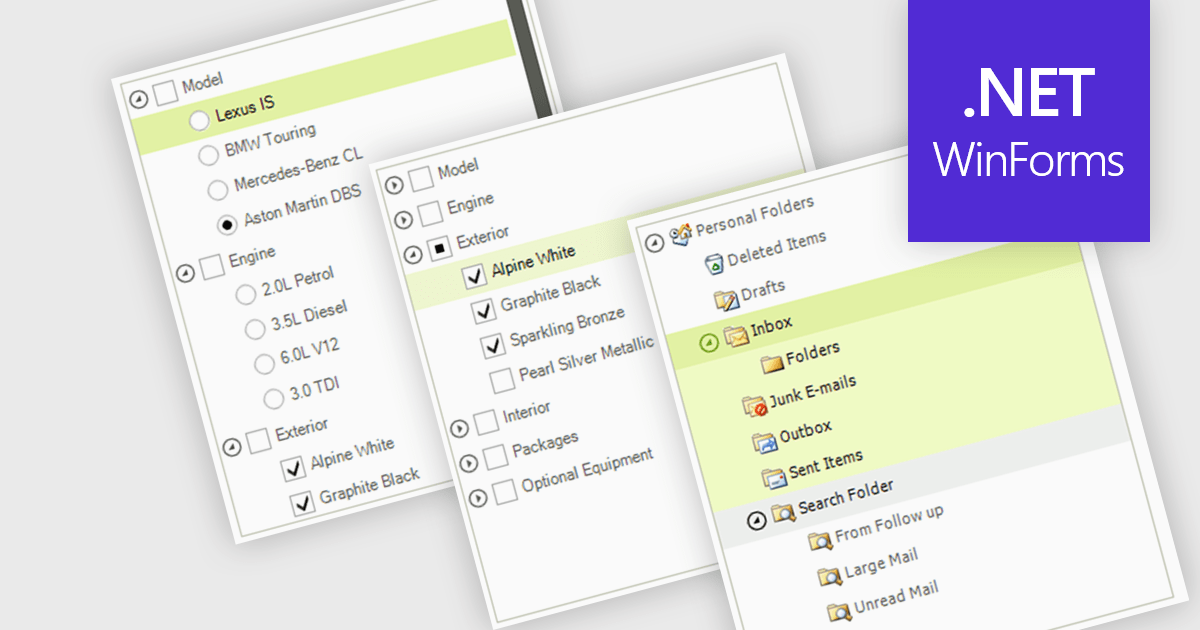
A treelist control is a specialized user interface element that visually organizes data in a hierarchical structure. It resembles a nested list, allowing users to efficiently navigate and explore parent-child relationships within their applications. Treelist components offer a significant advantage for developers by providing a pre-built solution for displaying complex, hierarchical data, saving development time and effort.
Several WinForms UI suites feature a treelist control including:
For an in-depth analysis of features and price, visit our WinForms UI Suites comparison.
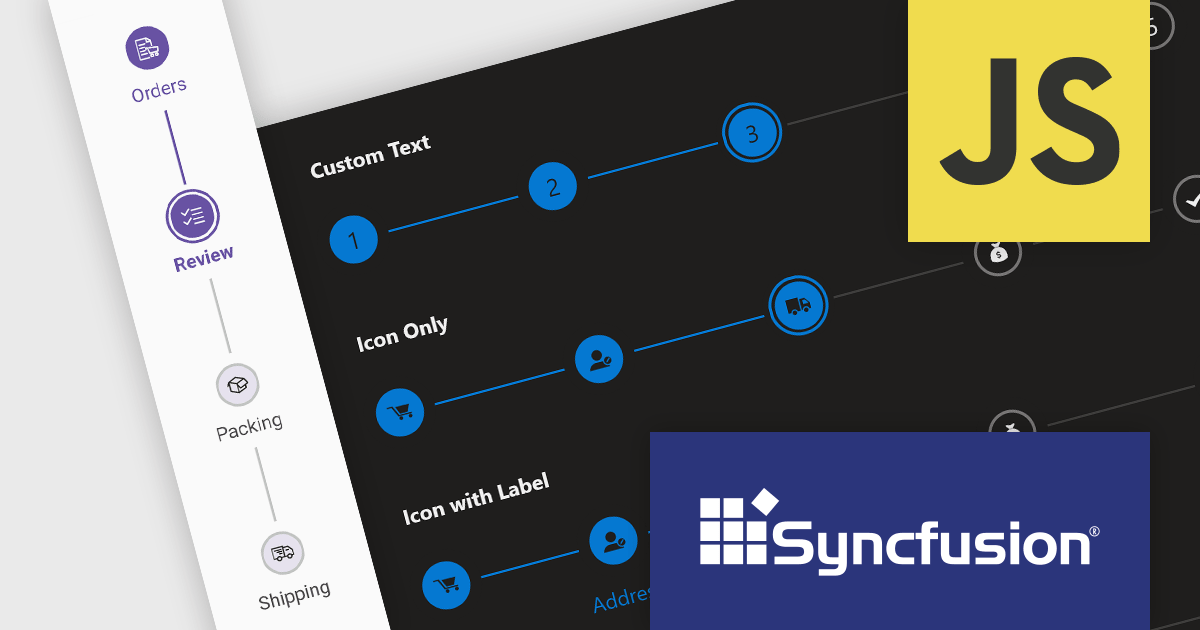
Syncfusion Essential Studio JavaScript, available as part of Syncfusion Essential Studio Enterprise, is a comprehensive UI library offering over 80 high-performance, lightweight, and responsive components to transform your web apps. Built from scratch with TypeScript, it boasts modularity and touch-friendliness, letting you pick and choose specific features while ensuring smooth mobile interaction. With rich themes, global accessibility features, and extensive documentation, it powers everything from basic buttons to interactive charts and data grids, simplifying front-end development across JavaScript, Angular, React, and Vue.
The Syncfusion Essential Studio JavaScript 2024 Volume 1 (25.1.35) release introduces the production-ready Stepper component which simplifies the creation of wizards and walkthroughs within your web applications. It provides a user-friendly interface to guide users through a step-by-step process, enhancing the overall user experience. The component offers a variety of step types, orientations, and customization options to perfectly suit your specific requirements.
To see a full list of what's new in version 2024 Volume 1 (25.1.35), see our release notes.
Syncfusion Essential Studio JavaScript is available as part of Syncfusion Essential Studio Enterprise which is licensed per developer starting with a Team License of up to five developers. It is available as a 12 Month Timed Subscription License which includes support and maintenance. See our Syncfusion Essential Studio Enterprise licensing page for full details.
For more information, visit our Syncfusion Essential Studio JavaScript product page.

Syncfusion Essential Studio ASP.NET Core, available as part of Syncfusion Essential Studio Enterprise, empowers developers with a comprehensive suite of over 80 enterprise-grade UI components specifically designed for building modern and highly functional web applications. Leveraging the latest advancements in ASP.NET Core, it offers exceptional performance and scalability, streamlining development by eliminating the need for extensive custom coding. From data visualization tools like interactive charts and grids to sophisticated navigation elements and responsive layouts, Essential Studio equips developers with the building blocks to create rich user experiences, improve application efficiency, and accelerate time-to-market.
The Syncfusion Essential Studio ASP.NET Core 2024 Volume 1 (25.1.35) release introduces the production-ready Ribbon component which offers a user-friendly interface for web applications. It mimics the Microsoft Office ribbon with a tab-based structure, allowing users to access features and functions efficiently. The control boasts numerous features including the option to display keyboard shortcuts, a customizable backstage view, and built-in themes.
To see a full list of what's new in version 2024 Volume 1 (25.1.35), see our release notes.
Syncfusion Essential Studio ASP.NET Core is available as part of Syncfusion Essential Studio Enterprise which is licensed per developer starting with a Team License of up to five developers. It is available as a 12 Month Timed Subscription License which includes support and maintenance. See our Syncfusion Essential Studio Enterprise licensing page for full details.
For more information, visit our Syncfusion Essential Studio ASP.NET Core product page.

Docking controls are a user interface element that allows users to organize and customize the layout of an application's windows. These controls typically function by enabling users to drag-and-drop windows or panes to different positions on the screen, or to attach them to the edges of the main application window. This functionality provides several benefits, including increased efficiency by allowing users to arrange windows in a way that suits their workflow, improved organization by keeping relevant windows grouped together, and better screen real estate utilization by enabling users to resize and position windows for optimal viewing.
Several React UI suites feature a docking component including:
For an in-depth analysis of features and price, visit our React UI Suites comparison.
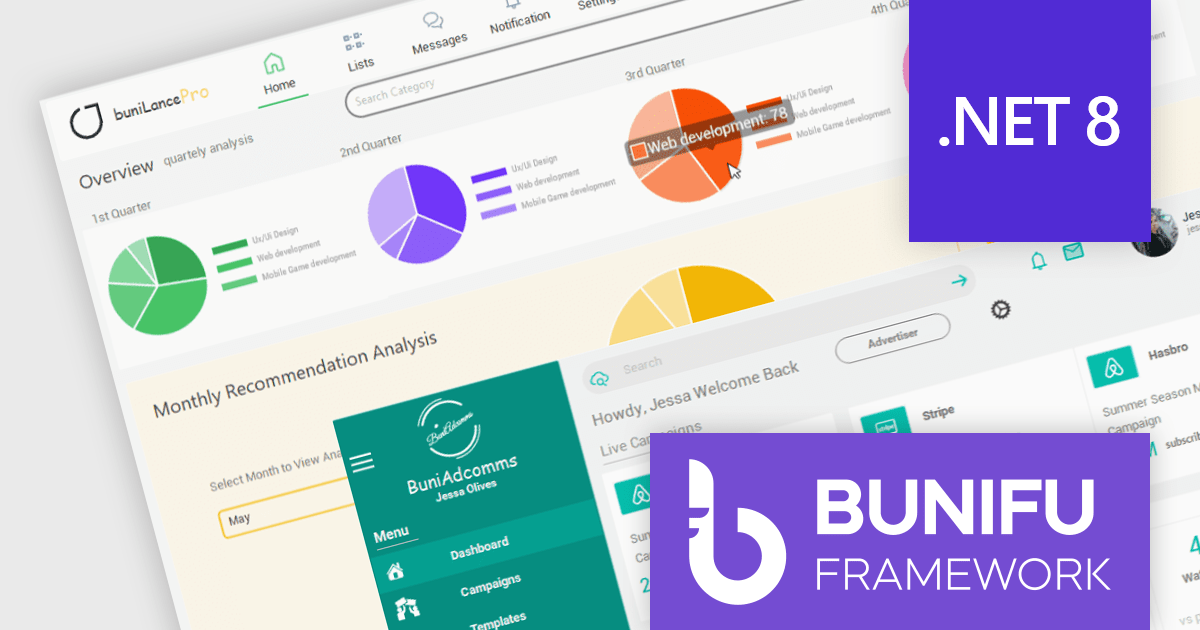
Bunifu UI WinForms is a user interface (UI) framework designed to streamline the development of modern and visually appealing desktop applications using Microsoft's WinForms platform. It provides a wide array of pre-built, customizable UI components, such as charts, a data grid, gradient panel, and slider, that emphasize a minimalist aesthetic while maintaining performance efficiency. With it developers can significantly streamline the UI development process, allowing them to drag-and-drop elements and leverage extensive design properties to create professional-looking applications in less time.
Bunifu UI WinForms v7.0 embraces the future of .NET development by adding support for Microsoft .NET 8. This unlocks a range of productivity and performance enhancements for developers, alongside an improved overall experience. By seamlessly integrating with modern software architectures and .NET components, Bunifu UI WinForms empowers you to craft responsive and visually stunning applications with greater ease.
To see a full list of what's new in v7.0.0, see our release notes.
Bunifu UI WinForms is licensed per developer and is available in four plans; three plans are an annual license while the other is a perpetual license. Annual licenses come with free updates and Premium support for the active license period. See our Bunifu UI WinForms licensing page for full details.
Bunifu UI WinForms is available in the following products:
電話: (888) 850 9911
Fax: +1 770 250 6199


