













公式サプライヤー
公式および認定ディストリビューターとして200社以上の開発元から正規ライセンスを直接ご提供いたします。
当社のすべてのブランドをご覧ください。

The ability to export reports to XLS/XLSX enables developers to transform report data into Microsoft Excel files in the widely-used XLS or XLSX formats. This allows easy integration of structured data with Excel's powerful data analysis and presentation tools and ensures compatibility with industry standards. It simplifies the dissemination of information by providing end-users with editable spreadsheets that preserve the layout, formatting, and accuracy of the original reports. The capability enhances user experience, streamlines workflows, and supports automated reporting solutions in enterprise and business applications.
Several .NET Reporting Controls offer exporting of reports to XLS/XLSX including:
For an in-depth analysis of features and price, visit our comparison of .NET Reporting Controls.

Blazorise is a versatile component library that empowers developers to build modern and feature-rich web applications using Blazor, a client-side web development framework from Microsoft. It offers a comprehensive collection of user interface components, including buttons, forms, charts, and navigation elements, all built with accessibility and responsiveness in mind.
The Blazorise 1.7 update adds a new PdfViewer component, providing developers with a seamless solution for rendering PDF documents directly within their applications. This new component eliminates the need for third-party libraries, offering built-in support for essential features such as zooming and navigation. By integrating this functionality natively, developers can streamline the implementation of document viewing in dashboards, reporting systems, and other applications that require efficient PDF handling. This enhancement not only simplifies development workflows but also ensures a consistent and professional user experience within Blazorise-powered applications.
To see a full list of what’s new in version 1.7, see our release notes.
Blazorise is licensed per developer and is runtime royalty free. Licenses include a 1 year subscription for updates and premium support. Professional, Enterprise, and Enterprise Plus editions are available, each offering tailored levels of support and service to meet varying business needs. See our Blazorise licensing page for full details.
For more information, visit our Blazorise product page.
PDF manipulation tools empower users to reshape and optimize documents, transforming static files into versatile assets. These capabilities cater to diverse needs, from streamlining document management to enhancing accessibility and collaboration. Whether optimizing file sizes for seamless sharing, reorganizing content to better suit a project’s structure, or combining and customizing materials for tailored communication, PDF manipulation simplifies what could otherwise be a tedious process. Such tools bridge the gap between the rigidity of fixed-format documents and the flexibility modern workflows demand, ensuring professionals can work with PDFs in ways that are both efficient and precise.
Common features include:
For an in-depth analysis of features and price, visit our .NET PDF components comparison.

Diagrams visually represent workflows, processes, or relationships, helping users better understand and interact with complex systems. By turning abstract information into intuitive visuals, they enhance clarity and streamline team communication, making them invaluable for development and design. Diagrams are useful for prototyping, debugging, and system optimization, allowing quick identification of issues. They also foster collaboration by providing a shared visual framework for developers, designers, and stakeholders. Use cases include mapping user journeys, designing database schemas, and modeling business processes in drag-and-drop interfaces. With dynamic updates and interactivity, diagrams keep workflows accessible and actionable, driving productivity and efficiency.
Several Angular UI suites offer diagram components including:
For an in-depth analysis of features and price, visit our Angular UI suite comparison:
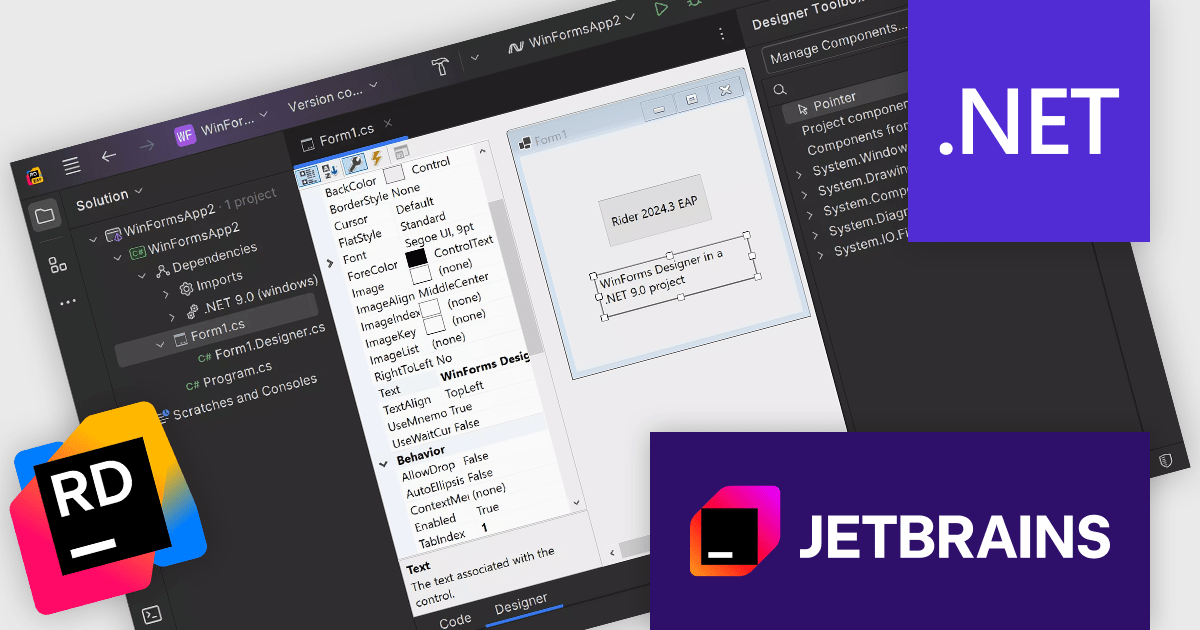
Rider is a professional Integrated Development Environment (IDE) specifically designed for building .NET applications. Developed by JetBrains, Rider combines robust functionality with a sleek interface to offer a superior coding experience. Rider supports C#, F#, JavaScript, and TypeScript, making it a versatile tool for modern .NET development. Powerful features like advanced code completion, integrated unit testing, built-in debugging tools, and seamless cross-platform support (Windows, macOS, Linux) streamline the development process. Rider seamlessly integrates with popular version control systems and databases, enhancing project management and code collaboration.
Rider 2024.3 introduces enhanced Windows Forms Designer support for .NET 6.0 and newer, allowing developers to create, view, and modify the UI of their Windows Forms applications with ease. This new feature offers functionality similar to the classic .NET Framework designer, making it easier to transition projects to modern .NET versions while maintaining familiar workflows. Supporting most DevExpress controls, this update empowers developers to build and refine user interfaces more effectively, particularly in applications that require frequent UI customization or advanced design elements. Rider’s designer tools streamline UI development, boosting productivity and enabling a polished user experience in .NET applications.
To see a full list of what's new in version 2024.3, see our release notes.
Rider is licensed per user, and is available as a commercial annual subscription license. We can supply new subscriptions, subscription renewals (including continuity discounts), lapsed renewals, and additional user licenses. See our Rider licensing page for full details.
Rider is available to purchase in the following products:
電話: (888) 850 9911
Fax: +1 770 250 6199


