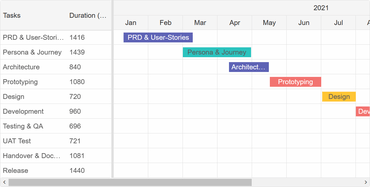
Tooltips for tasks, connections, resources, segments and indicators.
Task baseline which shows planned dataStart/dateEnd for the tasks.
Task segments. Tasks can now be segmented into multiple sub-tasks on a single line.
Task indicators. Task indicators show different events base on their date inside the corresponding task row.
Date markers. Markers designate specific dates with a vertical line across the timeline.
New Task editing Dialog. Added tabs with general/dependency and segments sections which allow you to view and modify the connections related to the task and it's segments.
Current time indicator and shader. Similarly to Smart.Scheduler, current time indicator and shader has been added that show the current time inside the timeline.
Grid
Slider, MultiInput, Password and Image Editors.
Multi-users mode. You can add Users and choose a current user in the Grid. Users can add comments and the current user data is displayed in 'Modified by' and 'Created by' columns.
Added new options to Add new column dialog in Grid. You can dynamically create new columns with custom Grid editors by using the "add column dialog".
Editor
Added a new feature - a property that enables/disables the ability to remove inline styles when executing clearFormat.
Scheduler
Added resource sorting ability via sortBy, sortOrder and sortFunction new properties.
You can now show events with 0 duration (same start/end dates).