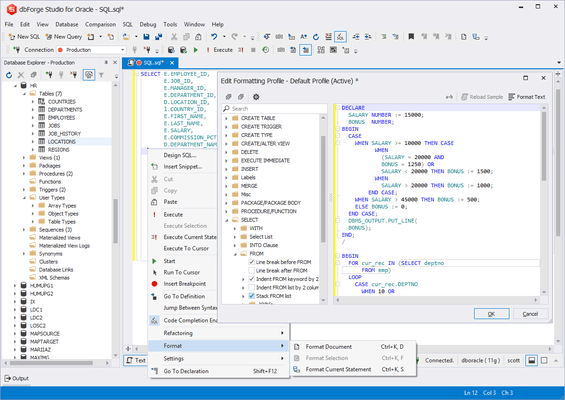
dbForge Studio for Oracle のリリース
Released: Sep 23, 2025
V2025.2.37 での更新項目
機能
- AI Assistant
- Introduced automatic error submission from the Error List to AI chat for detailed explanations and suggested fixes.
- Added a Web Search option in the AI Assistant chat, allowing searches across Devart documentation, website, and blog.
- Improvements
- Improved encryption capabilities.
- Added tooltips to the SQL document tab, showing connection and database names, document owner, full file path, and server version.
- Introduced the ability to customize the position where new document tabs...
Released: Aug 21, 2025
V2025.1.230 での更新項目
不具合の修正
- Fixed an issue that occurred when closing an application.
Released: Jul 21, 2025
V2025.1.186 での更新項目
機能
- Added support for parsing the DEFAULT ... ON CONVERSION ERROR expression in several functions, as well as support for the TO_BOOLEAN function.
- Added support for parsing the NOT PERSISTABLE clause in the CREATE TYPE statement.
- Removed opening the connection on the main thread when opening the parameter input form.
不具合の修正
- Fixed the display of CLOB values in the Data Compare grid.
- Fixed an issue with the automatic display of Data Editor: when the Activate Data Editor after query execution option...
Released: Jun 23, 2025
V2025.1.134 での更新項目
不具合の修正
- Several minor user-reported bugs have been fixed.
Released: Jun 16, 2025
V2025.1.124 での更新項目
機能
- Added an AI Assistant that supports the following:
- Context-aware query generation.
- Conversion of natural language to SQL.
- Query optimization.
- SQL explanations.
- SQL troubleshooting.
- Error analysis and recommendations.
- AI chat.
- Integration with the dbForge tools.
- Updated color palettes for the Light and Dark skins.
- Refined font rendering and the coloring of syntax errors.
- Added Brief View to the Start Page to switch between displaying full paths to recent files and a more compact list.
- Added...
Released: Mar 13, 2025
V6.0.85 での更新項目
機能
- Database Explorer
- Added the ability to save table filter settings to a file.
- Improved data retrieval behavior using the Open Data in Editor command from the shortcut menu.
- Code Completion
- Improved the parsing of the UNION and EXPRESSIONS syntax constructs.
- Implemented the suggestions of non-aggregated columns in GROUP BY statements.
- Added the ssf snippet, which expands to a SELECT * FROM block.
- Combined Refresh Local Cache and Reset Suggestion Cache in a single Refresh Suggestions option...
Released: Jul 9, 2024
V4.6.36 での更新項目
不具合の修正
- Fixed the error that occurred when saving data to the clipboard (Ctrl+C) in the Data Editor.
Released: Jun 21, 2024
V4.6.35 での更新項目
不具合の修正
- Fixed an issue that occurred at the application startup.
- Fixed an issue that occurred when synchronizing schemas containing Index Organized Tables.
- Fixed an issue with exporting numeric data types to MySQL and MariaDB using ODBC.
- Fixed an issue with converting the numeric data type Number to varchar(32) when exporting data from Oracle to MariaDB using ODBC.
- Fixed the "Failed to convert parameter value from a DateTimeOffset to a DateTime." error that occurred when exporting data from...
Released: Feb 19, 2024
V4.6.15 での更新項目
機能
- Added support for CREATE, ALTER, and DROP VIEW statements.
- Added new formatting profiles.
- Added the option to include security permissions.
- Added support for displaying the ANYDATA data type values in the Data Editor.
- Enhanced the mechanism to determine users' DBA privileges.
- Added support for U'string literals in scripts.
- Added support for parsing the DISTINCT, UNIQUE, and ALL keywords within the parameters of the LISTAGG function.
- Enhanced metadata retrieval for stored procedures to avoid...
Released: Jul 21, 2023
V4.5.117 での更新項目
機能
- Added connectivity support for Oracle 23c.
不具合の修正
- Fixed an error that occurred when retrieving metadata for schema objects in Documenter.
- Refined the conditions for activating the AUTO COMMIT mode button in SQL Document.
- Resolved an issue with hints in the Completion List that occurred when invoking a hint before a subquery.
- Fixed an issue with data export to Excel.
- Fixed the loss of TABLESPACE and STORAGE OPTIONS during the synchronization of tables, indexes, and materialized views.
- Resolved...