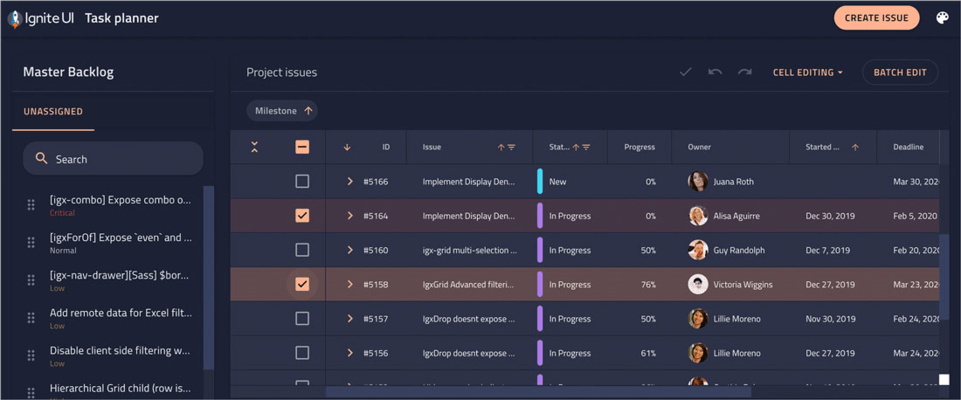
Infragistics Ignite UI(英語版)

優れたパフォーマンスのWebアプリをすばやく構築

Infragistics 社の製品
1996 年より日本国内にてComponentSourceで販売中。

価格:¥ 290,290 (税込)〜 バージョン: 25.2 新機能 更新日: Mar 31, 2026

i

Infragistics Ignite UI 製品のすべてのコントロールはInfragistics Professional 及び Infragistics Ultimate にも含まれています。

Infragistics Professional には Ignite UI, ASP.NET, Windows Forms, Windows UI, Silverlight, WPFが含まれています。
Infragistics Ultimate には Ignite UI, ASP.NET, Windows Forms, Silverlight, WPF, Windows UI, Windows Phone, LightSwitch, NUCLiOS, Iguana UI, NetAdvantage ICONS, 5 ユーザーQuince Subscription が含まれています。

Infragistics Ignite UI - includes Ignite UI for Web Components 6.4.0

Released: Dec 15, 2025

Ignite UI for Web Components 6.4.0 での更新項目

機能

  • Localization
    • New localization implementation. Now you can set global localization for all localized Ignite UI components using the 'registerI18n' and 'setCurrentI18n' methods.
    • Calendar, Date Input, Date Picker and Date Range Picker components now implement the new localization for formatting as well, which internally uses new implementation of the 'Intl'.
    • Added localization for Carousel, Chip, Combo, File Input and Tree. They now have locale and resourceStrings properties as well, which you can set to customize them individually.
  • Badge
    • Added new dot type, improved outline implementation following WCAG AA accessibility standards and theme based sizing.
  • Checkbox
    • Added new --tick-width CSS property.
  • Combo
    • Added new disableClear property which disables the clear button of the combo component.
  • Mask input
    • Transform unicode digit code points to ASCII numbers for numeric patterns.
  • Accessibility
    • Accessibility color adjustments.
  • Button, Calendar, Carousel, Date picker, Date range picker, Input, Select and Textarea
    • Updated and aligned styles with the design kit.
  • Chat
    • adoptRootStyles now also affects the input area custom renderers.
    • Renamed input-container part to input-area.
  • Combo
    • Use the native Map.groupBy for grouping.
    • Improved the keyboard navigation experience.
    • Updated and aligned styles with the design kit.

不具合の修正

  • Sass theme support
    • Components can be styled using the Sass tools from the theming package.
  • Calendar
    • Focus styles for month/year views.
  • Combo
    • Notch border styles.
  • Chat
    • Suggestions rendered at the wrong location when no header is present.
    • Correct sequence and type for chat user typing events.
    • adoptRootStyles correctly skips import CSS rules from the page stylesheets.
    • adoptRootStyles is correctly re-applied on theme swap.
    • Replaced hardcoded ig-size style variable.
  • Checkbox and Switch
    • Internal ripple opacity when hovering over slotted content in the helper-text slot.
  • Date input, Date picker, Date range picker
    • Default display format now follows strictly locale format as per specification without leading zeros.
  • Dialog
    • Underlying dialog element now has display: contents and won't participate in DOM layout.
    • keepOpenOnEscape not preventing the dialog from closing when Escape is pressed.
    • Base styles and theming.
  • List and List item
    • Added missing styles for slotted igc-icon in the list item.
    • Icon and icon button sizes for the Indigo theme.
  • Mask input
    • Auto-fill behavior for mask patterns with literals.
  • Navbar
    • Icon and icon button sizes.
  • Select
    • Color for outlined type.
  • Tabs
    • Add active pseudo-elements backgrounds for the active tab in Material theme.
    • Take scale factor when positioning the active tab indicator.
    • Selected indicator alignment.
  • Tooltip
    • Do not show the tooltip when the tooltip target is clicked.
    • Removed the max-width constraint for slotted content.