
Infragistics NetAdvantage for Silverlight(英語版)
高度な Silverlight の機能を利用した、機能豊富で高度なデータ可視化を実現。
Infragistics 社の製品
1996 年より日本国内にてComponentSourceで販売中。
この製品の販売は終了しました。
高度な Silverlight の機能を利用した、機能豊富で高度なデータ可視化を実現。
Infragistics 社の製品
1996 年より日本国内にてComponentSourceで販売中。
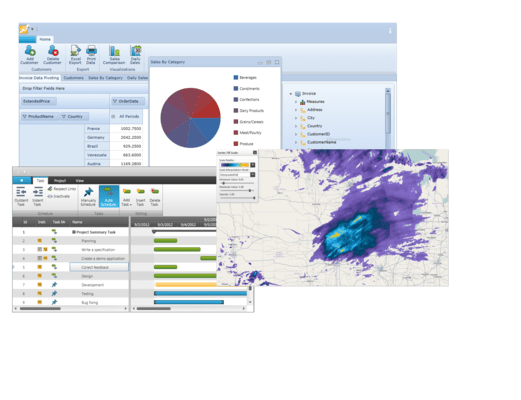
Infragistics NetAdvantage for Silverlight 製品の単体販売は終了されました。本製品のサブスクリプション契約期間中の場合は自動的に Infragistics Professional にアップグレードされます。
また、サブスクリプション更新希望の場合は上記のlページより、サブスクリプション更新ライセンスをご購入ください。
その他ご不明な点がございましたら こちら までご連絡ください。
本製品の日本語版は こちら をご参考ください。
Released: Nov 18, 2011
What’s new in Infragistics Silverlight New Features 2011 Volume 2?
The latest release includes feature enhancements to existing controls, as well as many brand new features. Multiple new chart series and chart types have been added, as well as a new OLAP capability to include native OLAP support in charting. You also get more styling capability with Resource Washing on all controls, and robust new geospatial and geographic thematic mapping.
Resource Washer
With Resource Washing, you can set the color (the WashColor) on groups of resources (WashGroups) in an existing ResourceDictionary to update the color of the controls in your applications. Now, you can take a basic looking application and re-brand it to your corporate colors. Or, you can set a WashColor at runtime to change the look of an application. There are two wash modes which determine how the original color in the resource and the wash color are blended: SoftLightBlend and HueSaturationBlend.
Infragistics Excel
Import and export Microsoft Excel workbooks in high-fidelity XLS/XLSX/ExcelML file formats. With absolutely no Excel dependency, your application can run completely independently of Excel, and Excel does not have to be installed alongside your application.
Geographic Map
Create highly detailed, thematic geographical maps using an innovate feature set that includes custom shape templates, the ability to render polylines and polyshapes, Map Progression, Scatter Area Plots, an intuitive Overview Pane and much more. It enables many new, innovative features such as the ability to render polyline/polyshapes; custom shape templates; shape fill, shape styles and conditional formatting shapes; symbol series with the ability to add a custom Symbol Template; contour area series; scatter area series; multiple series; and panning and zooming.
Funnel Chart
Visually showcase diminishing values with the new funnel chart, a single series chart that displays data in a funnel shape with a variable number of sections, each representing the data as different portions of 100%. The funnel chart makes it easy for end users to illustrate value "fallout" in the sales process or bottlenecks in the flow of a multi-step process.
Sparkline Chart
The new Sparkline control is a data-intense, design-simple graphic that allows end users to spot trends, variations and patterns in data in a clear and compact representation.
Data Chart
Render charts with millions of data points that are capable of millisecond updates. Enable heavy-duty data visualization and analysis on large volumes of data with high performance. The Data Chart control includes the following new features:
Pivot Grid
The Pivot grid that lets your users slice, dice and filter the multidimensional data of your OLAP cube or data warehouse. The latest version of the xamPivotGrid improves performance and usability. Several performance enhancements that deliver support for higher volume data and query parsing have been added:
Timeline
An important interaction feature to the Timeline control has been added – the control's ability to adjust labels and tick marks based on the current zoom level (which is the visible area of the chart). The Unit property is adjusted so it shows a moderate number of labels - not too few, not too many (perhaps prevent the same labels appear twice). If the visible area spans over a few days the UnitType becomes Hours, if the visible area spans over a few weeks UnitType becomes days, if it spans a year UnitType becomes month, etc.
Network Node Diagrams
The network node diagram control helps you create visual representations of simple or complex network relationships, similar to a cluster diagram in which each node represents a unique data point related through its connectedness to other data points. End users can easily pan and zoom, and you can customize the types of metadata that are displayed and how they are shown. New features in this release include the ability to choose the relationship type between nodes, support for various visual states, including Normal, MouseOver, Pressed, Disabled, and ReadOnly, and manipulation of indivdiual nodes.
電話: (888) 850 9911
Fax: +1 770 250 6199


