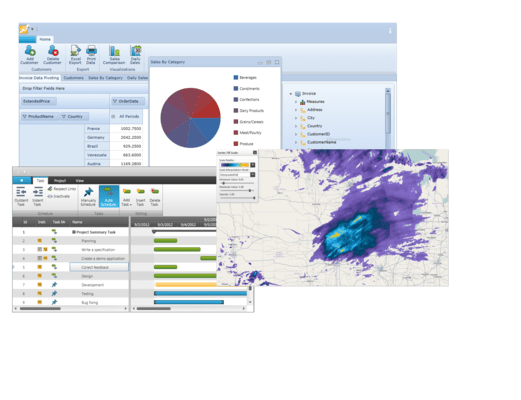
Infragistics NetAdvantage for Silverlight 2012 Volume 1
Released: May 4, 2012
2012 Volume 1 での更新項目
Metro Style – The new metro theme, optimized for touch and touch targets, incorporates a precisely aligned type-based layout and high-contrast simple icons.
Gesture Support – Give your end users consistent interactions when moving between tablet and desktop experiences.
Color Tuner – Style your entire application with just a few clicks of your mouse. You can easily apply themes throughout your application, color-tune a theme without writing any XAML code, and save/share your favorite color configurations for later use.
Undo/Redo Framework - Provides the infrastructure for supporting unlimited linear Undo/Redo functionality.
Undo/Redo History Stacks – The UndoManager automatically manages the Undo/Redo history stacks. The collections raise change notifications and therefore may be used as a source for providing a UI that displays the entries in the history stacks.
Built-In UndoUnits – The framework includes a number of built in undo units that provide support for undoing/redoing property and collection changes.
Delegate UndoUnit – The framework makes it easy to add a method/delegate as an operation in the undo/redo history.
ObservableCollectionWithUndo – The framework includes a derived ObservableCollection that makes it easier to add support for undo/redo of collection changes.
Transactions – Provides the ability to group one or more operations into a single history entry. One may also rollback a transaction performing the operations that were stored up to that point.
Custom UndoUnits – The framework allows developers to create their own custom UndoUnit to support undo/redo of other types of operations.
Commands – A number of built in commands are provided to make it easier to invoke an Undo/Redo operation from within your UI.
Geographic Map - Click your mouse and see the world. Our rich thematic mapping solution allows you to visualize your geographic data in multiple ways, all the way down to the street view.
Sparkline Charts- Render highly visual charts within limited spaces, such as a grid cell. Display markers, trend lines, and horizontal and vertical axes. With the tooltips feature, you can display the high, low, first, and last data points when hovering over the sparkline with your mouse. The Sparkline can also detect unknown values, and render the space for those values using a specified interpoloation algorithm.
Grid - Get more than just alphanumeric characters to display your data within a grid. Now, get the fastest grid on the market with additional dropdown options, sparkline chart columns, properly formatted dates and times, and implicit data templates. With the new custom filter dialog and copy/paste helper methods, users will be able to interact with your data more easily within the grid.
Pivot Grid – Give your users the analytical advantage with new filtering, dropdown, and summarizing capabilities. Define calculative rows & columns and calculated measures allow the ability to add custom fields with custom calculated logic. Excel-like Filter/Query Dialog with Expressions give the ability to apply different predefined filters to the data source.
Bar Code - Added a property to hide the Human Readable text.
Ribbon - With the new ribbon end user customization support, you can enable application users to customize their work experience so that they can be more productive. You can let your application's end users customize tabs, groups and items to give them complete control over the application's user experience in little to no time at all.
Excel Format Support – This feature supports accessing built-in styles, parent styles, format options, numerous Microsoft Excel behaviors regarding styles, and possibilities for determining resolved cell formats.
Excel 2007 Color Model – Using Excel 2007 Color model you can specify a color, work with Workbook palette and use new Fill property for filing a cells.
Support Named Tables in an Excel Spreadsheet – The Excel Engine library now supports the ability to access and create named Tables with data from the worksheet. The tables can be sorted, filtered, and aggregated.
Filtering and Sorting Tables – Excel Engine supports table filtering and sorting.
Get Cell Text – Determine the text that would be displayed in Microsoft Excel® cell given the cell’s value, format string, column width, and worksheet options.
Data Visualization and Line of Business Toolsets - Get over 50 types of charts, graphs, and gauges to make meaning of your business data. Since we've combined our Data Visualization and Line of Business toolsets, one product is all you need to deliver the best Silverlight Enterprise apps.
Motion Framework - Tell the story of your data in an active, engaging way. The Motion Framework animates your data over time, choreographing movements based on how you've decided to visualize their data. See it in action with our Motion Framework samples.
Org Chart - Create high performance, stylable organization charts that represent company, department, workgroup or other hierarchical structures that you can bind to in a data source which can contain tens of thousands of entities.
Barcode Reader - Using your Webcam, an attached scanning device, or any barcode image from your file system, you can use the Silverlight barcode reader to read and decode barcode images, with full support for identifying the common barcode symbologies.
Bullet Graph - Deliver a simple and concise view of key performance indicators (KPIs) to your users in next generation Silverlight dashboards built with xamBulletGraph.
Gauge - With the Silverlight gauge control, you can build relevant business scorecard-style applications and rich, informative dashboards.
Network Node - Create visual representations of simple or complex network relationships.
Timeline - Empower users to quickly understand and visualize a sequence of events.
Treemap - Show the relative weight of data points at more than one level with no drilldown required.
Zoombar - Provide end users with a pan and zoom user interface that allows them to intuitively scroll through a range of data with dynamically adaptive scaling.