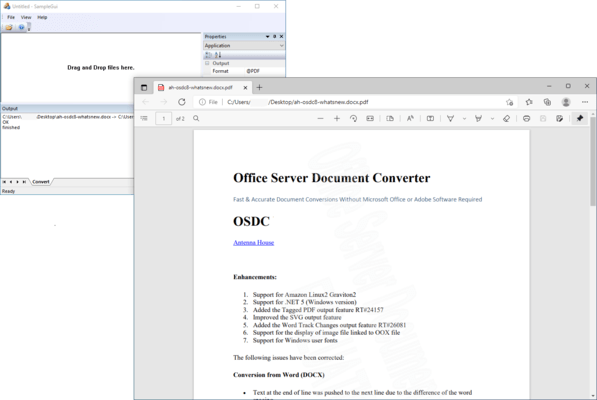
Office Server Document Converter (OSDC) v11.0 MR4

Released: Sep 10, 2025

v11.0 MR4 での更新項目

機能

  • Conversion from Word (DOCX)
    • If the table exceeds the rendering area, it will be adjusted to fit within the area if it meets the conditions for automatic adjustment.
    • Added support for processing the total number of pages created with fldSimple.
  • Conversion from Excel
    • Improved processing time for files containing numerous hidden rows.
  • Conversion from MS-Office
    • Added support for overbars, vectors, yields, delta yields, and left-right double arrow below.
  • Conversion of MS-Office (WordArt)
    • Adjusted the position of the underline display.
    • Added support for the transformation of text shading.
    • Added support for the scaling transformation of text.
    • Added support for Word's [Vertical] (only [Shape]) and [Rotate Asian characters 270 degrees] transformations.
    • In addition to PDF, now JPEG, PNG, TIFF, SVG, and XPS are supported as the output formats for the [Follow Path] transformation.
  • Conversion from PDF
    • Improved processing time for conversion from PDFs containing numerous paths.

不具合の修正

  • Conversion from Word (DOCX)
    • The position of the text inside the cells differed from Word when it was carried over to the next page.
    • The output position of text within the rotated shape was misaligned.
    • If the table exceeds the rendering area, it will be adjusted to fit within the area if it meets the conditions for automatic adjustment.
    • When a section break exists after a page break, page numbers were not displayed correctly.
    • When docpagenumbercorrection is specified, an invalid page numbers were output in the footer.
    • An application error occurred when definitions of the presence or absence of numerical values were mixed in the outline.
    • An application error occurred when text within shapes, WordArt with "Two Lines in One" settings, Horizontal in Vertical, or Combine Characters  existed.
    • Fixed an issue where processing would not complete in documents created solely with paragraphs where "Keep with next" and "Keep lines together" were enabled.
  • Conversion from Word (DOC)
    • The text alignment was incorrect in multi-line paragraphs within the text box.
    • Line break was not inserted to the consecutive alphanumeric characters in the text box.
    • The character position within a cell with vertical alignment specified was incorrect.
    • Fixed an issue where line spacing narrowed for some fonts.
    • Fixed an issue where processing would not complete when the body text contained a table with numerous rows and there was also a table within the header/footer.
  • Conversion from Excel
    • End of the values or text containing hyphens were not displayed with narrow column widths.
    • The contents of cells formatted as "Shrink to fit" and right-aligned Were not displayed correctly.
  • Conversion from Excel (XLSX)
    • The placement of objects such as checkboxes was misaligned.
    • Fixed an issue where page breaks occurred incorrectly when page breaks were specified in "Custom Views".
  • Conversion from Excel (XLS)
    • The conversion of files containing graphs did not complete.
  • Conversion from MS-Office
    • Variant characters were displayed as standard characters.
  • Conversion from MS-Office (Chart)
    • Fixed an issue where graph titles and axis titles were not displayed when using default names.
    • When the axis bounds and units field values are set to automatic, the tick marks were not correctly reflected.
    • When the vertical and horizontal axis titles are in their default positions, the tick marks and numerical values overlap.
    • The graph did not render correctly, and the conversion process took a long time.
    • An application error occurred when the specified range of graph data contained empty data.
  • Conversion of MS-Office (WordArt)
    • Fixed an issue where Horizontal in Vertical was not transformed correctly and improved display.