Released: Jun 24, 2026
v9.4.0 (7.4.2) での更新項目
機能
ONLYOFFICE Confluence connector has been updated to version 7.4.2:
- Added compatibility with Confluence v10.2.13.
- Deleted setting toolbarNoTabs.
Released: May 27, 2026
v9.4.0 (2.1.0) での更新項目
機能
- Added new empty file templates.
- Added Forge settings page for configuring ONLYOFFICE Docs connection and demo server access.
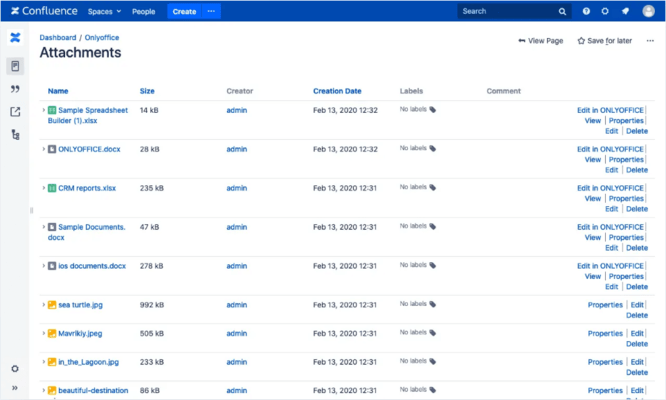
- Added space page and content action for browsing Confluence pages, blog posts, and attachments.
- Added content tree actions to create, open, download, and delete attachments.
- Added support for opening referenced documents from the editor.
- Migrated the app from the legacy Atlassian Connect remote app to Forge with Custom UI.
- Extended list of supported formats.
- Improved...
Released: May 18, 2026
v9.4.0 での更新項目
機能
- All Editors:
- Added Croatian language interface translation (hr-HR, Hrvatska).
- Moved chart settings from the right panel to a separate Chart design tab.
- Document Editor:
- Implemented the ability to add a horizontal line.
- Spreadsheet Editor:
- Added the Dark mode support for the sheet.
- Presentation Editor:
- Added 25 new presentation design themes.
- Added 20 new slide transitions, grouped by category.
- Forms:
- Built-in recipient assignment and filling status: Managing form recipients used to require...
Released: Mar 3, 2026
v9.3.1 での更新項目
不具合の修正
- Spreadsheet Editor:
- Fixed the issue of displaying the comment author's name when opening a spreadsheet.
- API:
- Fixed the ability to control the PDF editor via connector.
Released: Feb 24, 2026
v9.3.0 (7.4.1) での更新項目
機能
ONLYOFFICE Confluence connector has been updated to version 7.4.1:
- Added compatibility with Confluence v10.2.6.
Released: Feb 24, 2026
v9.3.0 での更新項目
機能
- All Editors:
- Implemented the ability to add hyperlinks to images, shapes, or groups.
- Implemented all settings for texture fills for images.
- Updated macro recording in documents, spreadsheets, and presentations.
- Document Editor:
- Added Multiple pages view.
- Added the Zoom to 100% and Multiple pages buttons to the View tab.
- Changed the appearance of comments. Now a user's color is used and the beginning and end of the comment are displayed.
- Implemented the ability to select words/paragraphs by...
Released: Feb 6, 2026
v9.2.1 (7.4.0) での更新項目
機能
ONLYOFFICE Confluence connector has been updated to version 7.4.0:
- Added compatibility with Confluence v10.*.
- Updated com.onlyoffice:docs-integration-sdk to v1.7.1.
不具合の修正
- Fixed a bug link generation when the document server or product URL contains a context path.
Released: Dec 17, 2025
v9.2.1 での更新項目
不具合の修正
- Document Editor:
- Fixed word break in Korean.
- Spreadsheet Editor:
- Fixed an issue with data overlap when transferring sheets between documents via Move or Copy.
- PDF Editor:
- Fixed an error when opening a PDF file.
- Fixed an error when scrolling pages in a PDF file.
- Fixed errors when copying, pasting, and undoing actions with the Find panel in PDF Editing mode.
- Fixed an error when deleting a page from a document while working with the Find panel in PDF Editing mode.
- Fixed an error with unsaved...
Released: Dec 1, 2025
v9.2.0 での更新項目
機能
- All Editors:
- Added the ability to customize keyboard shortcuts.
- Added the ability to record some executed actions as a macro in all editors, except for PDF.
- Presentation Editor:
- Implemented insertion of equations from a third-party resource.
- Forms:
- Implemented the ability to select the role for which new fields will be added.
- Implemented the ability to add labels for checkboxes and radio buttons. In the filling mode, clicking on the label works like clicking on the checkbox itself.
- PDF Editor...
Released: Oct 15, 2025
v9.1.0 での更新項目
機能
- All Editors:
- Added external data for charts. When copying between editors, it is now possible to select either an embedded file or a link to the source.
- Added the ability to enable/disable chart elements.
- Added support for the Explosion option (separating a segment of pie and doughnut 2D charts) for opening.
- Added support for the HEIF images.
- Added the ability to configure the display of resolved/open comments in the left panel.
- Document Editor:
- Implemented support for breaking sections...