SQL Clone 2.6.4
Released: Jun 25, 2018
2.6.4 での更新項目
機能
- PowerShell cmdlets will output a warning when a newer version is installed than is currently running.
- Added Rename-SqlCloneImage cmdlet.
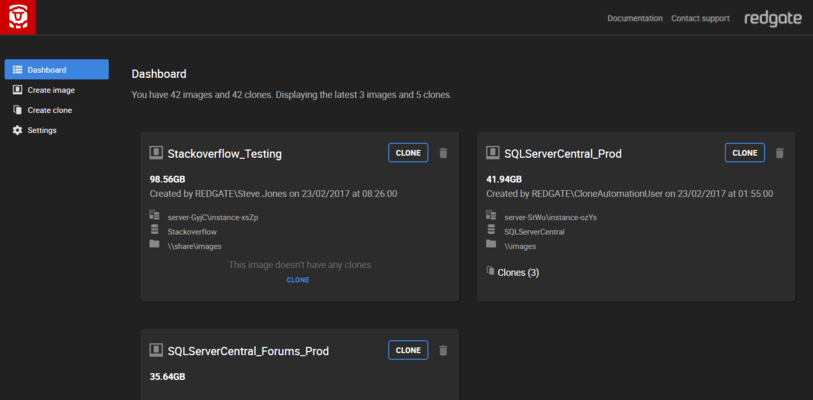
- Sidebar can now expand / collapse, header now displays number of images and clones.
- An OriginDatabaseName SQL variable has been implemented for script runner.
- You can now apply clone modifications from the web UI.
- Added SQLClone_UserName, SQLClone_MachineName, and SQLClone_CloneName SQL variables to clone modification scripts.
- SQL Clone can now be updated from the web UI.
- Added PowerShell support for running T-SQL scripts on clone creation.
- Added New-SqlCloneTemplate, Get-SqlCloneTemplate, and Remove-SqlCloneTemplate cmdlets.
- Added Template parameter to New-SqlClone for use with Get-SqlCloneTemplate.
- Support to remove clones where the agent is offline.
- PowerShell cmdlet (Get-SqlCloneMachine) can now display Data Masker installed status.
- Scripts run during image creation now have VIEW ANY DEFINITION and VIEW SERVER STATE permissions, so long as the SQL Clone Agent has CONTROL SERVER permission.
- SQL Clone can now invoke Data Masker for SQL Server v6 to mask your database images while they're being created.
- Image modifications UI has been extended to support data masking via upload of a .DMSMaskSet file.
- Integration with SQL Toolbelt bulk uninstaller.
- Clone name is updated when the clone database is renamed in SQL Server.
不具合の修正
- PowerShell cmdlets earlier than version 2.5.5 will display a message saying they need updating rather than simply failing.
- Detect SQL Servers when a SQL Clone Agent is reinstalled with a new certificate.
- Improved detection of errors when creating an image from a SQL Backup backup.
- Began defaulting to the Microsoft VSS provider where available for stability.
- SQL Clone can now delete images where the backing files have already been deleted.
- Creating images from SQL Backup backups no longer requires the backup file to have the default .sqb extension.
- Increased visibility of images that couldn't be deleted.
- Telemetry has been updated in accordance with the privacy policy.
- Improvements to clone cleanup.
- Agent no longer attempts to monitor the health of clones for which creation failed.
- Increased progress logging around image modification.
- Increased robustness of detaching databases.
- Prevent Web UI controls being changed while waiting for response from server.
- Fixes an issue in the uninstaller which could unintentionally delete directories.
- Resolved an issue preventing image deletion ('resourceName' issue).
- The Modifications parameter on the New-SqlCloneImage cmdlet no longer accepts null values.
- Resolves agents not being able to connect after upgrading to 2.5.0. If agents remain offline after installing server version 2.5.1, the agents may need to be restarted via services.msc.
- Resolves leftover occurrences of SQL Clone 2.4.7 appearing in Add/Remove Programs after upgrading to 2.5.0.
- Dashboard now uses binary units instead of decimal size units, to match Windows and most Windows software.
- Bulk uninstaller improvements.
- SQL Clone can now create images from differential backups which add new database files.