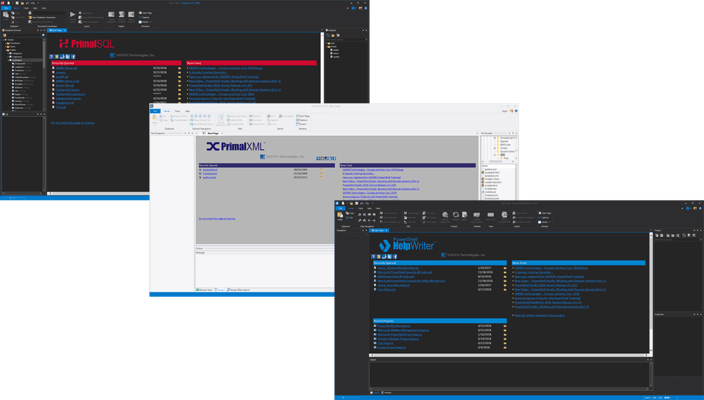
Released: Jan 16, 2021
2021 での更新項目
Updates in 2021
SAPIEN DevOps Suite includes updates to:
Released: Jan 13, 2020
2020 での更新項目
Updates in 2020
SAPIEN DevOps Suite includes updates to:
Released: Oct 4, 2019
October 2019 release での更新項目
機能
New in SAPIEN DevOps Suite:
-
PowerShell Studio 2019 (v5.6.167)
- Added: Upgrade to Microsoft Visual Studio 2019 runtime.
- Updated: RSEE component path changed (RSEE not backwards compatible with older versions).
-
PowerShell ModuleManager 2019 (1.1.3)
- Added: Keyboard shortcut for Available Versions (CTRL-V).
- Added: Context menu in Versions Dialog.
- Added: Upgrade to Microsoft Visual Studio 2019 runtime.
- Added: Added warning message for Clean Up (Home->Installed).
- Updated: Versions dialog now...
Released: Feb 4, 2019
February 2019 release での更新項目
機能
SAPIEN DevOps Suite is the new name for SAPIEN Software Suite and includes the following updates.
- PowerShell Studio 2019 (5.6.158)
- Added: References will be highlighted automatically (Options->Editor->Enable automatic reference highlighting).
- Added: Reference highlighting for non-PowerShell files (Text-based).
- Added: PrimalSense for assemblies referenced in the RequiredAssemblies and ModuleToProcess fields of the module project's manifest.
- Updated: Find All References now includes...
Released: Dec 3, 2018
2019 での更新項目
機能
Updates in PowerShell Studio 2019
- Added: SAPIEN tools to the Tools tab of the ribbon.
- Added: Script Security Center to handle execution policy (Replaces the previous execution policy manager).
- Added: "Search PSGallery for Module..." command to editor context menu to search the gallery for the unknown cmdlet's module in module manager.
- Added: Watch Panel will now color value changes in red.
- Added: "User" tag to user generated templates and "Preset" to preinstalled templates.
- Added: Combobox to...
Released: Feb 5, 2018
2018 での更新項目
機能
- Updates in PowerShell Studio 2018
- PrimalSense cache now includes additional information, such as parameter set names, return values and validation sets.
- PrimalSense will now provide a list of assemblies for the using statement’s assembly parameter.
- PowerShell Studio now provides PrimalSense for a module’s cmdlets when using the module’s fully qualified name.
- When working with a cmdlet or function, you can trigger the parameter set completion pop-up by pressing [Ctrl + Shift + Space...
Released: Jan 18, 2017
2017 での更新項目
機能
PrimalScript
- Added context menu for performance graph to clear data.
- Added new copy version button on About dialog.
- Performance chart now logs up to three executions of the same script when run consecutively.
- #MARK: comments now listed in the navigation drop-down menu.
- Improved engine selection user interface in packager.
- Simultaneous builds for 32 and 64bit targets.
- Added option to build native start application for platform specific packager targets.
- Added option to resolve dot sourced...
Released: Jul 19, 2016
2016 での更新項目
機能
PrimalScript
- Blocked files are now recognized and prevented from modification and execution.
- Unlock files from the document tab context menus.
PowerShell Studio
- High DPI support
- High DPI Layout support. The application will auto load the high DPI version of a layout (.HighDPI.layout) depending on the current DPI.
- Option to enable/disable the document selector window when cycling through document tabs.
- Generated GUI scripts now scale properly in high DPI environments
- Control Sets now support...
Released: Apr 7, 2014
Updates in this release
Updates in 2014
- Restore Points - Two kinds of restore points are available, automatic and manual. Automatic restore points are created as soon as you start modifying a file.
- Debug Console - Setting a variable or object property is as easy as typing into the console. You can now call functions or set objects to test if your error handlers work.
- Deploy Solutions - New MSI builder allows you to bundle your scripts, packages, modules and all supplemental files into a professional grade installer...
Released: Apr 7, 2014
Updates in this release
Updates in 2014
- 64-bit Support - PowerShell Studio now comes in 32 and 64-bit editions.
- New UI - Including Ribbon tabs (Designer, Deploy, Tools, Home, Help) and Quick Access Toolbar.
- Form Previews - When you open a folder in Windows Explorer you can now see a preview of your PowerShell Studio Forms.
- New Grid Job Template - Utilize the Job Tracker in order to load information without freezing the form. This template works well for those queries that take a long time to run.