Syncfusion Essential Studio ASP.NET Core(英語版)

ASP.NET CoreのUIコントロールを多数収録したライブラリ

Syncfusion 社の製品
2002 年より日本国内にてComponentSourceで販売中。
バージョン: 2026 Volume 1 SP1 (33.2.5) 新機能 更新日: May 5, 2026

i

Please note that new Timed Subscription Licenses for Syncfusion Essential Studio ASP.NET Core are available as part of Syncfusion Essential Studio Enterprise.

Syncfusion Essential Studio ASP.NET Core について

ASP.NET CoreのUIコントロールを多数収録したライブラリ

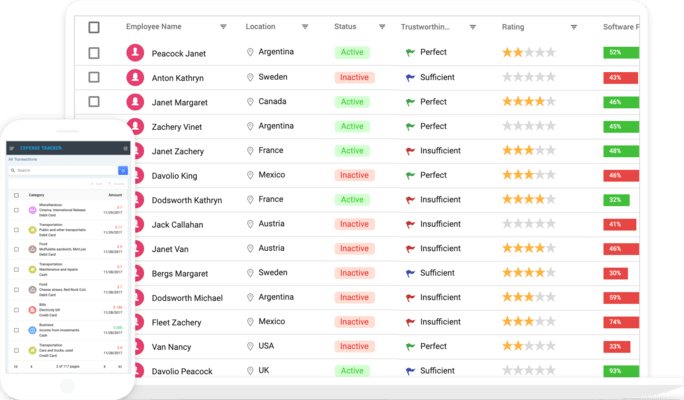
Syncfusion Essential Studio for ASP.NET Core includes over 140 controls. It contains all you need for building line-of-business applications, including popular widgets such as a data grid, chart, gantt, diagram, spreadsheet, schedule, pivot grid, and more.

Syncfusion Essential Studio ASP.NET Core Features

  • Lightweight and user friendly - The entire framework is built from scratch to be lightweight and modular. Its footprint can be reduced further by including only the specific controls and features your application requires.
  • Modular architecture - All controls have been built as modules to enable selective referencing, so only the controls and features you need are included in your application.
  • Built for performance - Performance is critical for delivering a good user experience.
  • Responsive and touch friendly - All the controls are touch friendly and render adaptively based on the device, providing optimal user experience on phones, tablets, and desktops.
  • Stunning built-in themes - Pixel-perfect built-in themes are available in material, bootstrap, and fabric designs. In addition, it comes with accessible high-contrast theme and an online tool Theme Studio to customize built-in themes.
  • Globalization simplified - Easily build applications to be used by a global audience in various language and culture settings.
  • Code on GitHub - Complete source code, unit test files, and e2e test scripts are available on GitHub. Such controls are subject to the terms and conditions of the Syncfusion EULA.
  • Stay current - With four major updates per year, you receive the most up-to-date functionality and new controls in addition to monthly service packs and bug fixes. Custom patches are available as needed.
  • Accessibility - All the controls follow the accessibility guidelines and standards, including ADA, Section 508, WCAG 2.2 standards, and WCAG roles that are commonly used to evaluate accessibility.

140+ ASP.NET Core UI Controls

GRIDS

  • DataGrid
  • Pivot Table
  • Tree Grid

DROPDOWNS

  • Dropdown List
  • MultiSelect Dropdown
  • Dropdown Tree
  • AutoComplete
  • ListBox
  • ComboBox
  • Mention
  • MultiColumn ComboBox

INPUTS

  • File Upload
  • Numeric Textbox
  • OTP Input
  • Range Slider
  • TextBox
  • TextArea
  • Input Mask
  • Radio Button
  • Checkbox
  • Color Picker
  • Signature
  • Toggle Switch Button
  • Rating
  • Speech To Text

DATA VISUALIZATION

  • Charts
  • Diagram
  • Kanban
  • Maps
  • 3D Charts
  • 3D Circular Charts
  • Sankey Diagram (PREVIEW)
  • Stock Chart
  • Circular Gauge
  • Linear Gauge
  • Heatmap chart
  • Range Selector
  • Smith Chart
  • Sparkline Charts
  • Barcode Generator
  • TreeMap
  • Bullet Chart

CALENDARS

  • Scheduler
  • Gantt Chart
  • Calendar
  • DatePicker
  • DateRangePicker
  • DateTime Picker
  • TimePicker

NAVIGATION

  • File Manager
  • Ribbon
  • TreeView
  • Accordion
  • AppBar
  • Breadcrumb
  • Carousel
  • Context Menu
  • Menu Bar
  • Sidebar
  • Tabs
  • Toolbar
  • Stepper

LAYOUT

  • Dialog
  • Tooltip
  • ListView
  • Dashboard Layout
  • Splitter
  • Avatar
  • Card
  • Timeline

BUTTONS

  • Button
  • Button Group
  • Dropdown Menu
  • Progress Button
  • Split Button
  • Chips
  • Floating Action Button
  • Speed Dial

NOTIFICATION

  • Message
  • Badge
  • Toast
  • Progress Bar
  • Skeleton

FORMS

  • In-place Editor
  • Query Builder UI

FILE VIEWERS AND EDITORS

  • Rich Text Editor
  • Image Editor
  • Block Editor

INTERACTIVE CHAT

  • AI AssistView
  • Chat UI
  • Inline AI Assist (PREVIEW)