What's Included:
Document SDK
Easily add advanced PDF, Word, Excel, and PowerPoint document processing features to your application with a few lines of code.
- PDF Library - The Syncfusion PDF Library is a powerful, feature-rich .NET class library designed for creating, reading, and editing PDF files programmatically - without relying on Adobe. It provides a wide range of PDF processing capabilities, including splitting, merging, stamping, form filling, digital signing, compressing, and securing documents. With this library, developers can easily integrate advanced PDF functionalities into their applications while focusing on the core business logic.
- Word Library - The Syncfusion Word Library is a powerful .NET class library for creating, reading, and editing Word documents - without Microsoft Office or interop. It supports advanced processing like merging, splitting, find-and-replace, bookmarks, securing documents, and seamless conversion to PDF, image, HTML, RTF, text, ODT, and EPUB. Perfect for developers who want to automate Word processing without extra dependencies.
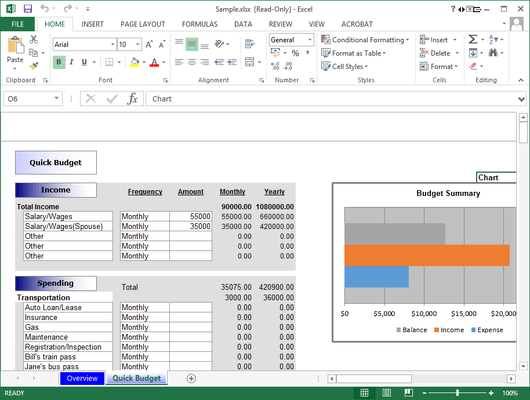
- Excel Library - The Syncfusion Excel Library is a comprehensive .NET class library that allows you to create, read, and edit Excel files without relying on Microsoft Office or interop. It provides a wide range of Excel spreadsheet functionalities, including importing and exporting data, visualizing information through charts, organizing data in tables, performing calculations with simple or complex formulas, formatting cells and values, sorting and filtering data, and securing Excel files. By automating Excel processing programmatically, developers can easily integrate spreadsheet capabilities into their applications without dealing with the usual complexities of Excel.
- PowerPoint Library - The Syncfusion PowerPoint Library is a robust .NET class library that allows you to create, read, and edit PowerPoint presentations programmatically without requiring Microsoft Office or interop. It provides a wide range of presentation processing features, including splitting and merging slides, finding and replacing content, securing files, and converting presentations to PDF or image formats. Designed for developer convenience, it allows seamless automation of PowerPoint processing within your applications, simplifying tasks that would otherwise be complex.
PDF Viewer SDK
The Syncfusion Essential Studio PDF Viewer SDK provides a powerful, high-performance solution for viewing PDF documents. It enables developers to seamlessly integrate features such as document navigation, interactive tools, form filling, digital signing, and annotation reviews into web, desktop, and mobile applications. Key Features include:
- Digital Document Viewing - View PDF documents with text, images, vector graphics, and embedded fonts exactly as intended across all devices. Interactive zoom and pan controls give you optimal document display.
- Document Navigation - Easily navigate PDF documents with smooth page transitions, document links, hyperlinks, and an outline view.
- Text Search and Selection - Powerful text selection and search functionalities allow users to find, select, and interact with textual content easily within PDF documents.
- Annotation and Review Tools - Comprehensive annotation tools for reviewing PDF documents including highlights, comments, stamps, text, and freehand drawings
- Interactive Form Filling - Complete form-filling capabilities with support for text fields, checkboxes, radio buttons, dropdowns, and signature fields.
- Electronic Signatures - Add, remove, and manage signatures in PDF documents with multiple signature types, including handwritten, typed, and image-based.
DOCX Editor SDK
The Syncfusion DOCX Editor SDK provides a Microsoft Word-inspired WYSIWYG editor for developers who want to integrate Word document drafting, editing, and report generation in their web and .NET-based desktop applications. Key Features include:
- Document Editing - The DOCX editor offers a smooth, touch-friendly editing experience with features like clipboard operations, undo and redo, context menus, and dialogs.
- Report Generation - Generate real-time reports by mail merging or replacing placeholders within templated Word documents.
- Layout and Formatting - Create professional documents with powerful formatting tools for text, lists, images, tables, and more. Customize page sizes and add consistent headers and footers for a polished look.
- Design and Fill Forms - Users can design fillable forms in a Word document using form fields and content controls. The DOCX Editor SDK provides a form-filling mode to focus only on filling data for the fields.
- Collaborative Editing - Multiple users can edit a document simultaneously, see each other's presences, and view changes as they happen in real time.
- Document Versioning - Compare two Word document versions and view the tracked changes as highlighted differences.
- Review Documents - Add, reply, edit, delete, or resolve comments within a document. Use @mentions to tag others in comments for smooth collaboration, and track changes so others can review, accept, or reject them.
- Restrict Editing - Add range permissions within a protected document so only authorized users or user groups can modify designated text areas. Also, you can restrict operations like accepting or rejecting tracked changes, allowing users only to comment.
Spreadsheet Editor SDK
The Syncfusion Spreadsheet Editor SDK is a Microsoft Excel-inspired editor that lets developers integrate powerful tabular data-viewing, editing, formatting, organizing, and analysis features directly into their web and .NET desktop applications (WPF, WinForms, UWP). Key Features include:
- Formulas - Run complex formulas with ease, powered by a fast, Excel-like calculation engine with cross-sheet support.
- Data Binding - Bind your spreadsheet data to JSON, REST APIs, and more for dynamic, up-to-date metrics.
- Formatting - Style your data with rich formatting, conditional highlighting, and custom number formats.
- Charts - Transform raw data into stunning, interactive charts inside your spreadsheet.
- Data Validation - Ensure data accuracy with built-in validation rules and custom formula-based checks.
- Protection - Protect sheets and workbooks with passwords and control user actions with fine-grained permissions.