Syncfusion Essential Studio Spreadsheet Editor SDK について

組み込みのフィルタリング、並べ替え、検証、ワークシート保護機能を使用して、Excel風の編集環境を提供

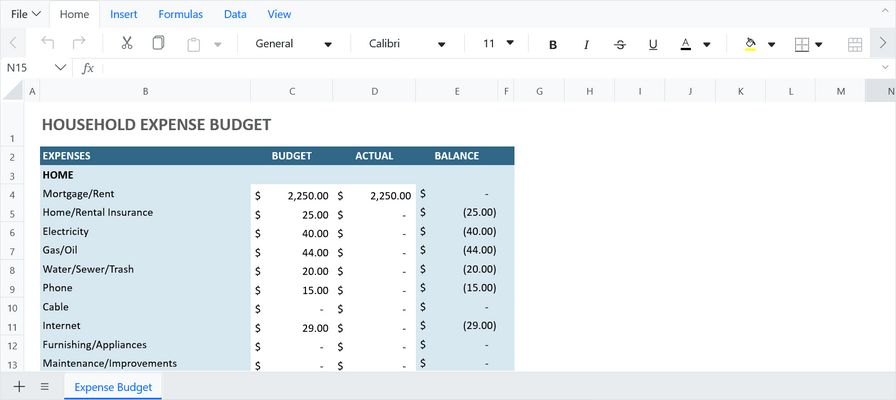
Syncfusion Essential Studio Spreadsheet Editor SDK is a comprehensive, Excel-like library that enables developers to embed powerful spreadsheet functionality into web and desktop applications. It supports robust editing, formatting, and data analysis features, including formula calculation (with cross-sheet support), data binding to local and remote data sources (such as JSON or REST), cell formatting (including conditional styles), charts, data validation, worksheet protection, and workbook permissions. These capabilities are available across multiple frameworks (Blazor, React, Angular, Vue, JavaScript, ASP.NET Core/MVC, WPF, WinForms, UWP) so that applications can provide a native-like spreadsheet experience without depending on Microsoft Excel itself.

Key Features

  • Formulas - Run complex formulas with ease, powered by a fast, Excel-like calculation engine with cross-sheet support.
  • Data Binding - Bind your spreadsheet data to JSON, REST APIs, and more for dynamic, up-to-date metrics.
  • Formatting - Style your data with rich formatting, conditional highlighting, and custom number formats.
  • Charts - Transform raw data into stunning, interactive charts inside your spreadsheet.
  • Data Validation - Ensure data accuracy with built-in validation rules and custom formula-based checks.
  • Protection - Protect sheets and workbooks with passwords and control user actions with fine-grained permissions.

Why choose Syncfusion Essential Studio Spreadsheet Editor SDK?

  • High performance - Spreadsheet is designed and optimized for loading large amounts of data into a worksheet and viewing it on demand with the help of row and column virtualization.
  • Seamless data binding - Bind data seamlessly with various local and remote data sources such as JSON, OData, WCF, and RESTful web services with the help of a data manager.
  • Hassle-free formatting - Spreadsheet allows users to format cells and numbers. It also allows conditional formatting to format a cell or range of cells based on the conditions applied.
  • Transform data to a chart - The chart feature transforms the Spreadsheet data into an intuitive visual for better understanding.
  • Wide range of built-in formulas - Spreadsheet library provides a wide range of formulas with cross-sheet reference support. Its rich UI comes with a built-in calculation engine that performs formula calculations.
  • Attractive, customizable themes - Cutting edge design with built-in themes such as Fluent, Tailwind CSS, Material, Fabric, and more. Utilize the online Theme Studio tool to customize themes easily.
  • Globalization and localization - Enables users from different locales to use the Spreadsheet by formatting dates, currency, and numbering to suit their preferences.