
XtraPrinting Library (英語版)
アプリケーションに高度な印刷機能を追加できます。
DevExpress 社の製品
2001 年より日本国内にてComponentSourceで販売中。
New licenses can only be purchased as part of DevExpress DXperience, DevExpress Universal or DevExpress WinForms
If you require information, please visit the pages above or Contact Us for pricing and availability.
XtraPrinting Library はVisual Studio .NETのために100% C#言語で開発された、データ表示および視覚化システムです。ユーザー インターフェースを印刷可能にするために設計されたました。XtraPrinting Libraryを使い始めると、手間なくXtraGridやXtraTreeListの高度な視覚化コントロール内容を簡単に印刷できるようになります。よって、従来のレポート作成機能を使わずに、無限に近いレポート数をエンドユーザーに提供できます。
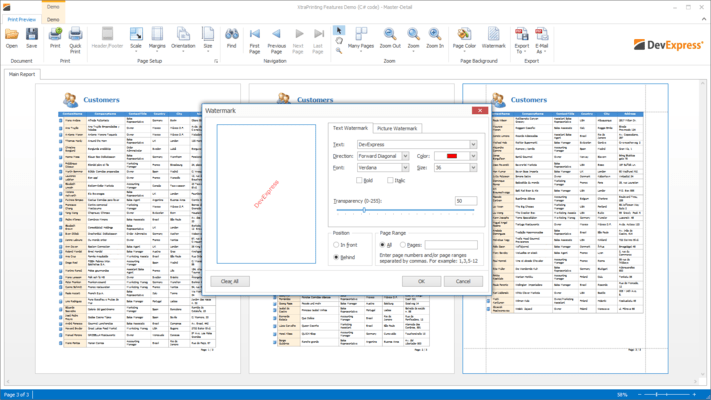
The XtraPrinting Library is a 100% C# data rendering and visualization system, built specifically for Visual Studio .NET and designed to bring your User Interface to the printed page. Once you start using the XtraPrinting Library, you will be able to print the contents of advanced visual controls such as the XtraGrid and XtraScheduler with ease, and thus offer your end-users a nearly unlimited series of "reports" without actually having to create a single report using a traditional report writer. With visual controls like the XtraGrid and XtraTreeList, you already have a wealth of data on-screen - which users can manipulate as they see fit: They can summarize data on any column, display Master/Detail Info, group and sort against any column, etc. In the end, this is the essence of a banded report - and with the XtraPrinting Library you can render the contents of your XtraGrid and XtraTreeList to paper - and never have to write a banded report again.
With the XtraPrinting Library, you can print and render the following Developer Express controls:
And the following standard controls:
Here is a brief list of other features available to you when using the XtraPrinting Library:
電話: (888) 850 9911
Fax: +1 770 250 6199


