













公式サプライヤー
公式および認定ディストリビューターとして200社以上の開発元から正規ライセンスを直接ご提供いたします。
当社のすべてのブランドをご覧ください。
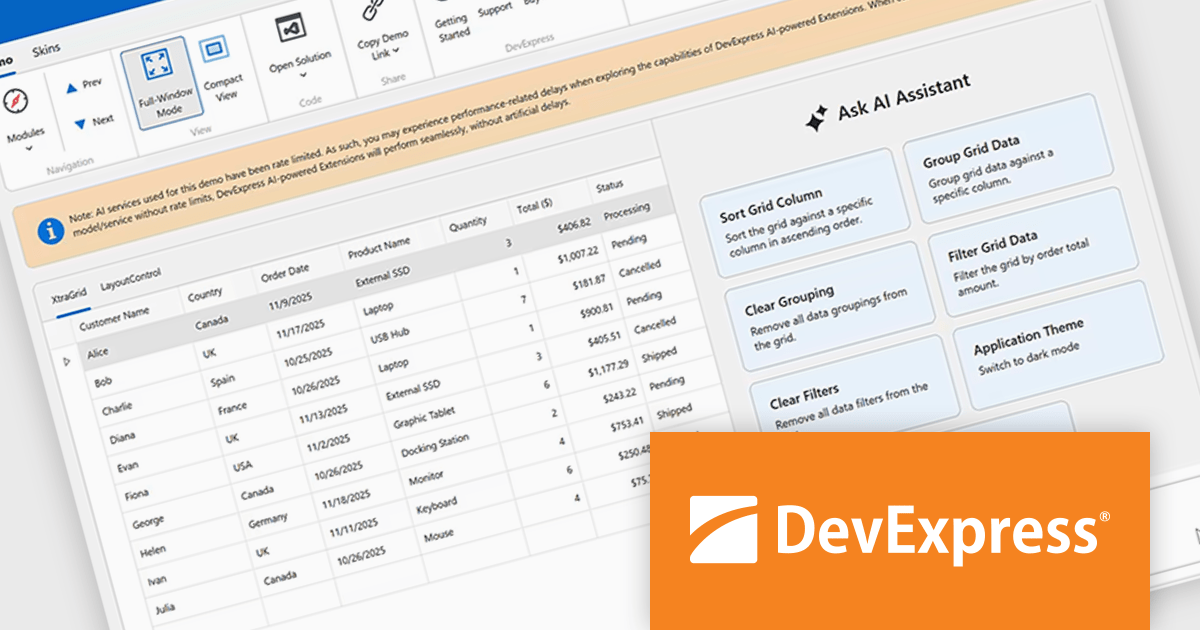
DevExpress Universal is a comprehensive suite of UI components and developer tools that supports the creation of feature-rich applications across web, desktop, and mobile platforms, including .NET, JavaScript, Blazor, ASP.NET, WinForms, WPF, and MAUI. It focuses on delivering consistent user interfaces, advanced data visualization, reporting, dashboards, and productivity features that help teams design, build, and maintain complex applications using a unified set of technologies and patterns.
DevExpress Universal v25.2 introduces AI Tool Calling (Natural Language Control for UI Components), a cross-platform feature that extends Microsoft.Extensions.AI tool-calling to enable natural-language interaction with application UI and logic. Developers can expose UI components, ViewModels, and business services as AI-invokable tools, grouped into dynamic toolsets that adapt to the application’s current context. When users interact through the DevExpress AI Chat Control, the language model interprets their request, selects the appropriate tool, resolves the target instance, and executes the action in real time, making applications easier to use while giving developers full control over what the AI can see and do.
DevExpress Universal is licensed per developer and is available as a Perpetual License with a 12 month support and maintenance subscription. See our DevExpress Universal licensing page for full details.
For more information, visit our DevExpress Universal product page.
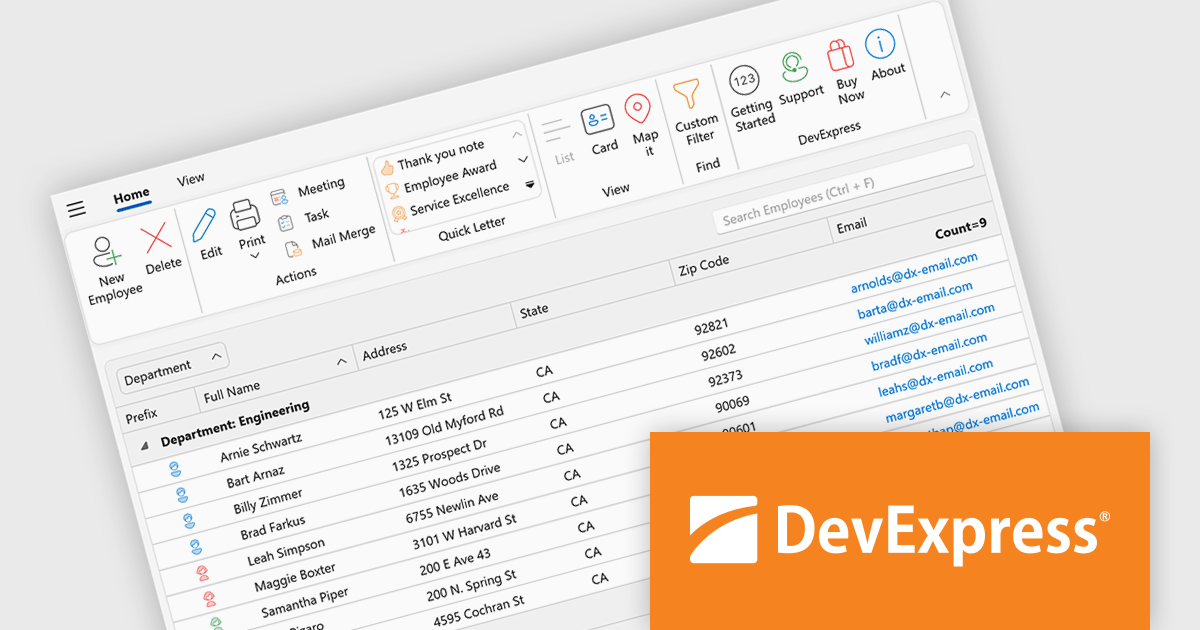
DevExpress WPF is a powerful suite of controls that enhances your WPF development toolkit. It offers data grids, ribbon menus, rich text editors, spreadsheets, charts, and more, all with beautiful themes and touch-friendly interfaces. DevExpress WPF helps you to build professional-looking, responsive applications that meet modern user expectations, saving you time and effort while adding polish and functionality.
The DevExpress WPF 25.2 update introduces support for a Page Header Button positioned directly in the ribbon’s page header area. This new UI element allows developers to replicate the toggle behavior seen in recent versions of Microsoft Outlook, where users can expand or collapse navigation panes with a single click. It is a simple yet effective way to enhance usability in complex applications, particularly those that rely on dynamic side panels or menus. This new functionality brings a modern and intuitive interaction model to WPF-based interfaces, aligning with common user expectations.
To see a full list of what's new in version 25.2, see our release notes.
DevExpress WPF is licensed per developer and is available as a Perpetual License with a 12 month support and maintenance subscription. We can supply new subscriptions, subscription renewals, and additional licenses. See our DevExpress WPF licensing page for full details.
DevExpress WPF is available to buy in the following products:
ComponentOne Studio Enterprise is a comprehensive suite of .NET UI controls developed by MESCIUS (formerly GrapeCity) designed for building rich, interactive desktop, web, and mobile applications. It provides developers with a broad range of tools and components-including data grids, charts, reports, input controls, and advanced data visualization features-for platforms such as WinForms, WPF, ASP.NET Core, Blazor, WinUI, and .NET MAUI. The suite emphasizes performance, flexibility, and ease of integration, helping teams create consistent, feature-rich user experiences across multiple application types while maintaining a unified development approach.
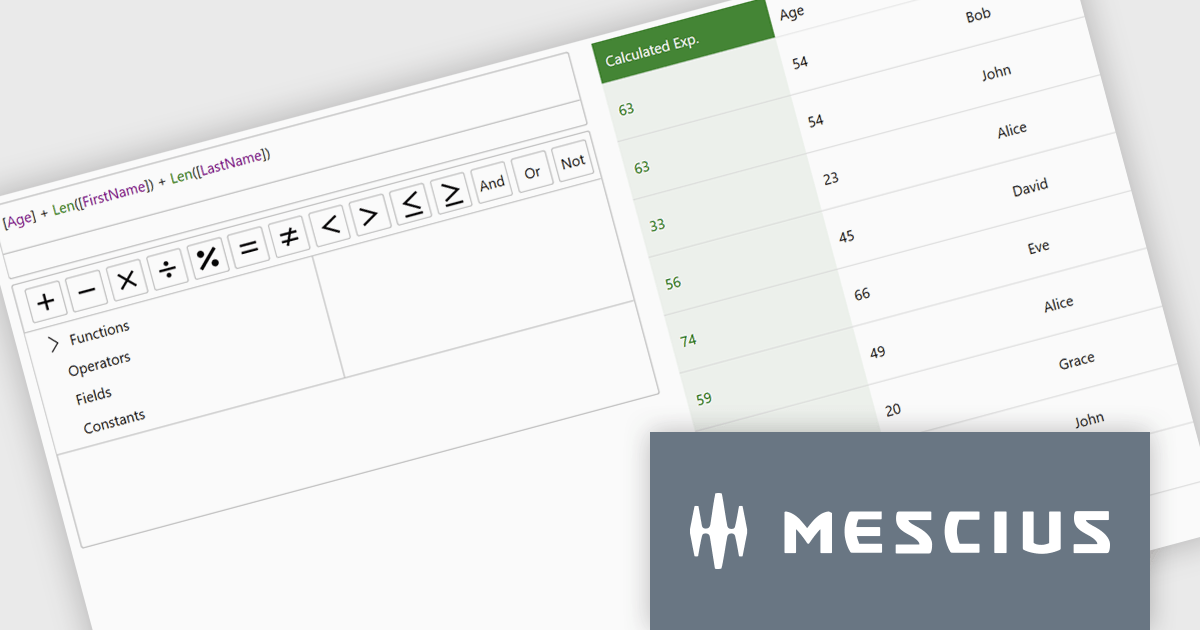
The ComponentOne Studio Enterprise 2025 v2 update introduces a modern WPF ExpressionEditor that enables developers to integrate a complete runtime formula-building experience directly into their applications. It allows end users to create, edit, and validate logical expressions using familiar Visual Studio–style code completion, syntax highlighting, and real-time error reporting, while also providing a set of built-in operators, constants, and aggregate, logical, mathematical, and conversion functions. By offering both a lightweight expression text box and a full-featured formula panel, the update reduces the need for custom expression editors, shortens development time, and improves the reliability and usability of data-driven application logic.
To see a full list of what's new in 2025 v2, see our release notes.
ComponentOne Studio Enterprise is licensed per developer on a perpetual basis and includes a 12 month subscription. Priority Support is also available. See our ComponentOne Studio Enterprise licensing page for full details.
Learn more on our ComponentOne Studio Enterprise product page.
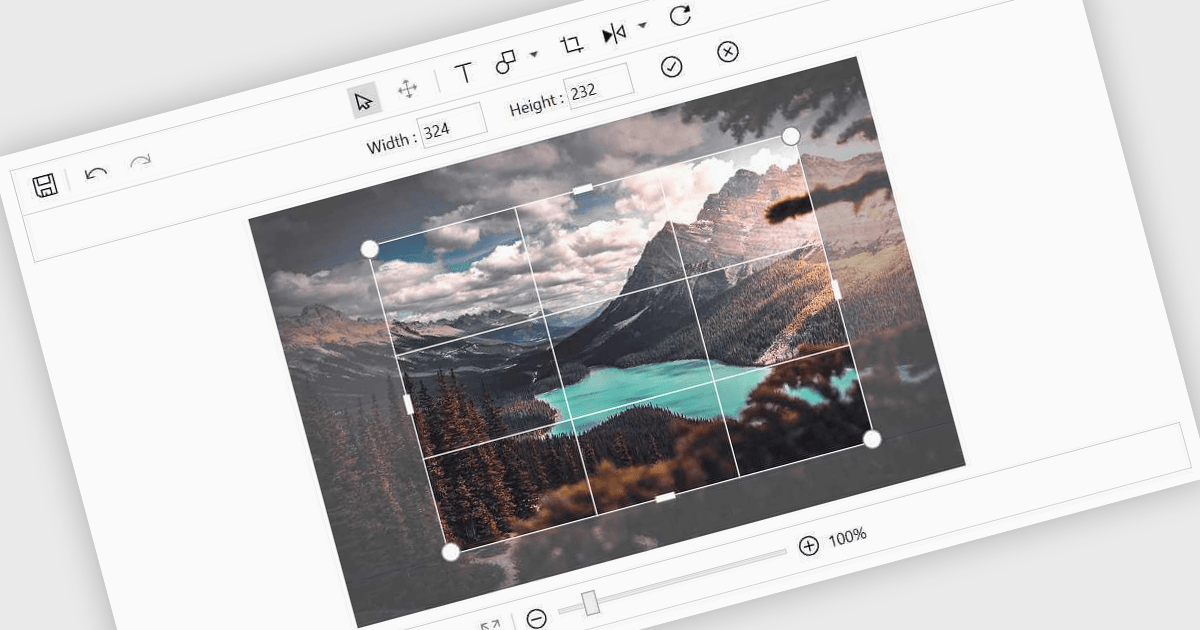
Image editing in a data editor component helps users work with images alongside other data fields. This includes basic functions like cropping, rotating, resizing, and adding annotations. It's useful for tasks such as cleaning up user-uploaded files, adjusting product photos, or marking up visual references—all without switching to another application. This keeps image handling part of the same process as your data updates.
Several .NET data editor collections provide an image editor, including:
For an in-depth analysis of features and price, visit our .NET data editors comparison.

ComponentSource and combit have partnered for 15 years, providing developers worldwide with powerful reporting, reporting designers, and data visualization tools to build professional, data-driven applications.
combit is a leading provider of reporting components for software developers, best known for List & Label – a multiple award-winning reporting tool used by development teams around the globe. Their components make it easier to design and integrate customized reports, dashboards, lists, and labels into business applications. Through ComponentSource, customers can conveniently license, and maintain these combit products, confident they’re choosing proven technology backed by professional support and ongoing innovation.
Together, ComponentSource and combit help development teams deliver applications faster, with flexible licensing options, reliable updates, and expert assistance. As demand for advanced reporting and analytics continues to grow, this long-standing collaboration ensures customers can rely on a trusted combination of combit’s technology and ComponentSource’s global distribution and customer service for many years to come.
Learn more about combit.
電話: (888) 850 9911
Fax: +1 770 250 6199


