













公式サプライヤー
公式および認定ディストリビューターとして200社以上の開発元から正規ライセンスを直接ご提供いたします。
当社のすべてのブランドをご覧ください。
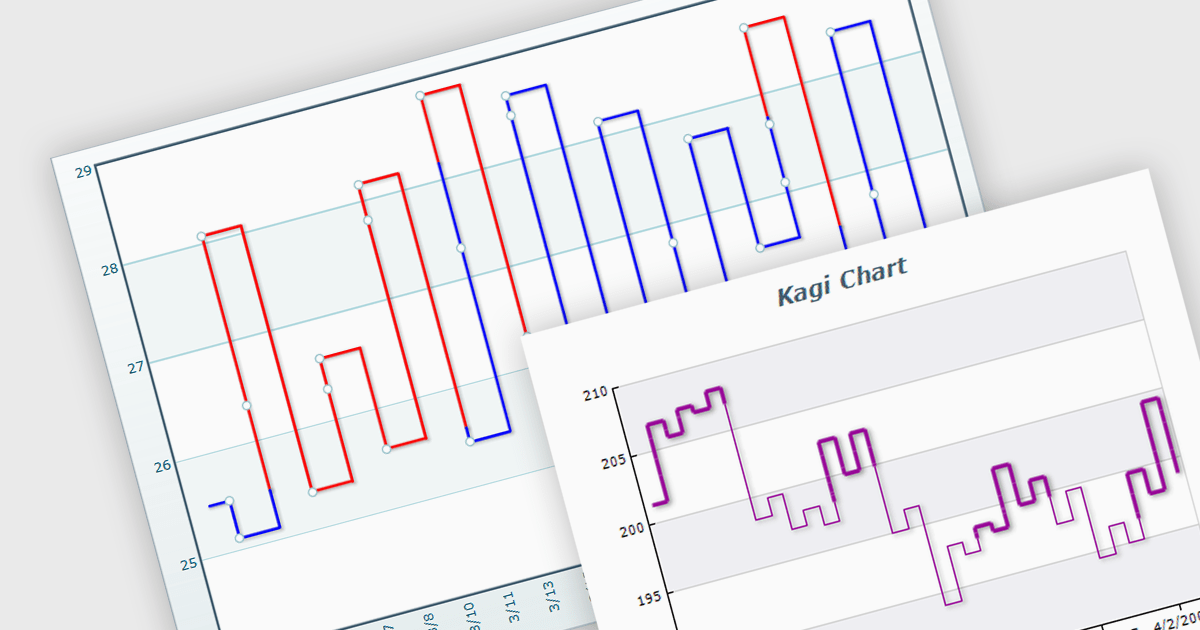
A Kagi chart is a type of financial chart used to track price movements, with a focus on significant trends and reversals rather than minor fluctuations, to inform stock purchasing decisions. It features a series of vertical lines that reflect changes in price. The direction of these lines shifts only when the price moves by a predetermined amount, known as the reversal amount. Thin lines indicate that the price has fallen below the previous low while thick lines indicate that the price has surpassed the previous high. By filtering out minor price fluctuations it emphasises substantial price movements, offering a clearer perspective on market trends.
Several WinForms chart components provide Kagi charts, including:
For an in-depth analysis of features and price, visit our WinForms charts comparison.
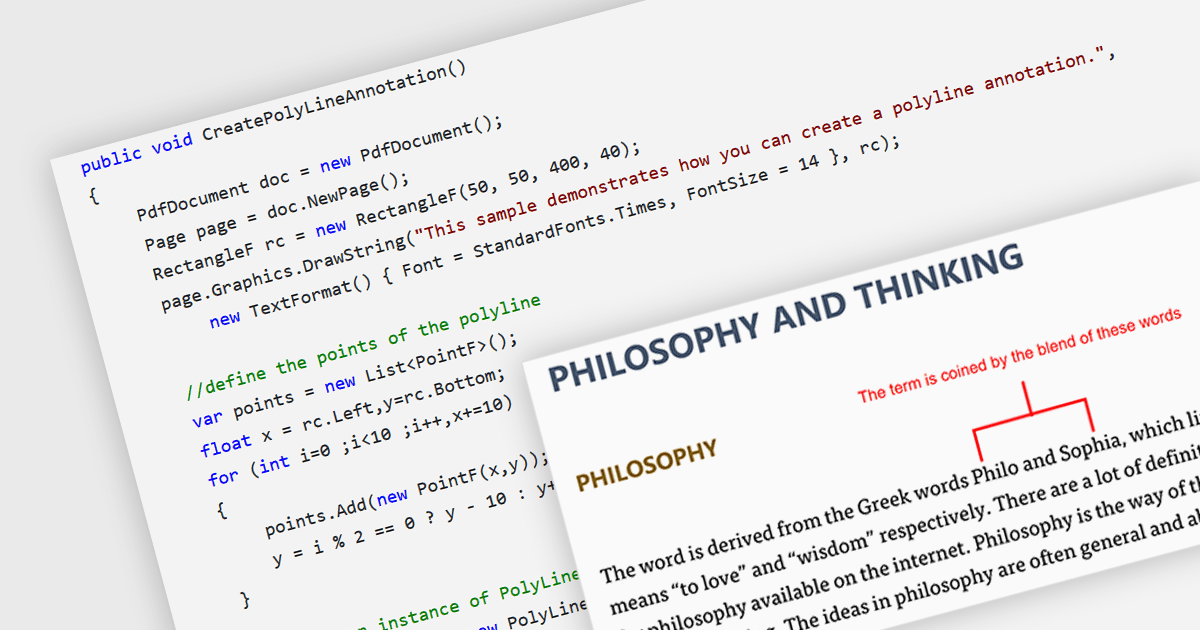
Polyline annotations in PDFs are interactive elements that enable the creation of free-form shapes defined by connected straight line segments. This functionality offers a versatile tool for reviewers or editors to precisely highlight specific areas, connect elements visually, or trace paths within the PDF document, promoting better communication and clarity for readers. They are particularly beneficial for creating dynamic and interactive documents as they help in embedding more complex graphical data, which can improve the usability and readability of PDFs in technical fields such as engineering, architecture, and design.
Several .NET PDF components allow you to move, resize, remove or edit the appearance of polylines in PDF files, including:
For an in-depth analysis of features and price, visit our comparison of .NET PDF components.
Aspose.OCR is a software product family that provides Optical Character Recognition (OCR) capabilities for developers. It allows you to integrate text extraction from images, scans, and PDFs into your applications with minimal coding effort. Aspose.OCR offers options for various programming languages including .NET, Java, C++, supporting a wide range of languages and output formats.
The latest Aspose.OCR release adds the ability to recognize Persian (Farsi), Urdu, and Uyghur languages and text in mixed Persian/English. This broadens its reach to users working with documents in these geographically significant languages, allowing it to cater to a wider audience, particularly those in Central and South Asia, where these languages are prominent. By enabling accurate text extraction from Farsi, Urdu, and Uyghur resources, Aspose.OCR empowers businesses and developers to process multilingual documents for tasks like data extraction, archiving, and content management.
To see a full list of what's new in Aspose.OCR, see our .NET and Java release notes.
Aspose.OCR is offered as Developer Small Business, Developer OEM, Site Small Business, and Site OEM licenses catering to a range of business needs. Licenses are perpetual, and include 1 year of support and maintenance. Subscription renewals are also available. See our Aspose.OCR licensing pages for .NET and Java for full details.
Aspose.OCR for .NET is available to buy in the following products: Aspose.OCR for .NET, Aspose.OCR Product Family, Aspose.Total for .NET, Aspose.Total Product Family, Conholdate.Total for .NET, and Conholdate.Total Product Family.
Aspose.OCR for Java is available to buy in the following products: Aspose.OCR for Java, Aspose.OCR Product Family, Aspose.Total for Java, Aspose.Total Product Family, Conholdate.Total for Java, and Conholdate.Total Product Family.
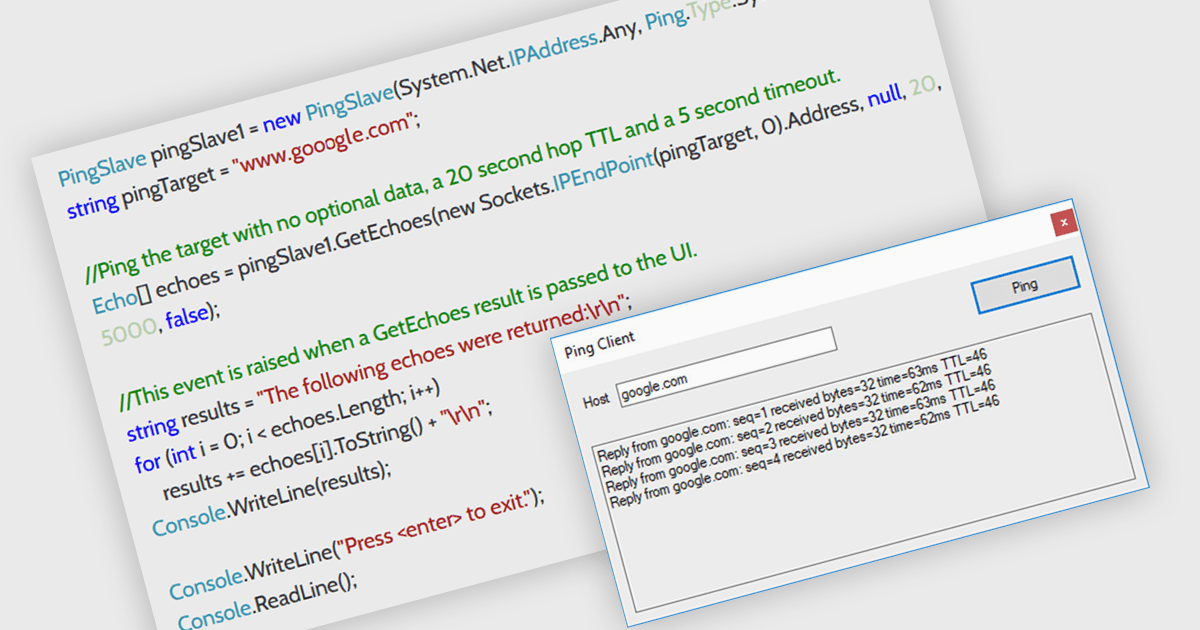
In a .NET communication component, ping support refers to the ability to send a simple message to a remote endpoint to verify its connectivity and responsiveness. This functionality is valuable for developers as it allows them to proactively check if the target device or service is online before attempting data exchange. This can help identify potential connection issues early in the communication process, improving the overall reliability and efficiency of the application.
Several .NET communications and messaging components offer ping support including:
For an in-depth analysis of features and price, visit our comparison of .NET Comms & Messaging components.
Aspose.Finance is a software development toolkit that empowers developers to work with financial data formats within their applications. It tackles specific formats like XBRL (eXtensible Business Reporting Language) and OFX (Open Financial Exchange) used for financial statements and banking data exchange. Aspose.Finance allows developers to create, read, manipulate, and convert these files, streamlining financial data integration within their software solutions.
The Aspose.Finance 24.4 release adds support for converting OFX output to Excel and CSV formats. These widespread spreadsheet formats enable easier data manipulation, analysis in familiar tools like Excel, and seamless import into budgeting or accounting software that might not directly support OFX, simplifying financial record keeping and analysis.
To see a full list of what's new in version 24.4, see our .NET and Python via .NET release notes.
Aspose.Finance is offered as Developer Small Business, Developer OEM, Site Small Business, and Site OEM licenses catering to a range of business needs. Licenses are perpetual, and include 1 year of support and maintenance. Subscription renewals are also available. See our Aspose.Finance licensing pages for .NET and Python via .NET for full details.
Aspose.Finance for .NET is available to buy in the following products: Aspose.Finance for .NET, Aspose.Total for .NET, Aspose.Total Product Family, Conholdate.Total for .NET, and Conholdate.Total Product Family.
Aspose.Finance for Python via .NET is available to buy in the following products: Aspose.Finance for Python via .NET, Aspose.Total for Python via .NET, and Aspose.Total Product Family.
電話: (888) 850 9911
Fax: +1 770 250 6199


