













公式サプライヤー
公式および認定ディストリビューターとして200社以上の開発元から正規ライセンスを直接ご提供いたします。
当社のすべてのブランドをご覧ください。

Stamp annotation support in a PDF Viewer component allows applications to place predefined or custom visual marks, such as “Approved,” “Draft,” or date-based stamps, directly onto PDF pages as non-destructive annotations. For software developers, this capability simplifies the implementation of document review and approval processes by enabling users to apply consistent, repeatable markings without altering the underlying content. It improves traceability and collaboration by making document status and actions immediately visible, supports automation through programmatic stamp placement, and helps maintain document integrity while meeting common business and compliance requirements.
Several .NET PDF viewer components support stamp annotations, including:
For an in-depth analysis of features and price, visit our comparison of .NET PDF viewer components.

AutoMapper by Lucky Penny Software is a convention-based object-to-object mapping library designed for Microsoft .NET developers. It improves the process of transforming data between objects, particularly when mapping complex domain models to simpler Data Transfer Objects (DTOs), using intelligent conventions and configuration options to minimize manual coding.
By eliminating repetitive boilerplate mapping code, AutoMapper helps developers build cleaner, more maintainable applications. It enforces consistent naming conventions, validates mappings at runtime, and optimizes LINQ projections for efficient data querying. This makes it especially valuable in layered architectures, API development, and enterprise applications where data transformation is frequent and complex. From startups to large organizations, teams use AutoMapper to reduce errors, accelerate development cycles, and focus on delivering business value rather than managing tedious object-mapping logic.
AutoMapper is licensed on an annual subscription basis per development team, with Standard (1–10 developers), Professional (11–50 developers), and Enterprise (unlimited developers) tiers. See our AutoMapper licensing page for full details.
For more information, visit our AutoMapper product page.

Opening PDFs directly from streams in ASP.NET PDF Viewer components refers to the ability to load and render PDF documents from a .NET Stream object rather than from a physical file stored on the server. This means the PDF content can be retrieved dynamically from sources such as databases, cloud storage, web APIs, or generated in memory at runtime, and then passed directly to the viewer for display. By working with streams, applications can avoid temporary file storage, improve security by reducing file system exposure, and better support modern deployment scenarios such as containerized or cloud-based environments where local storage may be limited or transient.
Several ASP.NET Core PDF viewer components offer open PDFs from stream functionality including:
For an in-depth analysis of features and price, visit our comparison of ASP.NET Core PDF viewer components.

DevExpress Office File API is a robust library designed to simplify the creation, editing, and processing of popular office document formats, including Word, Excel, PowerPoint, and PDF. It allows developers to integrate advanced document management features into their applications without relying on external software like Microsoft Office. Key features include document generation, data import/export and template customization. The API supports advanced formatting, encryption, and digital signatures, ensuring secure and professional-grade output.
The DevExpress Office File API now includes full support for PowerPoint tables, allowing applications to upload and save presentations that contain tabular data and interact with that data through code. Developers can read existing tables, modify their structure and content, remove tables that are no longer needed, or create entirely new tables from scratch. This addition makes it easier to automate report generation, update presentation data, and integrate PowerPoint files into document processing workflows where tables play a central role.
DevExpress Office File API is licensed per developer and is available as a Perpetual License with a 12 month support and maintenance subscription. See our DevExpress Office File API licensing page for full details.
DevExpress Office File API is available individually or as part of DevExpress Universal.
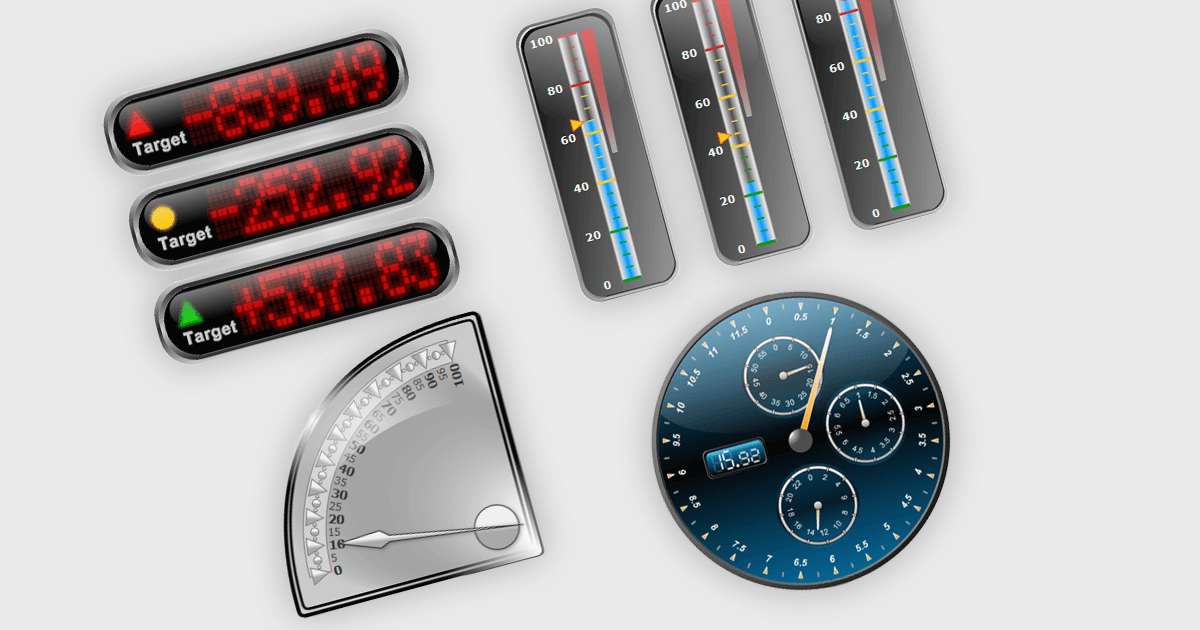
Gauge controls in .NET WPF UI suites are specialized visual components designed to present quantitative data in an intuitive, instrument-style format, similar to speedometers, thermometers, or dial indicators. They are commonly used in dashboards and monitoring applications to display key performance indicators, thresholds, and real-time metrics with clear visual cues such as ranges, tick marks, color-coded segments, and animated needles or pointers. Built to integrate with WPF’s data binding, templating, and styling capabilities, gauge controls allow developers to connect live data sources, customize appearance through themes and templates, and define ranges or alerts that highlight critical values. This makes them particularly useful in industrial systems, financial dashboards, health monitoring tools, and other applications where quick visual interpretation of numeric data is essential.
Many .NET WPF UI Suites contain gauges including:
For an in-depth analysis of features and price, visit our comparison of .NET WPF UI Suites.
電話: (888) 850 9911
Fax: +1 770 250 6199


