













公式サプライヤー
公式および認定ディストリビューターとして200社以上の開発元から正規ライセンスを直接ご提供いたします。
当社のすべてのブランドをご覧ください。

Image-to-PDF conversion transforms one or more image files into a single, standardized PDF document, maintaining image quality and consistent layout. Converting images to PDF improves accessibility across devices and platforms, simplifies sharing and printing, and helps organize multiple images into one professional file. It also supports features such as compression and security, making documents easier to store and protect. Common use cases include compiling scanned documents or receipts, creating reports from images, and sharing visual records in a reliable, universally supported format.
Several .NET PDF components allow you to convert images to PDF, including:
For an in-depth analysis of features and price, visit our comparison of PDF components for .NET.

Right to left (RTL) support in reporting components enables reports to correctly display languages such as Arabic and Hebrew, where text flow, alignment, and layout follow a right-to-left reading order. This capability typically affects text rendering, page layout, table alignment, and user interface elements, helping reports remain readable and culturally appropriate without requiring separate report designs.
Several Blazor reporting controls offer right-to-left (RTL) support including:
For an in-depth analysis of features and price, visit our Blazor reporting controls comparison.
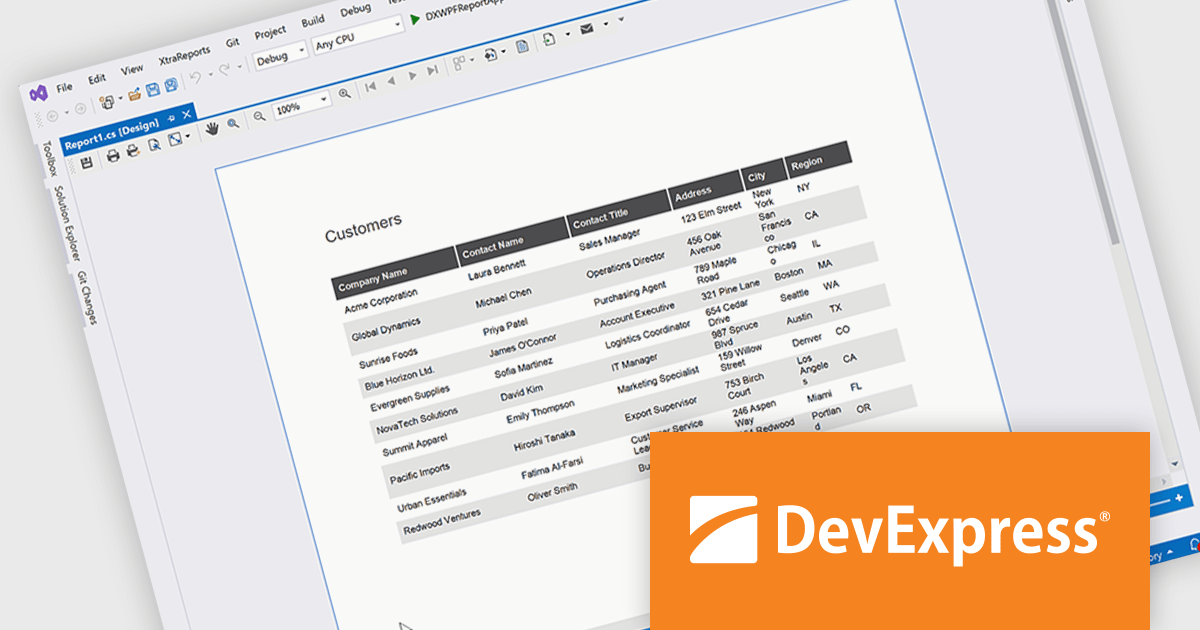
DevExpress Reporting is a comprehensive suite of reporting tools that empowers developers to create visually stunning and highly customizable reports for various applications. With its rich feature set, including data binding, layout design, printing, and exporting capabilities, DevExpress Reporting enables the efficient creation of reports that meet the most demanding business requirements.
The DevExpress Reporting 25.2 update allows developers to generate AI-generated test data to preview reports directly within the Visual Studio and End-User Report Designers for WinForms and WPF. By removing the need to connect to a live data source during design, it supports faster iteration and easier layout validation. This is particularly valuable when production data is unavailable or when sharing report templates that must not include sensitive information.
To see a full list of what's new in version 25.2, see our release notes.
DevExpress Reporting is licensed per developer and is available as a Perpetual License with a 12 month support and maintenance subscription. See our DevExpress Reporting licensing page for full details.
DevExpress Reporting is available to buy in the following products:

Merging PDFs in a PDF viewer allows users to combine multiple PDF files into a single, unified document directly within the viewing application, without the need for external tools. This capability improves document management by preserving original formatting, page order, and visual consistency while reducing file clutter and simplifying sharing. By consolidating related content into one professional-looking file, users can improve collaboration, ensure clearer communication, and save time otherwise spent managing multiple attachments. Common use cases include compiling reports from multiple contributors, combining invoices or statements for record-keeping, assembling project documentation, or preparing complete proposals and presentations for clients and stakeholders.
Several .NET PDF viewer components offer PDF merging support including:
For an in-depth analysis of features and price, visit our .NET PDF viewer comparison.
List & Label by combit is a software development toolkit that helps developers to integrate comprehensive reporting functionalities into their desktop, web, and cloud applications. It offers features such as data binding, complex data visualization, and a user-friendly report designer, along with printing, exporting, and previewing capabilities. List & Label operates independently of programming languages and data sources, providing developers with the flexibility to design and deliver informative reports within their development environment.
The List & Label 31.001 update adds support for ZUGFeRD 2.4, enabling standards-compliant electronic invoices to be generated as part of existing reporting and document output processes. Developers can produce invoices that combine a conventional PDF layout with embedded XML data compatible with EN 16931, allowing the same document to be used for both visual review and automated processing. This allows current e-invoicing requirements to be met without introducing separate invoice formats or additional export logic.
To see a full list of what's new in version 31.001, see our release notes.
List & Label is licensed per developer and is available as a Perpetual License with a 12 month support and maintenance subscription. See our List & Label licensing page for full details.
List & Label is available in the following products:
電話: (888) 850 9911
Fax: +1 770 250 6199


