













公式サプライヤー
公式および認定ディストリビューターとして200社以上の開発元から正規ライセンスを直接ご提供いたします。
当社のすべてのブランドをご覧ください。

dbFront, developed by Big Ideas Computing Ltd., is a no-code web application designed to provide an intuitive front-end interface for SQL Server, Oracle, and MySQL databases. It enables database administrators and analysts to rapidly deploy data-driven applications without extensive programming knowledge. By dynamically adapting to database schema changes, dbFront ensures that users can manage and interact with their data efficiently, offering features such as custom dialogues, built-in reporting, and enhanced security controls.
dbFront has introduced significant enhancements to user interface customization. Users can now rearrange the table grid, advanced search, and search buttons to suit specific workflows. The ability to create and manage button groups, adjust their placement, and modify the display of the 'Advanced Search' panel, choosing between always open, default open, or default closed, provides a more tailored user experience. These features collectively contribute to a more organized and efficient interface, allowing for quicker data access and improved usability.
dbFront is available as a Professional, Enterprise or Site license. The Professional license allows for unlimited databases and tables but it is limited to 100 users and 3 PDF forms. The Enterprise license is unlimited in all areas except that it is tied to a single webserver install. The Site license allows for up to three Enterprise licenses that can be transferred as needed. All licenses are perpetual. See our dbFront licensing page for full details.
Learn more on our dbFront product page.
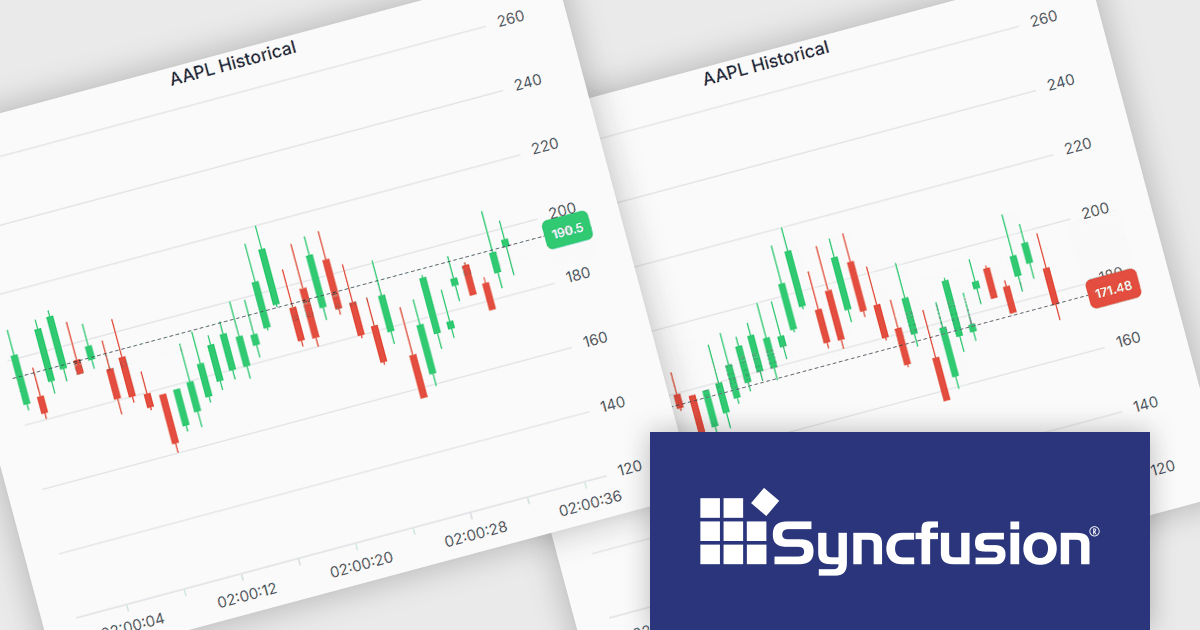
Syncfusion Essential Studio JavaScript is a comprehensive UI library offering over 80 high-performance, lightweight, and responsive components to transform your web apps. Built from scratch with TypeScript, it boasts modularity and touch-friendliness, letting you pick and choose specific features while ensuring smooth mobile interaction. With rich themes, global accessibility features, and extensive documentation, it powers everything from basic buttons to interactive charts and data grids, simplifying frontend development across JavaScript, Angular, React, and Vue.
The Syncfusion Essential Studio JavaScript 2025 Volume 2 update introduces support for highlighting the last value of a series in the Chart component with a label and a grid line indicator. This makes it easier for users to identify the most recent data point at a glance, improving chart readability without requiring interaction. It’s especially useful in scenarios like financial dashboards or performance tracking where the latest value is the key focus.
To see a full list of what's new in 2025 Volume 2 (30.1.37), see our release notes.
Syncfusion Essential Studio JavaScript is available as part of Syncfusion Essential Studio Enterprise which is licensed per developer starting with a Team License of up to five developers. It is available as a 12 Month Timed Subscription License which includes support and maintenance. See our Syncfusion Essential Studio Enterprise licensing page for full details.
Learn more on our Syncfusion Essential Studio JavaScript product page.
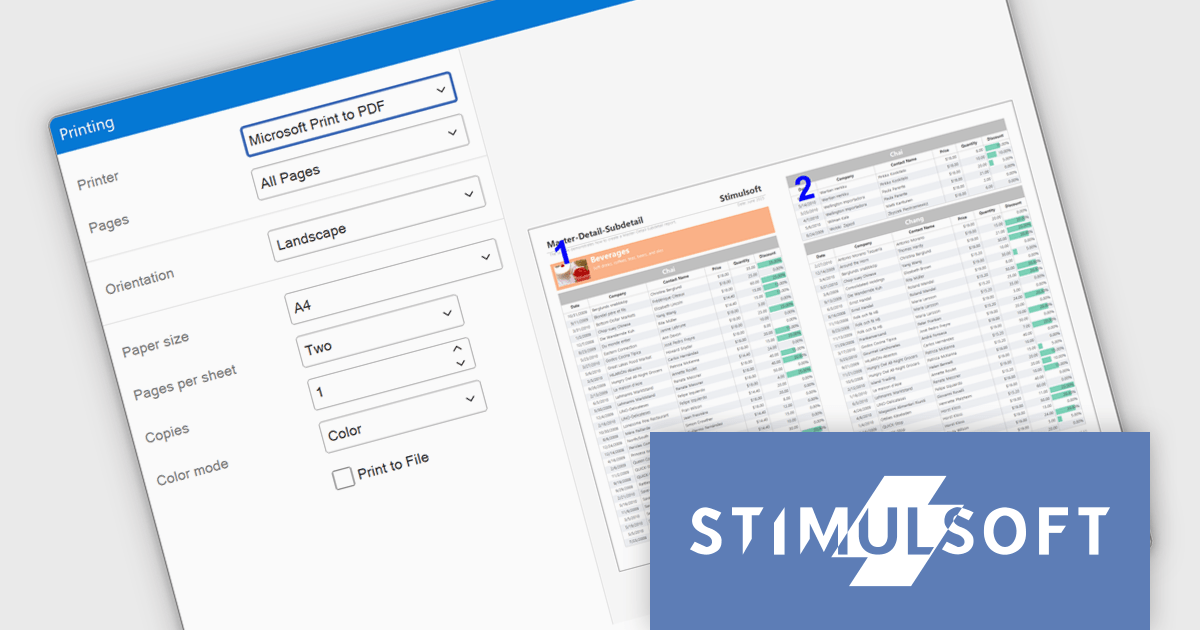
Stimulsoft Reports.WPF is a powerful reporting component for Windows Presentation Foundation (WPF) that provides rich rendering, viewing, printing, and exporting capabilities, allowing users to easily create, customize, and execute complex reports with minimal code, featuring a designer, data binding, WYSIWYG printing, and support for multiple export formats.
The Stimulsoft Reports.WPF 2025.3.1 update introduces a new Extended Print Dialog that enhances the printing experience by offering a customizable print window with built-in report preview. This allows developers to provide users with a clearer view of report layout and formatting before printing, while automatically adjusting available print options based on the installed printer driver. The feature is easy to enable and helps ensure more accurate, efficient, and user-friendly report output.
To see a full list of what's new in 2025.3.1, see our release notes.
Stimulsoft Reports.WPF is licensed per developer and is available as a perpetual license with 1 year support and maintenance. See our Stimulsoft Reports.WPF licensing page for full details.
Stimulsoft Reports.WPF is available in the following products:
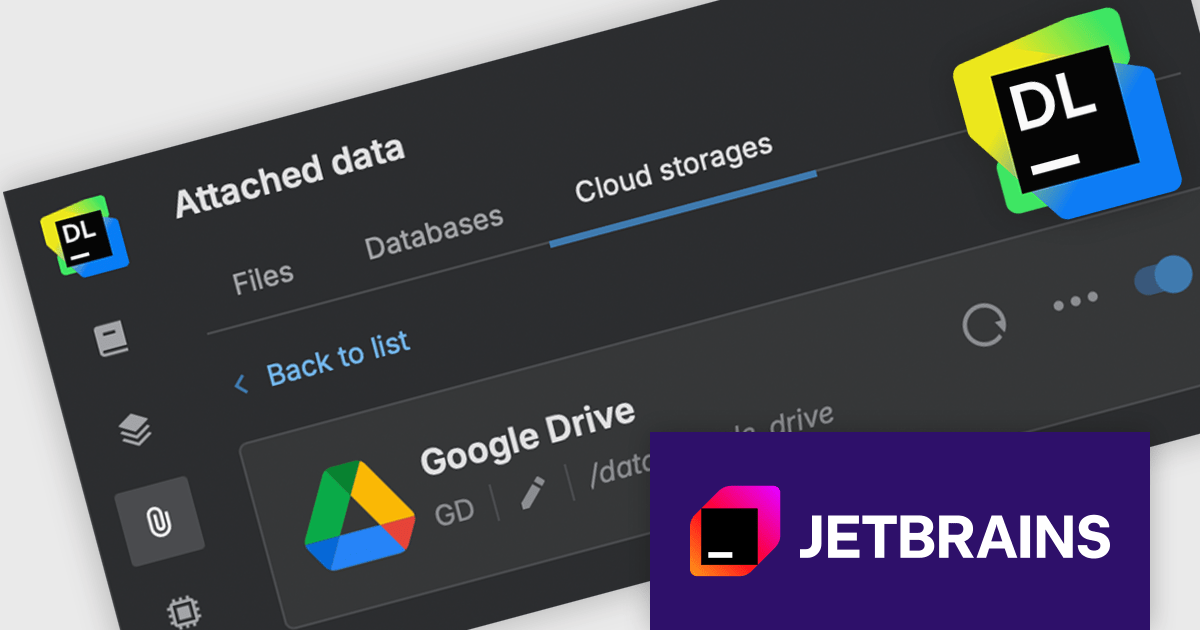
JetBrains Datalore is a collaborative data science platform that streamlines data exploration, analysis, and visualization through Jupyter-compatible notebooks. It empowers teams with features like automatic visualizations, pre-configured environments, interactive controls, and seamless collaboration functionalities. Datalore offers both cloud-based and self-hosted deployment options, catering to both individual and team-based data science workflows.
The Datalore 2025.4 update introduces Google Drive integration, making it easier to access and analyze data stored in the cloud. With this new connector, users can open and query files directly from their Google Drive folders without manually exporting datasets. This enables seamless data access from within the notebook environment, supporting languages including SQL, Python, Scala, Kotlin, and R. The integration significantly reduces friction in the data preparation process and supports more efficient, language-flexible processes.
To see a full list of what's new in version 2025.4, see our release notes.
Datalore is licensed per user, and is available as a commercial annual subscription license. See our Datalore licensing page for full details.
For more information, visit our Datalore product page.
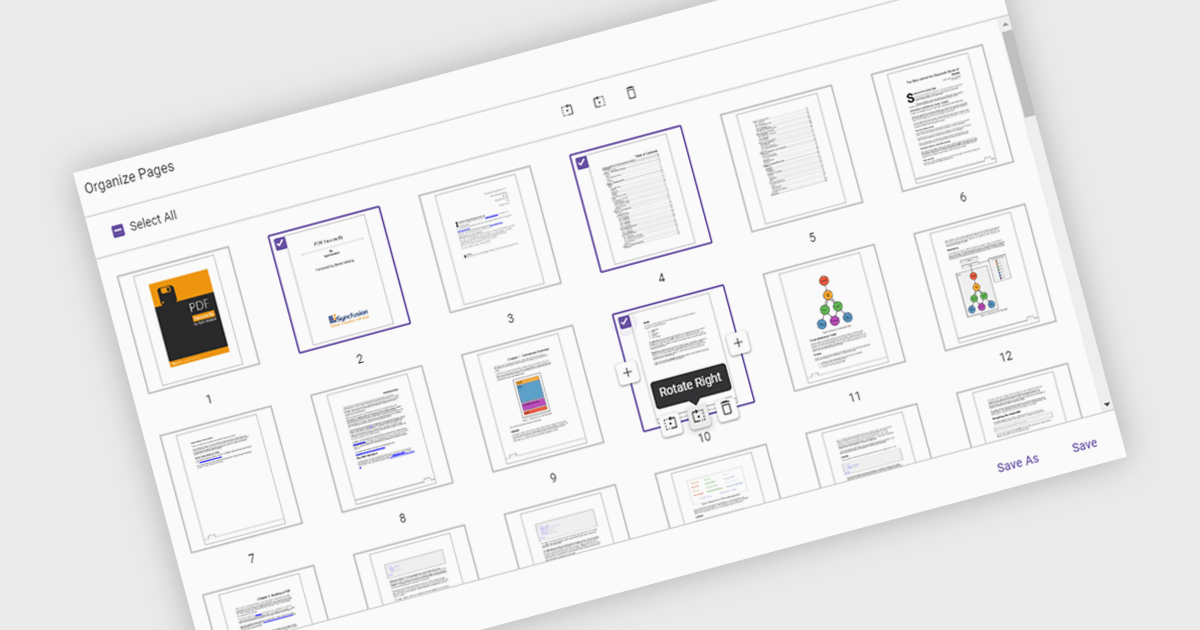
Moving pages in a PDF Viewer refers to the ability to change the order of pages within a document to better organize content, improve readability, or tailor the structure for specific purposes. This feature is especially useful when compiling reports, combining multiple documents, or correcting the sequence of scanned pages. By simply dragging and dropping pages into the desired order, users can streamline workflows without the need for re-creating or re-exporting files. Benefits include enhanced document clarity, improved presentation flow, and increased efficiency in content management. For example, a marketing team can reorder proposal sections for greater impact, or a legal department can organize case files by relevance.
Several ASP.NET Core PDF Viewer components allow you to move pages within a PDF file, including:
For an in-depth analysis of features and price, visit our comparison of ASP.NET Core PDF Viewer components.
電話: (888) 850 9911
Fax: +1 770 250 6199


